
Quick Reference Guide - Nuance Communications
This Guide shows screen pictures made with Windows® 7 unless other- wise stated. The appearance may vary under other Operating Systems.
Download Quick Reference Guide - Nuance Communications

Information
Domain:
Source:
Link to this page:
Documents from same domain

Dragon Installation and User Guide - Nuance …
supportcontent.nuance.comDictatingE-mailandCalendarcommands 124 CommandsforMicrosoftOutlookExpress,WindowsMail,andWindowsLiveMail 127 MicrosoftOutlook 129 WorkingwithMicrosoftOutlook 129

User’s Guide - Nuance Communications
supportcontent.nuance.comOmniPage 17 User’s Guide 3 C ONTENTS WELCOME 5 New features in OmniPage 17 7 INSTALLATION AND SETUP 11 System requirements 11 Installing OmniPage 12 Setting up your scanner with OmniPage 14

Dragon speech recognition Command cheat sheet …
supportcontent.nuance.comDragon speech recognition Nuance Dragon NaturallySpeaking 13 Command cheat sheet Control the microphone Go to sleep | Stop listening Wake up Microphone off

Quick Reference Guide - Nuance Communications
supportcontent.nuance.com5 edition, you can access different document management systems through the application: use them to store or archive your PDF documents. Export PDF Files
Quick Reference Guide - Nuance Communications
supportcontent.nuance.com2 This Guide shows screen pictures made with Windows® 7 unless other- wise stated. The appearance may vary under other Operating Systems.

3) THE DRAGON SIDEBAR CORRECTING ERRORS
supportcontent.nuance.comDRAGON 12 Quick Reference Card CONNECT YOUR MICROPHONE – important notes: • When you plug your microphone into your PC, an “audio event” window may open. If this happens, verify what is highlighted in that window before closing it.
Nuance Power PDF Release Notes
supportcontent.nuance.comPower PDF Advanced does not enable any connectors automatically. If you want connections to Dropbox and Evernote and any supported Document Management

eCopyShareScan - Nuance Communications
supportcontent.nuance.comforthefirsttime,itopensadialogofferingtheinstallationofthelicenserepresentedbythatlicensekeyenteredintothe installerWizardscreen.IfyouclickOKonthisdialog,theapplicationtriestodownloadthelicensefromtheNuance
Dragon Version 12.5 Release Notes - Nuance …
supportcontent.nuance.comDragon V12.5 Release Notes 3 Installation guidelines Use the following table to determine how you should proceed:

Dictaphone PowerMic II - Nuance Communications
supportcontent.nuance.comDictaphone PowerMic II User Guide Congratulations on your purchase of a Dictaphone PowerMic II handheld microphone! This is a very high quality microphone which works extremely well with speech
Related documents
Quick Reference Guide - Nuance Communications
supportcontent.nuance.com2 This Guide shows screen pictures made with Windows® 7 unless otherwise stated. The appearance may vary under other Operating Systems. IMPORTANT For technical reasons, the name of the Nuance Printer driver must revert

www.capecodsiding.com INSTALLATION, STORAGE …
www.capecod.ca1 BEFORE YOU START Double check that the siding/trim colours and profile are correct. Should you find any product to be unsatisfactory DO NOT INSTALL IT. Contact a Cape Cod Siding Representative immediately at 1-800-565-7577.

Network Dome Camera - Hikvision
www.hikvision.comNetwork Dome Camera·Quick Start Guide 6 6 Warnings Proper configuration of all passwords and other security settings is the responsibility of the installer and/or end-user.

Quick Start Guide Appearance Installation ALL …
www.hikvision.com1 3 4 5 6 Appearance *使用产品前请仔细阅读快速操作指南,并妥善保管 UD02274B Lens Name Description Status Indicator WPS/RESET …
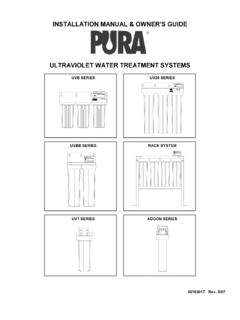
INSTALLATION MANUAL & OWNER’S GUIDE …
www.purewaterproducts.cominstallation manual & owner’s guide ® ultraviolet water treatment systems uvb series uv20 series uvbb series rack system uv1 series addon series
ShoreTel IP Phone 480/480g User Guide - SJECCD
www.sjeccd.eduCHAPTER ShoreTel IP Phone 480/480g User Guide 6 1. Getting Started This chapter provides an introduction to the ShoreTel IP Phone 480/480g. It contains the following