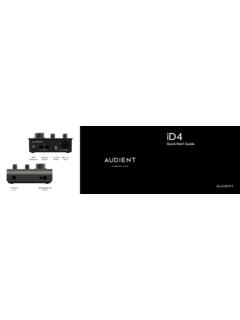
Quick Start Guide
iD4 Quick Start Guide USB-C Connection Phantom Power Mic/Line Input Instrument Input Dual Headphone Outputs Speaker Outputs audient.com
Download Quick Start Guide

Information
Domain:
Source:
Link to this page:
Documents from same domain
Manual v1
d9w4fhj63j193.cloudfront.netSound > Sound (On Windows 10 - search for Sound) You will need to check that iD4 is selected as the audio device in your chosen DAW as well. This setting is normally found in an Audio Settings or Preferences menu. See pages 24 - 28 for information on setting up iD4 with some common DAWs. iD Icon be visible in the Windows System Tray (it may
User Manual 5
d9w4fhj63j193.cloudfront.net1 0 Switch off your computer and unplug this equipment during ... an audio product designed for consumer use. 01 This device may not cause harmful interference ... First connect the Camera connection kit to the iPad. Now plug the USB hub into the USB port on the camera connection kit.

Quick Start Guide
d9w4fhj63j193.cloudfront.netDual Headphone Outputs 2 x Speaker Outputs ADAT Optical Input audient.com. Once installed, the iD mixer can be opened by going to Menu bar and clicking the iD icon. Once installed, the iD mixer can be opened by going to the system tray and right clicking the iD icon.
Product Brochure
d9w4fhj63j193.cloudfront.netMICROPHONE PREAMPLIFIER: DAC OUTPUTS: Maximum Output Level: +11dBu Digital Reference Level: 0dBFS = +11dBu Output Impedance: <100Ω Balanced Frequency Response: +/-0.5dB 10Hz to Fs/2 ... DSP MIXER ROUNDTRIP (IN TO OUT) LATENCY: 44.1 kHz 0.594ms 48.0 kHz 0.552ms 88.2 kHz 0.302ms
Related documents
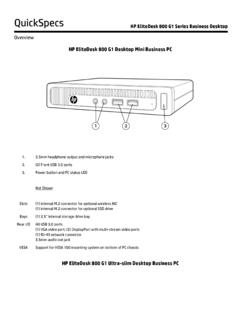
HP EliteDesk 800 G1 Business PC Series QuickSpecs 12.03.13
www.hp.com1. 3.5mm headphone output and microphone jacks 2. (2) Front USB 3.0 ports 3. Power button and PC status LED Not Shown Slots (1) internal M.2 connector for optional wireless NIC (1) internal M.2 connector for optional SSD drive Bays (1) 2.5” internal storage drive bay Rear I/O …

Dell USB Soundbar AC511 User's Guide
downloads.dell.comHeadphone jack connected Audio distortion 1. Check if the headphone plug is properly inserted into the soundbar headphone jack. 2. Check if the headphone plug is not showing intermittent connection. 3. Check if the music file is not distorted when playing without the headphone or connected to a known good headphone. Soundbar cannot mount to the ...

OVERVIEW - Lenovo
psref.lenovo.com• 1x Headphone / microphone combo jack (3.5mm) Notes: The transfer speed of following ports will vary and, depending on many factors, such as the processing speed of the host device, file attributes and other factors related to system configuration and your operating environment, will be slower than theoretical speed. USB 2.0: 480 Mbit/s;
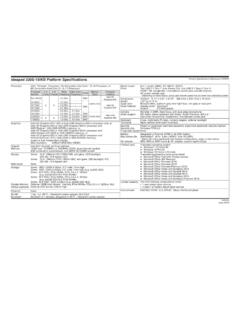
ideapad 330S-15IKB Platform Specifications Product ...
psref.lenovo.comHDMI 1.4b, headphone / microphone combo jack, security keyhole, AC power adapter jack * Depending on many factors, actual data transfer speed may be lower than theoretical speed Dimensions Weight Case color Case material WxDxH: 14.11" x 9.61" x 0.76"; 358.4mm x 244.1mm x 19.4mm 1.87 kg (4.12 lb)
Xbox Adaptive Controller Input Device Specification v1
compass-ssl.xbox.comThe following styles of 3.5mm headphone plugs are supported by the Xbox Adaptive Controller: Name Configuration Function Mono Headphone Jack T: Audio signal S: Ground return Stereo Headphone Jack T: Left audio channel R1: Right audio channel S: Ground return Stereo Headphone Jack with Microphone (CTIA standard) T: Left audio channel

Digital Wireless Headphone System - Sennheiser
assets.sennheiser.comThis wireless headphone system is suitable for use with hi-fi systems, TV sets, and home cinema systems and supports both analog and digital sig-nals simultaneously. This product is intended for private domestic use only. It is not suitable for commercial use. This product is also not intended to be used with portable audio devices.
Quick Start Guide
d9w4fhj63j193.cloudfront.netDual Headphone Outputs 2 x Speaker Outputs ADAT Optical Input audient.com. Once installed, the iD mixer can be opened by going to Menu bar and clicking the iD icon. Once installed, the iD mixer can be opened by going to the system tray and right clicking the iD icon.

HP Z400 Workstation
www.hp.comin; audio ports can be retasked to function as line in, line out, microphone, or headphone. Interfaces Supported 22-in-1 Media Card Reader (optional) Chassis Dimensions (W x D x H) Standard minitower orientation: 6.6 x 17.9 x 17.7 in (16.79 x 45.53 x 45.02 cm) Converted desktop orientation: 6.6 x 17.9 x 17.7 in (16.79 x 45.53 x 45.02 cm)