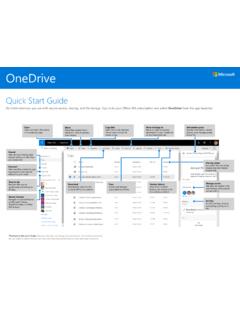
Quick Start Guide
Save and open files in Office apps (Requires Office 365, 2019, or 2016) You can save or open Office documents in OneDrive from the Office apps. In any Office document, select File > Save As, choose your OneDrive, and then pick the folder where you want to save the file.
Download Quick Start Guide

Information
Domain:
Source:
Link to this page:
Documents from same domain
Using SharePoint as a data source for Modern Reporting
resources.techcommunity.microsoft.comSharePoint Business Apps | 5 repositories such as SQL Server or SQL Data warehouse. Reports can then be run from the destination source. SharePoint Sources for Power Query

Yammer Success Guide
resources.techcommunity.microsoft.cominnovation, and engagement across every department of your organization. ... Work with leadership to develop a usage policy and guidelines for governance. This will be important to ensure that activity on ... Champions are your community of people who have bought into
Using SharePoint and Teams as a Modern Dashboarding …
resources.techcommunity.microsoft.comSharePoint Server 2019 supports modern pages, as a result, the process for embedding reports is identical to the process outlined above using the Embed web part. In classic SharePoint, the process is slightly different. When the embed code is obtained, the HTML string is …

Track information. Organize work. Get things done.
resources.techcommunity.microsoft.comTrack issues— a flexible view Create lists for anything—from issues, inventory, and contacts, to processes, and more. You can personalize the ready-made template through intuitive clicks or by using Power Apps to extend your forms. Lists allows you to continuously add and modify the template and structure to meet your needs.

Get started with Microsoft OneDrive
resources.techcommunity.microsoft.comGet started with Microsoft OneDrive. 1. Access files anywhere Store and access your files from any device via a web browser, mobile app, or PC and Mac with robust sync options. This includes your personal files and files shared with you in Office 365 from Microsoft Teams and SharePoint. 4. Find files faster

SharePoint Online - resources.techcommunity.microsoft.com
resources.techcommunity.microsoft.comand Suggested sites on your ... Select a site from the SharePoint homepage or enter its URL into your browser. Then select Documents in the left navigation pane. Open Open and edit a file online ... Based on admin settings, the three levels of sharing are: Anyone –people inside and outside your org

Microsoft Office 365 GxP Guidelines
resources.techcommunity.microsoft.comThe purpose of this document is to demonstrate that as a cloud solution provider, Microsoft has the ... customers can help usher in a new era in which cloud-based GxP systems are no longer seen as a compliance risk, but rather as a safer, more efficient model for …
Related documents
Microsoft Office 365 GxP Guidelines
resources.techcommunity.microsoft.comvalidating Office 365 and establishing governance processes to support the management of GxP content within Office 365. • Description of GxP-relevant tools and features within Office 365. • In-depth analysis of shared responsibilities concerning 21 CFR Part 11 and Annex 11