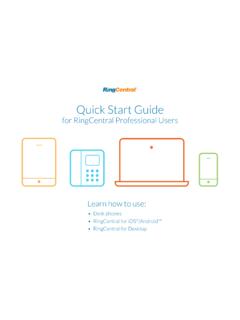
Quick Start Guide - RingCentral
User phone configuration Tap the drawer to open more options. Messages Call log Contacts Dial Pad Documents Favorites New Fax. RingCentral® Professional Quick Start Guide | RingCentral for Desktop How to use RingCentral for Desktop Top navigation: Your account presence Set your availability status.Desktop Apps. Messages View all your messages ...
Download Quick Start Guide - RingCentral

Information
Domain:
Source:
Link to this page:
Documents from same domain

RingCentral Phone™ for Desktop Quick Reference Guide
netstorage.ringcentral.comRingCentral Phone™ for Desktop Quick Reference Guide RingCentral Phone for desktop is a free downloadable application that turns your PC or Mac® ... • Windows® 7 (or later) • Minimum 2 GHz (32-bit or 64-bit) processor • Minimum of 4 GB of memory (8 GB recommended)

Polycom® VVX® 501 - RingCentral
netstorage.ringcentral.comRINGCENTRAL PHONE DATASHEET POLYCOM VVX 501 2 Features and specifications Lines • 12 lines for calls or use up to 10/50 4 for presence monitoring Display • Gesture-based, multitouch-capable, capacitive touchscreen • 3.5-in TFT LCD display at QVGA (320x240 pixel) resolution, 4:3 aspect ratio • Screensaver and digital picture frame mode Feature keys

Recommended QoS Configuration Settings for ASUS RT …
netstorage.ringcentral.comreal-time voice traffic over lower-priority data traffic, such as large downloads. This document provides recommended configuration settings to ensure the highest-possible QoS experience on the ASUS RT-AC87U router. Please reference the relevant TCP/UDP settings on the Ports and Firewalls table to complete the recommended setup.

Meraki MX64 Firewall/Router QoS Configuration Guide
netstorage.ringcentral.comservices, RingCentral cannot control the final configuration of the hardware or your computer systems/networks, or promise firewall will work with your system, or guarantee that our information is 100% up to date. This document is intended to be used as a guide to assist in customer network configuration.

U s e r G u i d e Rin g C e n tra l MVP
netstorage.ringcentral.comVoicemail setup 18 Changing the voicemail greeting 18 Use RingCentral Anywhere 21 ... Passwords and security questions on your online account maintain your confidentiality and privacy. The PIN ... Now check or reset your Re g io n a l S e ttin g s. 1. Verify Re g io n a l S e ttin g s specified for your account.
RingCentral Phone Desktop App™
netstorage.ringcentral.com• Older Cisco and some Polycom (VVX101/VVX201) models may not display non-ASCII characters properly on devices. • Characters might display improperly when using intercom and page. Note: Japanese and Brazilian Portuguese have not been integrated into Q365, SFDC, Zendesk, MS Dynamics, Global c2D, or Microsoft Outlook.

RingCentral | RC Performance Reports, Company Numbers ...
netstorage.ringcentral.comPerformance Reports RingCentral Performance Reports is an additional tool that enables you to research call records to determine your business unit performance. By using Key Performance Indicators (KPI) as well as targeted filters, Performance Reports assists you in combining user, queue, and call activity to evaluate performance.
Related documents

LabelWriter 4XL Quick Start Guide - DYMO
download.dymo.com4 3. Connecting your LabelWriter Printer NOTE Do not connect the printer to your computer until after the software installation is complete. To connect the power 1 Plug the power cord into the power adapter. See Figure 3. 2 Plug the power adapter into the power connector on the bottom of the printer. See Figure 4. 3 Plug the other end of the power cord into a power outlet.

Tutorial Quick Start Gephi Tutorial
gephi.orgMar 05, 2010 · Quick Start Export as SVG From Preview, click on SVG near Export. SVG Files are vectorial graphics, like PDF. Images scale smoothly to different sizes and can therefore be printed or integrated in high-res presentation. Transform and manipulate SVG files in Inkscape or Adobe Illustrator.
UI HEALTH EMPLOYEE PORTAL USER QUICK REFERENCE …
hospital.uillinois.eduuser quick reference guide & faqs information services department technology solutions how to use this guide . how to log into the employee portal step i how to access the employee portal step ii workstation?enter your login credentials

VA Once Quick Reference User Guide
www.benefits.va.govThe VA-ONCE Quick Reference User Guide was created especially for you, the school certifying official. Whether you are a novice taking over the duties as certifying official or a seasoned “Veteran of VA-ONCE, we hope that this quick reference guide will make a great desktop reference for you. VBA Education Staff
RSA SecurID New User Quick Start Guide - J.P. Morgan
www.jpmorgan.comJul 23, 2019 · New User Quick Start Guide ... for example, you incorrectly entered your User ID, your Access password or the Token Code.) Return to the Token app on your device, and tap Next Code. 9 Rename a Software Token in the RSA SecurID App for iOS 1. Tap the Menu icon. 2. From the My Tokens screen that displays, tap Settings for

EPP User ID/Password Quick Reference Guide
www.nfc.usda.govEPP User ID/Password Quick Reference Guide The Employee Personal Page (EPP) allows employees serviced by the National Finance EPP Center (NFC) to view their payroll, leave, health and life insurance, Wage and Tax Statement, and other personal information. EPP also allows employees (whose Agencies

Clinical Portal Quick User Guide v8 - NHSGGC
www.nhsggc.org.ukPlease note – Further support is available for the Clinical Portal system via E-Learning or a comprehensive user guide. To be setup with E-Learning access please log a call with the I.T Helpdesk on 0845 612 5000 or #650. The full user guide can be obtained on Staffnet->Applications->Clinical Portal. 2 View a Patient’s Electronic Records

Xilinx Quick Emulator: User Guide QEMU
www.xilinx.comXilinx Quick Emulator User Guide QEMU UG1169 (v2020.1) June 3, 2020 See all versions of this document. R e v i s i o n H i s t o r y The following table shows the revision history for this document. Section Revision Summary 06/03/2020 Version 2020.1 …