
REX-C100 INSTRUCTION
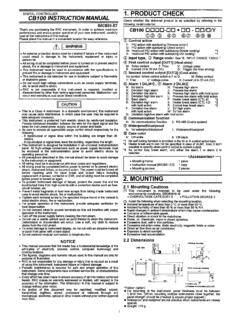
: Press the key.: Press the key for more than 5 sec Input type code / input range display This controller, with the power turned ON, displays automatically the input type code on the measured-value (PV) display unit and the input range, on the set-value (SV) display unit, respectively. Example : For a controller with the K thermocouple input
Download REX-C100 INSTRUCTION

Information
Domain:
Source:
Link to this page:
Documents from same domain

CB Initial Seting Manual - FM FRANKLIN
www.fmfranklin.com.auIMCB04-E2 Digital Controller CB100/CB400 CB500/CB700 CB900 Initial Setting Manual ® RKC INSTRUMENT INC.

TM GCA121 Air damper actuators GCA32.. - FM …
www.fmfranklin.com.auSiemens Building Technologies CM2N4613E / 02.1999 Landis & Staefa Division 3/10 The illustration below shows the adjustable switching values for auxiliary switches A and

Instruction Manual - FM FRANKLIN
www.fmfranklin.com.auSD16 Series Digital Indicator Instruction Manual Thank you for purchasing the Shimaden SD16 Series. Please check that the delivered product is the correct

Compact universal RWF55 controllers - FM …
www.fmfranklin.com.auCC1N7867en 05.11.2013 Building Technologies Division Infrastructure & Cities Sector 7867 Compact universal controllers RWF55... The RWF55 is used mainly for controlling the temperature or pressure in oil- or
CB100 INSTRUCTION MANUAL - FM FRANKLIN
www.fmfranklin.com.auTitle: CB100 INSTRUCTION MANUAL Author: RKC_S.Nakai Keywords: IMCB01-E7 Created Date: 8/6/2001 5:22:51 PM
Related documents
MSD Digital 6A and 6AL Ignition Control 6A - PN 6201/62013 ...
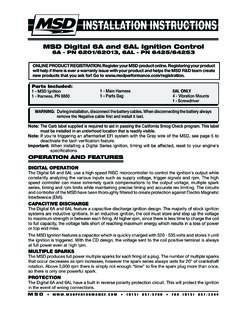
documents.holley.comMSD • WWW.MSDPERFORMANCE.COM (91) 8-200 FAX (91) 8-44 INSTALLATION INSTRUCTIONS 1 Parts Included: 1 - Main Harness1 - MSD Ignition 1 - Harness, PN 8860 OPERATION AND FEATURES DIGITAL OPERATION The Digital 6A and 6AL use a high speed RISC microcontroller to control the ignition's output while

ADJ myDMX 3.0 - USER MANUAL - cdb.s3-us-west …
cdb.s3-us-west-1.amazonaws.com6 ADJ Products, LLC • Los Angeles, Ca USA • Kerkade, Netherlands 1.3 What’s New in myDMX 3.0? myDMX 3.0 has been re-designed from the ground up with a new user interface, and is available for

Manual Motor Starter Specifications - Rockwell Automation
literature.rockwellautomation.com6 Rockwell Automation Publication 140A-TD001B-EN-P - December 2017 Manual Motor Starter Specifcations Specifications IEC Performance Data UL / CSA Performance Data Manual Motor Controller (UL 508, CSA C22.2 No .14, for group installation, in combination with a short-circuit protection device )

DELTA Temperature Controller - DTB Series - Manual
automaqperu.comWhen power is applied, controller gets into the operation mode. Press the key to switch to regulation mode. If the key is pressed for more than 3 seconds, controller will switch to the initial setting mode. Pressing the key while in the regulation mode or initial setting mode, forces the controller to return to the operation mode.

GameSir T4 Wireless Controller
images-na.ssl-images-amazon.comindicator lights scroll up and down, the controller can be connected. b. Plug 2.4 GHz receiver into PC's USB port. c. When 2.4 GHz receiver indicator lights up and LED1+LED4 of GameSir T4 Wireless Controller stay on, Xinput Mode is connected successfully.GameSir T4 Wireless Controller can be used normally.
BASIC TROUBLESHOOTING INSTRUCTIONS: JAZZY …
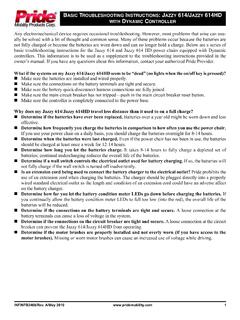
www.pridemobility.comThe Dynamic controller is in lockout mode. To unlock the controller, press the horn button twice. The battery LEDs are chasing left to right, alternating with a steady display. When the joystick is moved, the speed gauge will also flash. The Dynamic controller is plugged in for charging. The steady display indicates the status of the charge.

AE8-1376 - Electronic Unit Controller - Emerson Electric
climate.emerson.com2.2. Controller Display The controller display is shown in Figure 3, below. Table 1 provides a description of each of the labeled lights. The controller is defaulted to display the current suction pressure to three significant digits in pounds per square inch gage (PSIG). Figure 3 …

All Models Controller Operating Manual
www.coolbreeze.com.auEach subsequent press of the TIMER key, increments the timer by 30 minutes, up to a maximum of 99 hours, 30 minutes. Pressing the OFF key, or any of the mode keys cancels any unelapsed time from the timer. If the air conditioning system is turned off, pressing the TIMER key switches it on in COOL mode when the timer reaches zero.

RedLINK™ Wireless Remote Controller Kit Installation Manual
assets.sylvane.comcontroller will load the Function Code setup. If the controller does not find indoor unit support, the controller will load the Installer Set Up (ISU). See page 10 for a full list of ISU options. 2. Touch or to toggle between Function Code/ISU options. 3. Touch Edit or touch the text area, and then touch or to edit default setup options. 4.
WIRED REMOTE CONTROLLER - Daikin
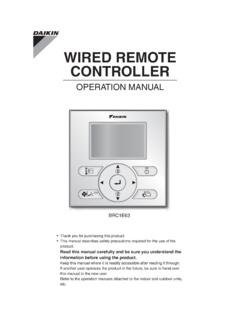
www.daikin.com.au• Do not press the button of the remote controller with a hard, pointed object. The remote controller may be damaged. • Do not pull or twist the electric wire of the remote controller. It may cause the unit to malfunction. • • Do not wash the remote controller. • Do not locate the remote controller wherever there is a risk of wetting.