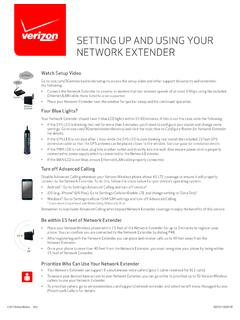
SETTING UP AND USING YOUR NETWORK EXTENDER
• Place your Verizon Wireless phone within 15 feet of the Network Extender for up to 3 minutes to register your phone. You can confirm you are connected to the Network Extender by dialing #48. • After registering with the Network Extender you can place and receive calls up to 40 feet away from the Network Extender.
Download SETTING UP AND USING YOUR NETWORK EXTENDER

Information
Domain:
Source:
Link to this page:
Documents from same domain

Samsung Galaxy Tab User Manual - Verizon Wireless
www.verizonwireless.comPORTABLE ALL DIGITAL MOBILE DEVICE User Manual Please read this manual before operating your device, and keep it for future reference.
Verizon Wireless 4G LTE USB Modem 551L …
www.verizonwireless.comVerizon Wireless 4G LTE USB Modem 551L Software Upgrade Data charges may apply. © 2012 Verizon Wireless. Overview To help you with the system update for your Verizon Wireless 4G LTE USB Modem 551L, this page contains the following

Get To Know Your Device - Verizon Wireless
www.verizonwireless.comDownload a User Guide from verizonwireless.com/support or call (877) ... LG is not responsible for your use of this wireless device in conjunction with any third ...
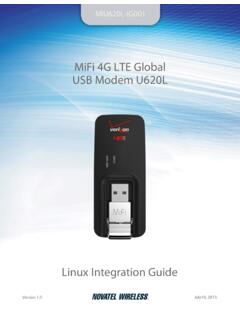
U602L Linux Integration Guide - Verizon Wireless
www.verizonwireless.comiii GeneralDisclaimer TERMSOFUSEOFNEWMATERIALS-PLEASEREADCAREFULLY Fromtimetotime,NovatelWireless,initssolediscretion,maymakeavailablefordownloadonits

Get to Know Your Phone - Verizon Wireless
www.verizonwireless.comYour Wireless Device and Third-Party ServicesThe Help app gives you tips, Verizon Wireless is the mobile carrier associated with this wireless device, but many services and features offered
Get to Know - Verizon Wireless
www.verizonwireless.comGet to Know Your Phone Welcome to Verizon Wireless. You’re now part of a growing movement that’s about speed, signal and strength. This guide will show you how to set up and use your phone, access special features, and find help. Step 1. Remove the Back Cover

Activation and Service Guide - Cell Phones, Smartphones ...
www.verizonwireless.comActivation and Service Guide Guía de Activación y Servicio. 1 Welcome to Verizon Wireless. This guide will show you how to set up and use your phone, access special features, find help and other important information. 2 ... U.S. Virgin Islands and Northern Mariana Islands International Text Messaging • 25¢ per message, per address sent and ...

Meet your Gear S3. - Verizon Wireless
www.verizonwireless.comVerizon Wireless is the mobile carrier associated with this wireless device, but many services and features offered through this device are provided by or in

VERIZON COMMITMENT AND VALUES - Verizon Wireless
www.verizonwireless.comWe take responsibility for our actions as individuals, as team members, and as an organization. We work together, support one another and never let the customer — or our ... I know I can count on you to put integrity and ethical business practices at the center of what you do. ... of this Code, company policy and the law. Verizon Wireless ...
BASIC VOICEMAIL USER GUIDE - Verizon Wireless
www.verizonwireless.comRecord message, then press # Return to Main Menu * To send, press # Erase 7 Send Reply3 8 Return a Call1,2 8 Save 9 Other Options 0 Private 1 Urgent 2 Confirmation 3 Future Delivery 4 Recorded Message Review 5 Create1 Edit 2 Delete3 List Names 4 Primary Printing Destination 1 Autoprint Off/On 2 Fax Prompt On/Off 3 Change Password 1 Group Lists2 ...
Related documents

How to Set Up and Protect Your ID.me Account
dol.ny.govJust enter your phone number. and then check your text messages or answer the phone to receive your 6-digit passcode. STEP 3. Back on your browser, enter the 6-digit passcode. and click continue. STEP 4. If you want, you can . generate and save a recovery code. The recovery code allows you to access your account even if you don’t have the ...

True-up guide
download.microsoft.comOnline Services that need to be reconciled as part of your annual true-up for all Affiliates included in your Enterprise. The following are general guidelines for accounting for these products during your true-up. For more detailed true-up process guidance, contact your reseller, Microsoft account team, or Software Asset Management (SAM) partner.

Pickup Sticks - F.G. Bradley's
www.fgbradleys.com7) As each player finishes a turn, and up the points earned on the sticks successfully picked up. The first player to score the required points to win is declared the winner. 8) If a player picks up, in order, a red, blue and green stick, that player's score …

Tuning Up for Drivers Manual - ICBC
www.icbc.comAdjust your position so you're turned to your right and looking over your right shoulder through the rear window. Grasp the top centre (12 o’clock position) of the steering wheel with your left hand. Back up slowly, keeping the wheels as straight as you can. Keep looking where you want to go, checking your front view occasionally. D R I V IN