
Setting up Microsoft Authenticator App on a mobile device
Complete the following steps to configure your mobile app. I. Install the Microsoft authenticator app for Windows Phone, Android or iOS. 2. In the app, add an account and choose "Work or school account". 3. Scan the image below. If you are unable to scan the image, enter the following information in your app. Code: 802 211
Download Setting up Microsoft Authenticator App on a mobile device

Information
Domain:
Source:
Link to this page:
Related documents
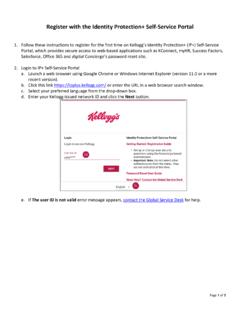
Register with the Identity Protection+ Self-Service Portal
defpntplc.kellogg.comyou select Entrust Soft Token or Google Authenticator, you will receive an email prompt to download software, but doing so will not activate those authenticators. 4a. Page 5 of 5 e. Type an answer next to a minimum of five security questions. f. Select unique answers that you will be able to remember easily and meet the Q&A requirements.

FIS Word Template Option1
fislink-emea.fisglobal.comFIS Authenticator is available for free from the iTunes App Store for iPhone or Google Play for Android smartphones as well as Windows 10 or Windows 7. Click one of the links below to install FIS Authenticator on your device before you continue with additional steps.
Client Multi-Factor Authentication Manual Setup
fislink.fisglobal.comFIS Authenticator is available for free from the iTunes App Store for iPhone or Google Play for Android smartphones as well as Windows 10 or Windows 7. Click one of the links below to install FIS Authenticator on your device before you continue with additional steps.

Associated Connect
www.associatedbank.comFrom the App Store or Google Play Store, download the OneSpan Mobile Authenticator Application onto your mobile device. After the application installs, the following steps should be completed on a computer to activate your mobile