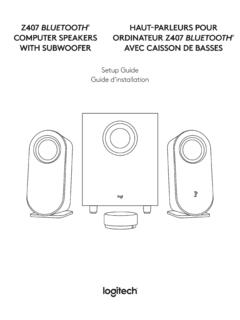
Setup Guide Guide d’installation - Logitech
Connect one end of the USB cable to the micro USB input on the back of the subwoofer Then connect the other end of the cable to USB-A input on your device The default connectivity is Bluetooth® To play through 3 5 mm connectivity, press the wired input button on the back of the dial The LED light will turn purple The default connectivity is ...
Download Setup Guide Guide d’installation - Logitech

Information
Domain:
Source:
Link to this page:
Documents from same domain

Activities Want to know more? - Logitech
www.logitech.comLogitech Gaming Software - Help Center file:///E|/Help/en_US/front_page.htm[4/28/2014 8:07:32 PM] Activities... Want to know more? Create a new profile Getting started

On - logitech.com
www.logitech.com1 2 Logitech® Wireless Mouse M217 Setup Guide Guide d’installation English Mac® OS X Users: When plugging in the Unifying receiver, the Keyboard Assistant

圧倒される 超・高解像度 - logitech.com
www.logitech.comLogicool BRIO Ultra HD 4K画像センサー 4K(Ultra HD)@ 30 fps、1080p(フルHD)@ 30/ 60 fps および 720p(HD)@ 30/60/90 fpsを含めた複 数の解像度をサポートし、お使いのアプリケーションや

SMALL GROUPS. BIG POTENTIAL. - Logitech
www.logitech.comSmall group video conferencing deserves more than huddling around PC webcams or begging for time on overbooked conference room systems. The ConferenceCam BCC950

Logicool ゲーム ソフトウェア - logitech.com
www.logitech.com快適な作業および安全性 file:///E¦/Help/ja_JP/comfort_and_safety.htm[4/26/2014 9:19:02 PM] 快適な作業および安全性 ここでは快適な作業 ...

Logitech® USB Headset H390
www.logitech.comEnglish Know your product 1. USB Headset H390 2. Microphone boom 3. Microphone 4. Volume controls (+/–) 5. Mute button 6. Mute light 7. USB connector

SUPER-WIDE FIELD OF VIEW FOR SMALL SPACES.
www.logitech.comMeetUp’s integrated audio is optimized for huddle room acoustics and delivers an exceptional sound experience. Three horizontally-aimed beamforming mics and

Introducing the Logitech MeetUp
www.logitech.com3 TalkingPointz July 21, 2017 What’s a MeetUp? Logitech currently offers three small room conferencing products in its ConferenceCam lineup .

Setup Guide Guide d’installation Logitech® HD …
www.logitech.com4 English English 5 Getting started with Logitech® HD Pro Webcam C920 Thank you for buying your c920! Use this guide to set up and begin using your Logitech webcam.

Logitech Addresses and Phone Numbers
www.logitech.comLogitech ® G 27 Racing Wheel © 2013 Logitech. All rights reserved. Logitech, the Logitech logo, and other Logitech marks are owned by Logitech …
Related documents

May 2019 iSC250 Installation and Configuration Guide
www.elavonpayments.comUSB 2.0 Host high speed, 5V, 500mA max. Supports peripheral USB devices. Audio Out 3.5 mm stereo audio jack. Use to connect exteral speakers or headphones. Stylus Use to connect the stylus. 3. Connect the interface cable (Ethernet or USB) into the iSC250 HOST multipoint port. Connect the other end to the POS or PC, as appropriate (see Table 2).

Setup Guide | Guide d’installation - Logitech
www.logitech.comSetup Guide | Guide d’installation. 2 English 3 Français 10 ... Connect the USB cable from MeetUp to the computer 3. Connect the TV to the computer Diagram of all connections: HDMI USB. 8 English MAKE MEETUP THE DEFAULT DEVICE Ensure that MeetUp is chosen as
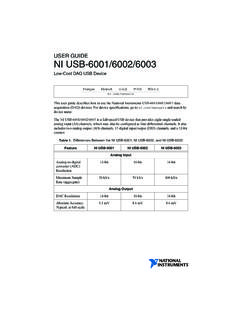
USER GUIDE NI USB-6001/6002/6003
www.ni.com4 | ni.com | NI USB-6001/6002/6003 User Guide Setting Up the NI USB-6001/6002/6003 Complete the following steps to get started with the NI USB-6001/6002/6003. Installing the Software 1. Install the application software (if applicable), as described in the installation instructions that accompany your software. 2. Install NI-DAQmx. NI USB-6001 ...

V200c and V400c Installation Guide (VPN DOC420-003-EN …
www.verifone.comThis guide is the primary source of information for setting up and installing V200c and V400c terminals. Audience This guide describes the card reader’s features, and provides the basic information for its installation and configuration. Organization This guide is organized as follows: Chapter 1, Device Overview. Provides an overview of the ...