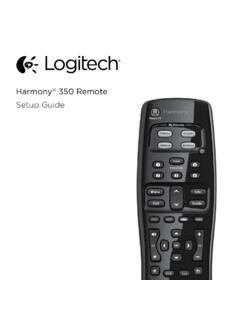
Setup Guide - Logitech
How the remote works Harmony 350 is an infrared (IR) remote that controls other IR devices such as TVs, audio/video receivers, and cable/satellite receivers. Visit setup.myharmony.com to create an account and set up your new Harmony remote. Watch TV button Set up a Watch TV Activity to automatically power on/off devices
Download Setup Guide - Logitech

Information
Domain:
Source:
Link to this page:
Documents from same domain

Activities Want to know more? - Logitech
www.logitech.comLogitech Gaming Software - Help Center file:///E|/Help/en_US/front_page.htm[4/28/2014 8:07:32 PM] Activities... Want to know more? Create a new profile Getting started

On - logitech.com
www.logitech.com1 2 Logitech® Wireless Mouse M217 Setup Guide Guide d’installation English Mac® OS X Users: When plugging in the Unifying receiver, the Keyboard Assistant

圧倒される 超・高解像度 - logitech.com
www.logitech.comLogicool BRIO Ultra HD 4K画像センサー 4K(Ultra HD)@ 30 fps、1080p(フルHD)@ 30/ 60 fps および 720p(HD)@ 30/60/90 fpsを含めた複 数の解像度をサポートし、お使いのアプリケーションや

SMALL GROUPS. BIG POTENTIAL. - Logitech
www.logitech.comSmall group video conferencing deserves more than huddling around PC webcams or begging for time on overbooked conference room systems. The ConferenceCam BCC950

Logicool ゲーム ソフトウェア - logitech.com
www.logitech.com快適な作業および安全性 file:///E¦/Help/ja_JP/comfort_and_safety.htm[4/26/2014 9:19:02 PM] 快適な作業および安全性 ここでは快適な作業 ...

Logitech® USB Headset H390
www.logitech.comEnglish Know your product 1. USB Headset H390 2. Microphone boom 3. Microphone 4. Volume controls (+/–) 5. Mute button 6. Mute light 7. USB connector

SUPER-WIDE FIELD OF VIEW FOR SMALL SPACES.
www.logitech.comMeetUp’s integrated audio is optimized for huddle room acoustics and delivers an exceptional sound experience. Three horizontally-aimed beamforming mics and

Introducing the Logitech MeetUp
www.logitech.com3 TalkingPointz July 21, 2017 What’s a MeetUp? Logitech currently offers three small room conferencing products in its ConferenceCam lineup .

Setup Guide Guide d’installation Logitech® HD …
www.logitech.com4 English English 5 Getting started with Logitech® HD Pro Webcam C920 Thank you for buying your c920! Use this guide to set up and begin using your Logitech webcam.

Logitech Addresses and Phone Numbers
www.logitech.comLogitech ® G 27 Racing Wheel © 2013 Logitech. All rights reserved. Logitech, the Logitech logo, and other Logitech marks are owned by Logitech …
Related documents
Start - URC Support
www.urcsupport.comProgram remote for Aim Anywhere or to control your TV or audio device. Pr ess an d h ol te S up bn ( t 3 seconds) until the Status LED changes from red to gr en. Press the CONTOUR button. Follow the on-screen instructions to enter the 3-digit code that appears. Once the code is correctly entered, your CONTOUR Remote is paired with the device. A B C

OWNER’S MANUAL Magic Remote - LG Electronics
www.lg.comusing the Wheel button. (up/down/left/right) Press the up, down, left or right button to scroll the menu. If you press buttons while the pointer is in use, the pointer will disappear from the screen and Magic Remote will operate like a general remote control. To display the pointer on the screen again, shake Magic Remote to the left and right.
Using Your TiVo Remote Control
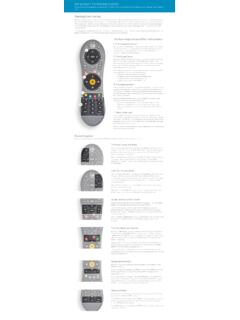
www.tivo.comAlso, the button at the top of the remote is the distinctively-shaped TiVo button. The bottom of the remote has a line of three buttons in a row. Feel for the large button in the shape of the TiVo logo and you’ll know you’re at the top. The TiVo button will take you to the TiVo TiVo Central – the starting point for the TiVo menu system.

KRONOS Remote Access Instructions v3 - UW Blogs Network
blogs.uw.edubutton. 3. You may confirm that you are connected by viewing an icon in your System Tray (right bottom corner) that looks like a golden colored lock. 4. If this icon does not appear in the system tray, click on the Start button that is displayed on the screen where it notates Client Application Sessions -Network Connect. 5.

Owner's Guide - Operation of Remote Control …
www.trane.comTEMP button TEMP Do not drop or throw the remote control; Do not let any liquid in the remote control. Note: Be Press sure that there are no obstructions between receiver and remote controller; Do not put the remote control directly in sunlight or any place where it is very hot. Each time you press this button, a mode is
Pico 4-Button Wireless Remote Spec (369847)
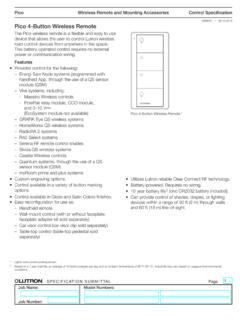
www.lutron.comWireless Remote and Mounting Accessories SPECIFICATION SUBMITTAL Page Job Name: Job Number: Model Numbers: Pico Control Specification 369847j 1 09.19.2018 Pico 4-Button Wireless Remote The Pico wireless remote is a flexible and easy to use device that allows the user to control Lutron wireless load-control devices from anywhere in the space.
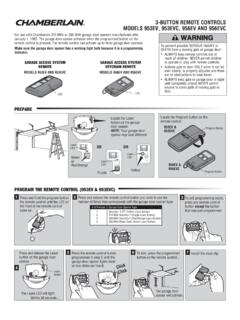
3-BUTTON REMOTE CONTROLS MODELS 953EV, 953EVC, …
pdf.lowes.combutton on the garage door opener. 3 To exit programming mode, press any remote control button except the button that was just programmed. Press the remote control button 7 Install the visor clip. programmed in step 2 until the garage door opener lights flash or two clicks are heard. To test, press the programmed button on the remote control ...
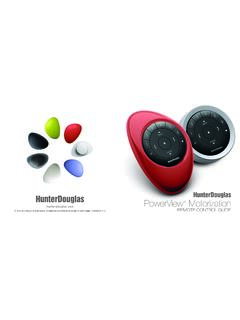
PowerView Remote Control Guide - Hunter Douglas
cdn.hunterdouglas.comPebble™ Remote and Surface Remote combine fashion with function for precise control of your Hunter Douglas window coverings. Artfully designed, PowerView remotes allow you to control natural light throughout your home with the press of a button. The following pages provide all the details on how to set up and operate both remote styles.
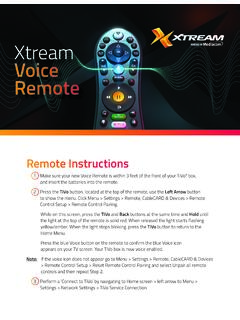
Xtream Voice Remote
mediacomcc.custhelp.comRemote Instructions 1 Make sure your new Voice Remote is within 3 feet of the front of your TiVo® box, and insert the batteries into the remote. 2 Press the TiVo button, located at the top of the remote, use the Left Arrow button to show the menu. Click Menu > Settings > Remote, CableCARD & Devices > Remote Control Setup > Remote Control Pairing.

Remote Control - DISH
www.dish.comYou will hear three beeps from the remote control, indicating it has paired with your DISH receiver AUX input SAT TV 4 Press the SAT button on the side of the remote control 3 Open the front panel of your DISH receiver, and press the SYS INFO button SYS INFO 2 Replace the back cover 54.0 PULL 1 Remove the back cover by pushing the latch