
Simulink Tutorial Introduction Starting the Program
Starting the Program 1. Start MATLAB. 2. Simulink is an extra toolbox that runs on top of MATLAB. To start this, type “simulink” in the Command Window or click on the Si mulink icon. Figure 1: Starting Simulink using icon or Command Window 3. The Simulink interface should now appear as shown below in Figure 2.
Download Simulink Tutorial Introduction Starting the Program

Information
Domain:
Source:
Link to this page:
Documents from same domain
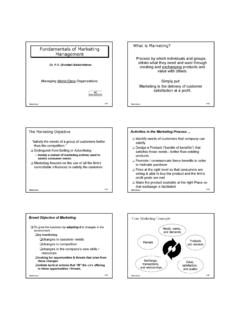
What is Marketing? Fundamentals of Marketing …
faculty.washington.eduBalakrishnan S #1 Fundamentals of Marketing Management Managing World-Class Organizations Dr. P.V. (Sundar) Balakrishnan Balakrishnan S #2 What is Marketing?
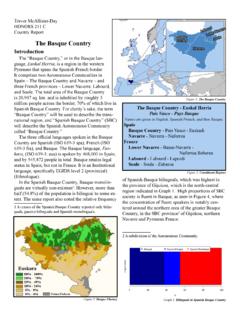
The Basque Country - University of Washington
faculty.washington.eduTrevor McAllister-Day HONORS 211 C Country Report The Basque Country Introduction The “Basque Country,” or in the Basque lan-guage, Euskal Herria, is a …

The Elements of Style
faculty.washington.eduThe Elements of Style Strunk, W., Jr. and White, E.B. CONTENTS ... The writer's colleagues in the Department of English in Cornell University have greatly helped him in the preparation of his manuscript. Mr. George McLane Wood has kindly consented to the inclusion under Rule 11 of some material from his
Blogging With Photovoice: Sharing Pictures in an ...
faculty.washington.eduLetter to Parents and the Photovoice Project Instructions explaining the assignment and making sure that all students have permission to use the blog you have created. This letter can also help you make certain that all students have access to a camera (see Step 5).

BEAGLE 3.3 - University of Washington
faculty.washington.eduBeagle is used to phase genotype data for unrelated individuals, the input Beagle file contains unphased unrelated data, and the output Beagle file contains phased unrelated data. Input files with phased unrelated data are specified with the phased command line argument (see Section 3.2.1).

Brian L. Browning Department of Medicine Division of ...
faculty.washington.eduBeagle assumes that any input VCF file that has a name ending in “.gz” is compressed with gzip or bgzip, and that any reference file that has a name ending in “bref”VCF is compressed with the program. bref Output VCF, IBD, and HBD files are with compressed

Brainy Word Search Puzzles - University of Washington
faculty.washington.eduParts of the Brain Parts of the Nervous System Lobes of the Brain Cerebral Cortex
From Sage on the Stage to Guide on the Side
faculty.washington.eduFrom Sage on the Stage to Guide on the Side Alison King In most college classrooms, the pro fessor lectures and the students listen and take notes.

An Overview of Economics - University of Washington
faculty.washington.edu2 Preview Economics is one of the oldest and most influential of intellectual disciplines. Practically all of the great thinkers, from Aristotle to Einstein,

Seismology and Earthquake Engineering
faculty.washington.eduand Space Sciences who wish to obtain an introduction to seismology and earthquake engineering. The course covers a wide range of topics. For each topic, the goal of the course is to develop a general understanding of the important issues and a specific
Related documents

PowerPoint 2010 - Tutorialspoint
www.tutorialspoint.comPowerPoint 2010 5 File Tab This tab opens the Backstage view which basically allows you to manage the file and settings in PowerPoint. You can save presentations, open existing ones and create new presentations based on blank or predefined templates.