SOUNDTOUCH 300 - Bose
ENGLISH - 3. The universal remote control has four programmable source buttons ( , AUX, and ). You can program these buttons to control your TV, cable/satellite box, DVD or Blu-ray Disc™ player, game system,
Download SOUNDTOUCH 300 - Bose

Information
Domain:
Source:
Link to this page:
Documents from same domain
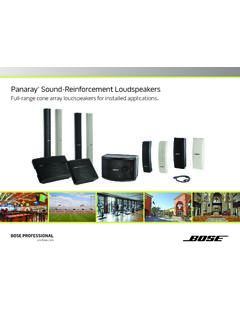
Panaray Sound-Reinforcement Loudspeakers
assets.bose.comPanaray ® Sound-Reinforcement Loudspeakers Full-range cone array loudspeakers for installed applications. 2 From the legendary Bose® 901 ® to the Professional 802 Bose first demonstrated the advantages of full-range cone driver arrays with the revolutionary 901 Direct/Reflecting® high-fidelity loudspeaker. Based on extensive …
SOUNDSPORT - Bose Corporation
assets.bose.com• ®Unlock the full potential of your SoundSport wireless headphones • Free app compatible with most Apple and Android™ systems • Easily connect and switch between multiple Bluetooth® devices with a single swipe
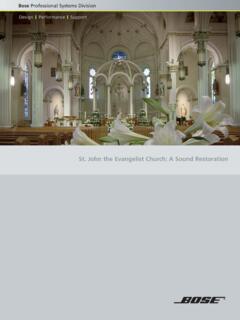
St. John the Evangelist Church: A Sound Restoration
assets.bose.comA major restoration at St. John the Evangelist Catholic Church in Delphos, Ohio, created an unexpected reverberation problem that lasted for more than seven years.
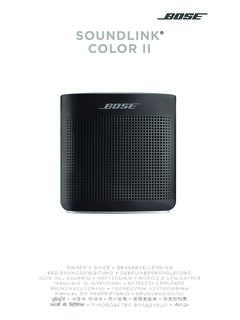
SOUNDLINK COLOR II - Bose Corporation
assets.bose.comBose Corporation hereby declares that this product is in compliance with the essential requirements and other relevant provisions of Directive 2014/53/EU and all other applicable EU directive requirements.
SOUNDLINK - Bose Corporation
assets.bose.comBose Corporation hereby declares that this product is in compliance with the essential requirements and other relevant provisions of Directive 2014/53/EU and all other applicable EU directive requirements.
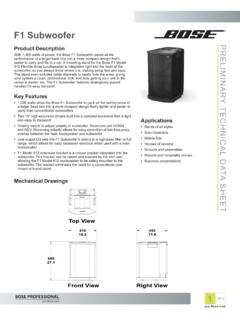
PRELIMINARY TECNICAL DATA SEET - Bose Corporation
assets.bose.com1 OF 3 PRELIMINARY TECNICAL DATA SEET proBosecom F1 Subwoofer Applications • Bands of all styles • Solo musicians • Mobile DJs • Houses of worship • Schools and universities • Resorts and hospitality venues • Business presentations Product Description With 1,000 watts of power, the Bose F1 Subwoofer packs all the
SoundSport Free Wireless - Bose
assets.bose.comWIRELESS. 2 - ENGLISH ITN SE INSINS Please read and keep all safety and use instructions. Important Safety Instructions ... • Do NOT submerge or expose the earbuds for extended period to water, or wear while participating in water sports, e.g., swimming, waterskiing, surfing, etc.
WAVE SOUNDTOUCH PEDESTAL - Bose
assets.bose.comSoundTouch pedestal: • Place the rear feet of the Wave music system into the recesses on top of the SoundTouch pedestal. • Make sure the Wave music system sits flat and the side edges of both parts are aligned. 3. Insert the SoundTouch pedestal’s cable into the Bose link connector. Connect the system to power
Gebruikershandleiding
assets.bose.comDUTCH - 3 WETT CHT UDCH ORMAT ... Apple, het Apple-logo, iPad, iPhone en iPod zijn handelsmerken van Apple Inc., gedeponeerd in de VS en andere landen. App Store is een servicemerk van Apple Inc. Het handelsmerk ‘iPhone’ …
Owner’s Guide - Bose
assets.bose.comPlug the power cord on the AC power supply into the DC connector on the back of the speaker. 3. Plug the AC power supply into a live AC (mains) outlet. The speaker emits a tone to confirm connection to AC power, and charging begins. On the front of the speaker, the battery status indicator blinks yellow to show the battery is charging.
Related documents

Setting up and using Voicemail (NS-UM) Panasonic User Sheet
btservices.netPanasonic User Sheet (Panasonic KX- DT543 Series Phones) ... Press open line button or dial the line access code (generally “9”), dial telephone number To Make an Internal Call: Lift handset or Press SP-PHONE. Dial the desired extension number or press the one touch button.
Operating Instructions - Panasonic
www.panasonic.aeThank you for purchasing a Panasonic product. Please read these operating instructions before using the unit and save them for future reference. This unit is compatible with Caller ID. You must subscribe to the appropriate service offered by your service provider/telephone company. Before initial use, see “Getting Started” on page 8.

Before initial use, see “Getting Started” - Panasonic
help.panasonic.caOperating Instructions Link2Cell Cordless Telephone with Digital Answering Machine Model No. KX-TGD560 KX-TG3760 KX-TGD562 KX-TGD563 KX-TG743SK KX-TGD564 KX-TG744SK

Digital Proprietary Telephone KX-DT521/KX-DT543 /KX-DT546
na.panasonic.comDigital Proprietary Telephone Model No. KX-DT521/KX-DT543 /KX-DT546 Digital DSS Console Model No. KX-DT590 Thank you for purchasing a Digital Proprietary Telephone (DPT). Please read this manual carefully before using this product and save this manual for future use. For more details, please refer to the manuals of the PBX.

Operating Instructions - Panasonic
www.panasonic.comThank you for purchasing a Panasonic digital cordless phone. Important: L The suffix (AL) in the following model numbers will be omitted in these instructions: ... Accessory information Supplied accessories *1 The telephone line cord comes connected with the telephone plug. *2 See page 4 for replacement battery information. *3 The handset cover ...
Operating Instructions (English) - Panasonic
www.panasonic.comB Telephone line cord (for Australia)*1 1 1 C Telephone line cord (for New Zealand) 1 1 D Rechargeable batteries*2 4 6 E Handset cover*3 2 3 F Charger 1 2 G Wall mounting adaptor 1 1 H DECT repeater 1 1 I AC adaptor for DECT repeater/ PQLV219AL 1 1 *1 The telephone line cord comes connected with the telephone plug.

Panasonic KX-NT630 Quick Reference Guide - Sunco
www.sunco.caPanasonic NS700 Guide 2 Panasonic KX-NT630C 1. LCD (Liquid Crystal Display) 10. 2. Flexible Central Office Buttons: Where line one, line two and line three are held. 3. Soft buttons (S1-S4): S1-S4 (located from left to right) are used to select the item displayed on the bottom line of the display. 4. Message/Ringer Lamp: 13. Auto Dial/Store ...