Store Operations User's Guide
4 Store Operations User’s Guide Starting and exiting Store Operations Starting Store Operations 1 On the Windows Start menu, point to Programs, point to Microsoft Dynamics RMS, and then click either Store Operations Manager or Store Operations POS.
Download Store Operations User's Guide

Information
Domain:
Source:
Link to this page:
Documents from same domain
Store Operations Getting Started Guide - Palmetto …
www.palmettopos.comIntroducing Store Operations 5 Introducing Store Operations You can set up Microsoft Dynamics Retail Management System Store Operations on one computer or …
Related documents

Getting Started - Garmin
static.garmin.cominReach Explorer Online Manual Download the PDF version of the inReach Explorer Manual to use when you're not connected to the internet. Store the PDF on your tablet or smartphone for access anywhere.

DECEMBER 31 2015 V2 - Emdeon
www.emdeon.comELECTRONIC REMITTANCE ADVICE (835) COMPANION GUIDE DECEMBER 2015 2 DISCLOSURE STATEMENT This material contains confidential, proprietary information.

450W Tile Cutter - Free Instruction Manuals
www.free-instruction-manuals.comGetting FR IE Getting started... 10 11 GB IE GB IE Getting started... Getting started... ENB522TCB by Energer Before you start ENB522TCB by Energer Before you start Unpack You will need > Unpack all parts and lay them on a flat, stable surface.
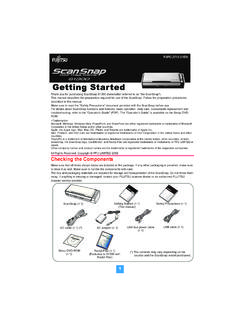
Getting Started - Fujitsu
www.fujitsu.comGetting Started P3PC-2712-01EN 1 Thank you for purchasing ScanSnap S1300 (hereinafter referred to as "the ScanSnap"). This manual describes the preparation required for use of the ScanSnap.
HP 12c Financial Calculator Quick Start Guide
www.hp.com4 Getting Started Digit separator (page 17). 1. The default separator is a comma (see above). 2. Turn the calculator off first by pressing S. 3. Press and hold . and then press and release S to change the digit separator from a comma to a point.

©2018 P Synergy, Inc.
www.pcsynergy.comPage 7 ©2018 P Synergy, Inc. Pack/Crate Pack/rate is a central place for Pro Pack with a shipment, Pro Pack with no shipment and to retrieve your pack later estimates.

Amazon WorkDocs - Administration Guide
docs.aws.amazon.comAmazon WorkDocs Administration Guide How to Get Started • Getting Started with Quick Start (p. 6) • Getting Started with Simple AD: Standard Setup (p.

Amazon Rekognition - Developer Guide
docs.aws.amazon.comAmazon Rekognition Developer Guide Amazon Rekognition and HIPAA Eligibility • Text detection – Amazon Rekognition Text in Image allows you to recognize and extract textual