
STUDENT QUICK START GUIDE LockDown Browser and …
“LockDown Browser” from the Applications folder.) 3. If prompted, either close a blocked program (e.g. screen capture, instant messaging) by choosing Yes. Or, close LockDown Browser and close the blocked program before restarting. 4. Log into Blackboard. 5. Navigate to the test within the course and begin the test.
Download STUDENT QUICK START GUIDE LockDown Browser and …

Information
Domain:
Source:
Link to this page:
Documents from same domain

STUDENT QUICK START GUIDE LockDown Browser and …
web.respondus.com“LockDown Browser” from the Applications folder.) 3. If prompted, either close a blocked program (e.g. screen capture, instant messaging) by choosing Yes. Or, close LockDown Browser and close the blocked program before restarting. 4. Log into Canvas. 5. Navigate to the quiz within the course and begin the quiz.

STUDENT QUICK START GUIDE LockDown Browser and …
web.respondus.cominstall the browser. 4. Return to the quiz and open it to launch LockDown Browser. 5. If prompted to close a blocked program (e.g. screen capture, instant messaging), choose Yes. Note: Once a test has been started with Respondus LockDown Browser, you cannot exit until the test has been submitted for grading. USING WITH A WEBCAM (Respondus Monitor)
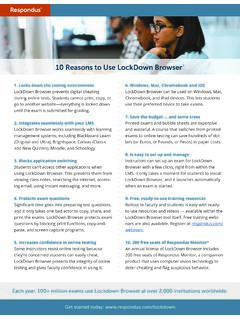
10 Reasons to Use LockDown Browser - web.respondus.com
web.respondus.comBrowser with just a few clicks, right from within the LMS. It only takes a moment for students to install LockDown Browser--and they can simply launch the browser to take a test. 9. Ready-to-use training resources Rollout to faculty and students is easy with ready-to-use resources, including demonstration videos,
Related documents

SECONDARY SCHOOL GRADE 9 Information Technology …
ccti.colfinder.orgstudent’s understanding and retention of the material. Without quality time spent practicing on a computer, a student cannot be ... the filenames and determine a file or folder's content. Students should be using appropriate naming ... plan by creating a one table, single dimension database to record and store the information collected. 5 ...
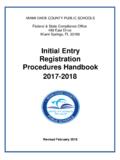
Miami -Dade County Public Schools | 2021 2022
ehandbooks.dadeschools.netAug 25, 2021 · student’s Cumulative Record Folder, and the birth registration number is to be recorded in the appropriate place on the Cumulative Record Folder. The Birth Certificate may be used to verify the registering parent’s guardianship/custody of the child, except when additional documents (i.e., Current court documents) are provided ...
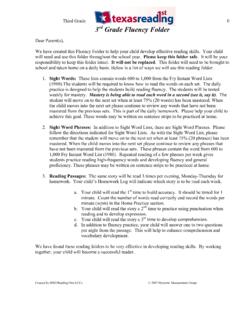
rd Grade Fluency Folder - M. Wilson
wilsonteacher.weebly.com3rd Grade Fluency Folder Dear Parent(s), We have created this Fluency Folder to help your child develop effective reading skills. Your child will need and use this folder throughout the school year. Please keep this folder safe. It will be your responsibility to keep this folder intact. It will not be replaced. This folder will need to be ...
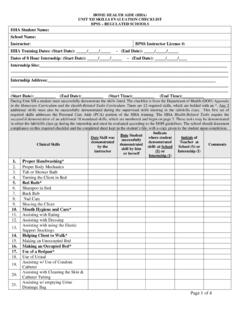
HHA Skills Evaluation Checklist Revised 5-17-16
www.acces.nysed.govWe hereby certify that the clinical skills performance record evaluation depicted above is true and correct and that the named Home Health Aide has successfully demonstrated all indicated skills; has done the required 8 hours of internship at the place and

Special Education Reporting System (SER) January 2019 Training
leads13.doe.louisiana.govEnter the student’s Secure ID in the Search eScholar By State ID field, then click Find. The student’s Secure ID and PII data in eScholar will display next to the student’s Secure ID and PII data in SER. Users should compare the data and verify the information is correct. Once the Secure ID is assigned or updated, the student’s PII data ...
The Spoken Language endorsement for GCSE (9-1) English ...
qualifications.pearson.comAssessment record sheet A record sheet to assist with assessment will be provided in the issue 2 specification. One should be completed for each student, but these should not be submitted to monitors unless requested. Guidance on making and submitting recordings for the Spoken Language endorsement for GCSE (9-1) English Language (1EN0) 1.

Pictue Lab Student Guide - College Board
secure-media.collegeboard.orgfolder you must copy these gif files as well. Keep the images folder and the classes folder together in the pixLab folder. The FileChooser expects the images to be in a folder called images, at the same level as the classes folder. If it does not find the images there it also looks in the same folder as the class files that are executing.
STUDENT QUICK START GUIDE LockDown Browser and …
web.respondus.com“LockDown Browser” from the Applications folder.) 3. If prompted, either close a blocked program (e.g. screen capture, instant messaging) by choosing Yes. Or, close LockDown Browser and close the blocked program before restarting. 4. Log into Canvas. 5. Navigate to the quiz within the course and begin the quiz.