
Subaru SD Card Navigation System
1. Introduction to the Subaru SD Card Navigation System SD memory card slot AUDIO button Press to use the audio or hands-free function. Press for 1 second or more to adjust the picture quality or screen brightness. Voice Control button Press to use the voice recognition control. MAP button Press to display the navigation screen. (Starting from top)
Download Subaru SD Card Navigation System

Information
Domain:
Source:
Link to this page:
Documents from same domain
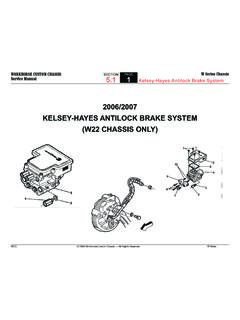
1 2006/2007 KELSEY-HAYES ANTILOCK BRAKE …
static.nhtsa.govABS operation. Kelsey-Hayes Antilock Brake System. Kelsey-Hayes Antilock Brake System. Kelsey-Hayes Antilock Brake System. Kelsey-Hayes Antilock Brake System. Kelsey ...
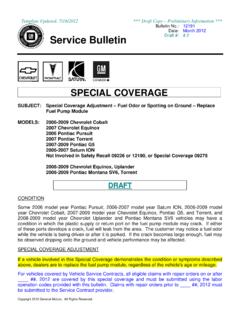
special policy boilerplate - National Highway Traffic ...
static.nhtsa.govIf a vehicle involved in this Special Coverage demonstrates the condition or symptoms described above, dealers are to replace the fuel pump …
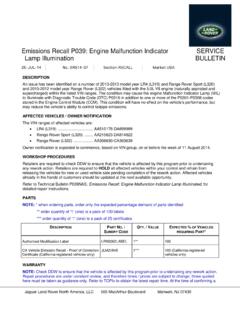
Emissions Recall P039: Engine Malfunction Indicator Lamp ...
static.nhtsa.govAn issue has been identified on a number of 2010-2013 model year LR4 (L319) and Range Rover Sport (L320) and 2010-2012 model year Range Rover (L322) vehicles fitted with the 5.0L V8 …
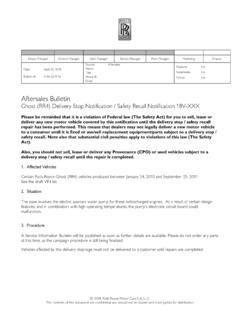
A 04 2018 16 Ghost (RR4) Delivery Stop Notification
static.nhtsa.govRolls-Royce Motor Cars NA Rolls-Royce Motor Cars NA. Title: Microsoft Word - A 04 2018 16 Ghost (RR4) Delivery Stop Notification.docx Author: QT13932 Created Date:
SAFETY RECALL CAMPAIGN BULLETIN
static.nhtsa.govOn July 7, Nissan announced it was recalling the affected vehicles referenced above due to a Takata passenger airbag inflator issue. Final remedy parts will begin to be available in December 2016.
Attention: Dealer Principal, Sales, Service & Parts Managers
static.nhtsa.govA. Nissan will notify owners in late July 2016, asking them to bring their vehicle to an authorized Nissan dealer to have Engine Room Harness Open Terminal repaired at no cost to the customer.

Dealer Recall Communication Guide 2016
static.nhtsa.govmodel year Dodge RAM 1500/2500/3500 trucks.” “The passenger airbag inflator housing in your vehicle may rupture, due to excessive internal pressure, during normal airbag deployment events.
Passenger Airbag Inflator - static.nhtsa.gov
static.nhtsa.govSafety Recall P78 – Passenger Airbag Inflator Page 2 The passenger airbag inflator housing on about 416,200 of the above vehicles may rupture, due to excessive internal pressure, during normal airbag deployment ... shipment of Inflator Packages to service a small quantity of vehicles.
Safety Recall U03 / NHTSA 18V-021 Passenger Airbag Inflator
static.nhtsa.govService Procedure . Safety Recall U03 ... Safety Recall U03 – Passenger Airbag Inflator Page 17 14. Carefully position the passenger airbag and airbag door through the opening in the top of the instrument panel. Be certain that the rear edge of the ...
TOYOTA - static.nhtsa.gov
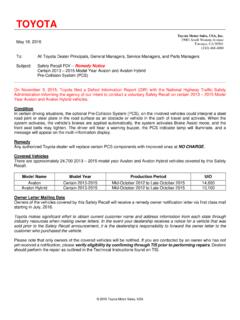
static.nhtsa.govstarting in July, 2016. Toyota makes significant effort to obtain current customer name and address information from each state through industry resources when mailing owner letters.
Related documents

Subaru Lineartronic CVT Introduction Webinar Handout
atracom.blob.core.windows.netAdd Subaru CVTF fluid until fluid starts to drip out. Start the engine and monitor fluid temperature with a capable scan tool of until it reaches 86-104°F (30°-40°C). Move the select lever from P - R, then N - D, again from D - N, next to R - P, while the engine is idling, to …

Crosstrek - Subaru
www.subaru.comA Subaru lasts because of its engineering. The SUBARU BOXER® engine’s horizontal design offers better balance than other engine types and creates less vibration, which can lead to less wear and tear. It’s one of the reasons why 99% of Subaru Crosstrek vehicles sold in the last 5 years are still on the road today.4

Update Your STARLINK MultimediaSoftware - Subaru
techinfo.subaru.comYour Subaru is equipped with over the air “OTA” software update capability. Follow these steps to update your software to improve software performance and functionality. CAUTIONS: • Move the vehicle to an outside location where the engine can be safely started and kept idling during the update process.

Quick Guide CROSSTREK 2019 - Subaru
techinfo.subaru.comLove. It’s what makes a Subaru, a Subaru. 2019 Quick Guide CROSSTREK 3429965_19a_Crosstrek_QG_041918.indd 2 4/19/18 3:46 PM

SUBARU - amon.jp
www.amon.jpJul 15, 2021 · AODEA 車種別取付情報 brz h24.03 ~ 現在 オーディオレス (200mm窓口) 200mm y2597 純正金具が必要 ※ 2202(10p・6p) 2085 2068 - 純正金具が必要 ※ 未調査 …

2021年11月度 生産・国内販売 ... - subaru.co.jp
www.subaru.co.jpDec 23, 2021 · (単位:台) 国内生産 51,901 -11.3% 5ヶ月連続前年割れ 431,347 -15.7% 海外生産 25,791 +13.8% 6ヶ月振り前年超え 245,518 -14.4% 世界生産合計 77,692 -4.3% 5ヶ月連続前年割れ 676,865 -15.2% 登録車 7,473 -11.2% 3ヶ月連続前年割れ 76,601 +1.2% 軽自動車 1,086 -32.3% 5ヶ月連続前年割れ 17,351 -10.9% 国内販売合計 8,559 -14.5% 3ヶ月 ...

Update Your Subaru Navigation maps in just a few easy …
www.subaru.comMac or PC using the link on subaru-maps.com. 4. Open the app and login with your newly created account. 5. Press the “+” button on the bottom right to add a vehicle using your VIN number. 6. Click the UPDATES tab to see available updates for your Subaru. If there is an update available, click START to begin the download. Please note

車両仕様 6 - SUBARU オフィシャルWebサイト
www.subaru.jpsubaru motor oil eco 0w-20※2 subaru motor oil sm 0w-20 subaru motor oil sm 5w-30 subaru castrol slx professional sm 5w-40 5.2 5.4 使用するオイルや液類の品質により、お車の寿命は著しく左右されま す。スバル車には最も適したスバル純正オイル・液類を必ずご使用く ださい。 …
5 SUBARU XV
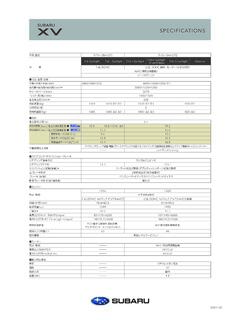
www.subaru.jp6 SUBARU XV (2021.12 ) (全高) 1595 * 1 1555 (全幅)1800 1565 2670 (全長)4485 2085 950 5 * 1200 2 3面図(2.0e-S EyeSight・ルーフレール装着車)単位: mm *1:ルーフレール装着車の数値。Advanceは1575mmとなります。*2:後席室内高について、e-BOXERモデルは925mm、1.6Lモデルは940mmとなります。