Suunto Core
Oct 05, 2021 · 20 Menu In MENU you can change values, change the general settings and units, or view logs stored in the logbook. To enter MENU, keep the middle right [Mode] button pressed while in the TIME, ALTI & BARO or COMPASS mode. The segments in the outer part of the display indicate your transition time. Exit MENU by pressing the upper left [Start Stop] button. ...
Download Suunto Core

Information
Domain:
Source:
Link to this page:
Documents from same domain
SUUNTO CORE USER GUIDE
ns.suunto.comThis User Guide explains the Suunto Core features, how they work, and how you access them. In addition, we have included examples of how you can use

SUUNTO AMBIT3 PEAK 2
ns.suunto.comSUUNTO AMBIT3 PEAK 2.4 USER GUIDE 2016-11-30. ... Pair with Suunto Movescount App (see 3.22 Movescount mobile app) by pressing [Start Stop] or skip by pressing [Next]. 9. 5. Follow the startup wizard to complete initial settings. ... You can change the settings of your Suunto Ambit3 Peak directly in the watch, through Movescount, or on the go ...

SUUNTO AMBIT 2.5 Guide d’utilisation
ns.suunto.comavertissement: rÉservÉ À une utilisation de loisir. avertissement: ne vous fiez pas totalement au gps ou À la durÉe de vie de la batterie. pour votre sÉcuritÉ, utilisez toujours des cartes et autre matÉriel de secours. attention: n'appliquez aucun solvant de quelque type que ce soit sur le produit, au risque …

Suunto 7
ns.suunto.comSuunto 7 은 장갑을 끼고 있거나 물속에 있을 때에도 우수한 스포츠 경험을 제공하도 록 설계된 터치 스크린과 4개의 하드웨어 버튼이 있습니다. 1.전원 버튼 2.Suunto Wear 앱 / Suunto Wear 앱 탐색 및 운동 조절 3.Suunto Wear 앱 탐색 및 운동 조절 4.Suunto Wear 앱 탐색 및 운동 ...

Suunto 9
ns.suunto.com2.3. Suunto app 通过 Suunto app,可以进一步丰富 Suunto 9 体验。将腕表与此移动应用程序配对,以同步 活动、获得手机通知、洞察以及其他更多特性。 注释 如果飞行模式启用,无法配对任何内容。配对前应关闭飞行模式。 若要将腕表与 Suunto app 配对: 1.

Suunto 9
ns.suunto.comSep 27, 2021 · 1. SAFETY Types of safety precautions WARNING: - is used in connection with a procedure or situation that may result in serious injury or death. CAUTION: - is used in connection with a procedure or situation that will result in damage to the product. NOTE: - is used to emphasize important information. TIP: - is used for extra tips on how to utilize the features and …
Related documents

16. THE SONIC OR ACOUSTIC LOG 16.1 Introduction
homepages.see.leeds.ac.uk2. The material will compress from its initial volume v 1 to a new smaller volume v 2. The bulk modulus is then given by; ( 1 2) 1 1 2 1 v v P v v v P P K ∆ ∆ = − − = (16.3) where ∆P is the change in pressure, and ∆v is the change in volume. Thus ∆P is the change in pressure that causes ∆v change in volume. Fig. 16.2 The ...
19. ELECTRICAL LOGGING 19.1 Introduction
homepages.see.leeds.ac.uk19.2 Principle Uses of Electrical Logs The main use of the electrical tools is to calculate the water saturation of a reservoir formation, and hence the STOOIP. Chapter 17 covered most of the important theory for this application, and Chapter 1 introduced the use of the derived values when calculating STOOIP.

Geotechnical Manual (GEO) - Texas Department of …
onlinemanuals.txdot.govChapter 2 — Soil Surveys Section 1 — Soil Surveys ... but note them on the logs and obtain the correct surface elevation. ... Include ground water elevation meas urements (including da te of measurement) as part of the data acquisition. Obtain the groundwater elevation minimum 15
Basic Relationships of Well Log Interpretation
store-assets.aapg.orgporosity logs (i.e., sonic, density, and neutron logs) are covered next, then the resistivity logs. Nuclear mag-netic-resonance logs, although they provide porosity (among other quantities of interest), are presented after resistivity logs. This is due in part to their recent arrival and to their relative absence in historical data archives.
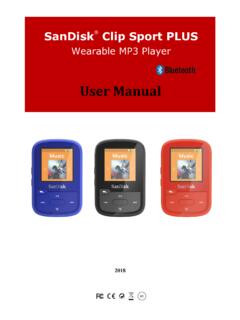
Wearable MP3 Player - SanDisk
downloads.sandisk.comCHAPTER 1 This chapter describes the safety tips and cleaning instructions for the SanDisk Clip Sport PLUS Wearable MP3 player. Safety Tips and Cleaning Instructions Read the safety instructions carefully before using the player. 1. Review this entire manual to ensure proper usage. 2. Keep this User Manual for future reference. 3.

MV1000/MV2000 User's Manual - Yokogawa
web-material3.yokogawa.comChapter T tle and Contents 1 Feature Overv ew The MV features. 2 Installat on and W r ng How to install the MV, how to wire input terminals, and how to connect the power cable. 3 Measurement Channels and Alarms How to set measurement conditions and how to set alarms. 4 Measurement and Record ng How to record and store measured values and other ...
Chapter 11 QUALITY IMPROVEMENT (QI) - WHO
www.who.int288 l CHAPTER 11 l QUALITY IMPROVEMENT Information is being put into registers and logs, and is being reported to health offi cials at district and national levels. You may be reporting information to diff erent donors as well. Oft en, this information is not seen by clinic staff and not used in the clinic.
Body Measurements (Anthropometry) Manual
wwwn.cdc.govNATIONAL HEALTH AND NUTRITION EXAMINATION SURVEY III Body Measurements (Anthropometry) Westat, Inc. 1650 Research Boulevard Rockville, MD 20850 (301) 251-1500