
Sweet Home 3D
7 - Click 3D view → Export to OBJ format and save the first roof section. 8 - Click Furniture → Import furniture to import the first section. 9 - In the second screen use the green arrows to rotate the roof 90 degrees. 10 - Finish the importing. 11 - Give the roof an elevation of 300 cms, then rotate and carefully position it.
Download Sweet Home 3D

Information
Domain:
Source:
Link to this page:
Documents from same domain
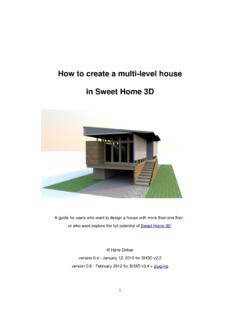
How to create a multi-level house in Sweet Home 3D
www.sweethome3d.comHow to create a multilevel house in Sweet Home 3D Many people on the Sweet Home 3D forum ask questions about layers, splitlevel homes, second floors,
Related documents

Case Study on Windows Prof. Sujata Rizal Unit V: Case Study …
sritsense.weebly.comArguably one of the best Windows versions, Windows XP was released in October 2001 and brought Microsoft’s enterprise line and consumer line of operating systems under one roof. It was based on Windows NT like Windows 2000, but brought …
World-leading skylights and roof windows
velcdn.azureedge.netROOF WINDOWS FLAT ROOF SKYLIGHTS EXTENSIONS ATTICS LIVING AREAS DARK SMALL SPACES Page 11 Page 11 Page 11 TWF Flexible Page 11 • Blinds page 12 • Flashings page 13 • Price list page 14/15. Solar-Powered Skylights • …
VELUX blinds and shutters
velcdn.azureedge.netVELUX roof windows. This means they always fit perfectly and are easy to install – with no measuring or cutting. The elegant and slim frame design ensures a perfect looking result, making the blind almost invisible when not in use.

Build something great FLORIDA - Boral Roof
www.boralroof.coma natural cedar shake roof. P. 37 Madera 900 is the most affordable, authentic replication of a hand-split cedar shake roof available. P. 43 Saxony ® 900 Slate Saxony ® 900 Shake Saxony ® 900 Split Shake Slate Dark Charcoal DESIGNER PRODUCT Slate Hickory Madera Autumnwood Split Shake Charcoal Brown Blend Madera 900 DESIGNER PRODUCT 15 16

The Saffir-Simpson Hurricane Wind Scale - National …
www.nhc.noaa.govroof and exterior walls. Unprotected windows will be broken by flying debris. Well-built frame homes can experience major damage involving the removal of roof decking and gable ends. There will be a high percentage of roof covering and siding damage to apartment buildings and industrial buildings.
ELEVATION PLAN
www.revereschools.org• Windows and doors located on the exterior wall must be included on the elevation. • It is customary to place tops of windows the same height as the tops of doors. This height is usually 6’-10” Roof Features • The elevation drawing is where the roof style and pitch are shown, as well as chimney height and size. The roof pitch
AS 2047-1999 Windows in buildings-Selection and installation
www.saiglobal.com(d) Skylights and roof lights and windows in other than the vertical plane. (e) Windows in greenhouses and agricultural buildings. (f) Sliding doors without frames such as internal doors and shopfront doors. (g) Windows constructed on site and architectural one-off windows, which are not design tested.
Snow Removal Laws - American Trucking Associations
www.trucking.orgroof could be cited by an officer's discretion and cited under a general regulation. Kansas No specific laws. Kansas has a general tolerance allowance for 1,000 pounds for fixed facilities and 1,500 for mobile scale operations. This policy does allow for discretion of extenuating circumstances, which snow and ice would qualify.