
System settings for using DSC facility
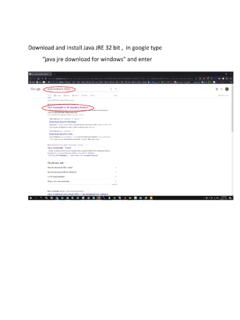
Java version : Oracle JRE 1.6 or above 32 bit. 1. Go to Windows Start Control Panel 2. Click on Java setting. (If you don’t see the Java option, then first install JRE as mentioned above). 3. Make the following setting in Java Options : a. Go On Security TAB and do following setting. Enable only High Radio Button. And go on Edit Site List
Download System settings for using DSC facility

Information
Domain:
Source:
Link to this page:
Documents from same domain

System settings for using DSC facility
tin.tin.nsdl.comSystem settings for using DSC facility Browser version : Firefox version 36.0 and above or Internet Explorer 11 and above Java version : Oracle JRE 1.6 or above 32 bit.
Related documents
Oracle Partitioning Policy
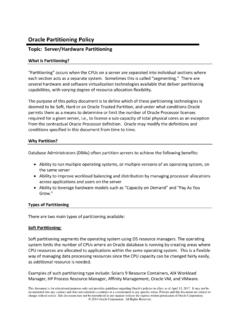
www.oracle.comOracle Trusted Partitions for Oracle Engineered Systems For approved Oracle Engineered Systems, (see table below), Oracle permits the use of Oracle VM Server (OVM) or Oracle Linux KVM as a means to limit the number of Oracle Processor licenses required, i.e., to license a sub-capacity of total physical cores. Oracle’s Trusted

OPERA Property Management - Oracle
docs.oracle.comOracle® Hospitality OPERA Property Management. Workstation Setup Guide Release 5.5.0.23 and lower . E76452-01 . February 2020
Download and Install Java JRE 32 bit , in google type java ...
mawani.gov.saOnly Java applications identified by a certificate from a trusted authority are allowed to run, and only if the certificate can be verified as not revoked. e) High Java applications identified by a certificate from a trusted authority are allowed to run, even f the revocation status of the certificate cannot be verified. Exception Site List
Chainlink 2.0: Next Steps in the Evolution of ...
research.chain.linkoracle networks and thereby achieve far greater reach and power than on-chain systems in isolation. In this whitepaper, we articulate a vision for what we call Chainlink 2.0, an evo-lution of Chainlink beyond its initial conception in the original Chainlink whitepa-per [98]. We foresee an increasingly expansive role for oracle networks, one in ...
Host Checker - Pulse Secure
www-prev.pulsesecure.net52 ESR, Oracle JRE 8 • Windows 8.1 Update/Professional Enterprise 64-bit, Internet Explorer 11, Google Chrome & Firefox 52 ESR, Oracle JRE 8 • Windows 7 Enterprise SP1 64-bit, Internet Explorer 11, Google Chrome & Firefox 52 ESR, Oracle JRE 8 Mac Mac OS X 10.12, Safari 10.1, Safari 9.0 Oracle JRE 8
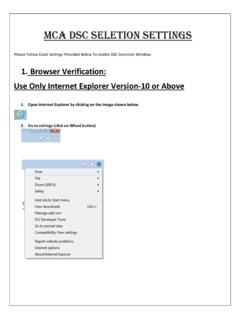
MCA DSC SeLETION Settings
www.mca.gov.in3. Click on Accept License Agreement 4. onlyClick on Windows x86 - jdk-8u92-windows-i586.exe 5. Install the Downloaded JDK. Note: Download Only JDK specified but not JRE
McAfee Application Control
www.mcafee.comOracle Enterprise Linux 5, 6, 7 ... your systems up to date using trusted users, certificates, processes, and directories. McAfee Application Control also prevents whitelisted applications from being exploited via memory buffer overflow attacks on Microsoft Windows 32- …

Oracle Private Cloud Appliance X8-2 with X9-2 Compute ...
www.oracle.comOracle Private Cloud Appliance is an engineered system and supports “Trusted Partitions”, therefore, customers have the flexibility to license Oracle software based on what they use, and not on the system’s total capacity, enabling efficient software
Oracle Partitioning Policy
www.oracle.comOracle Trusted Partitions for Oracle Engineered Systems For approved Oracle Engineered Systems, (see table below), Oracle permits the use of Oracle VM Server (OVM) or Oracle Linux KVM as a means to limit the number of Oracle Processor licenses required, i.e., to license a sub-capacity of total physical cores. Oracle’s Trusted