Systems Manager - Network Security | Switches
connect managed devices to a Meraki MR wireless network. ... Client VPN can be conditionally granted and revoked automatically based on security compliance, time of day, user group, and ... the network provide end-to-end security and management right from the dashboard.
Download Systems Manager - Network Security | Switches

Information
Domain:
Source:
Link to this page:
Documents from same domain
MR Cloud Managed Wireless Access Points - Cisco Meraki
meraki.cisco.comMR Cloud Managed Wireless Access Points Overview ... The award-winning Cisco Meraki cloud management architecture provides powerful and intuitive centralized management, while ... deploying more APs, without concern for controller bottlenecks or choke points.
White Paper Network Topology - Cisco Meraki
meraki.cisco.comWhite Paper Network Topology JANUARY 2015 ... Manually created network topologies can be painstaking to develop, prone to revision errors, and difficult to maintain as networks change and grow. Because of the effort involved to keep this ... Network topology is an incredibly powerful feature that further extends Cisco Meraki’s network
White Paper Wireless Health: Powerful ... - meraki.cisco.com
meraki.cisco.comservices to provide more interactive experiences for fans and attendees. For example, Capital FM ... the universal need for robust, reliable wireless networks for business-critical functions cannot be overstated despite the increasing complexity of maintaining and troubleshooting them. ... 5 Cisco Systems, Inc. 500 Terry A. Francois Blvd, San ...
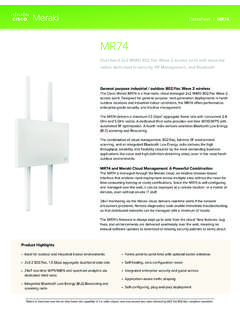
Dual-band 2x2 MIMO 802.11ac Wave 2 access point with ...
meraki.cisco.comGeneral purpose industrial / outdoor 802.11ac Wave 2 wireless The Cisco Meraki MR74 is a four-radio, cloud-managed 2x2 MIMO 802.11ac Wave 2 access point.
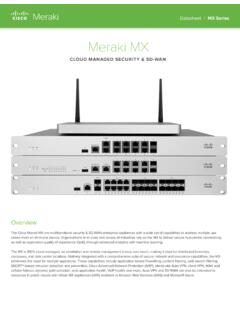
Meraki MX
meraki.cisco.com3 Cisco Systems Inc 500 Terr Francois lvd San Francisco C 94158 415 432-1000 sales@meraki.com Identity Based Policy Management Cisco Threat Grid Cloud …
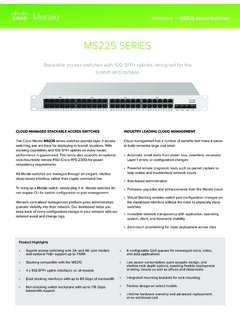
MS225 SERIES - meraki.cisco.com
meraki.cisco.com2 Cisco ystems nc 50 Terr Francois Blvd a Francisco 415 (415) 432-100 sales@meraki.com Branch & Campus Access • Physical stacking with support for up to 8 stack members for
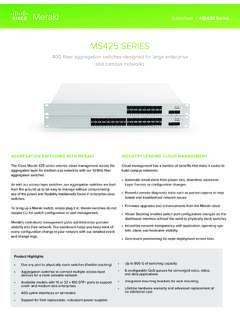
MS425 SERIES - meraki.cisco.com
meraki.cisco.com4 Cisco ystems nc 50 Terr Francois Blvd a Francisco 415 415 432-100 sales@meraki.com Optional Accessories / Optics Meraki switches are modular in design, allowing for hot-swappable field replacements and a range of optics (no lock-out of third-party op-
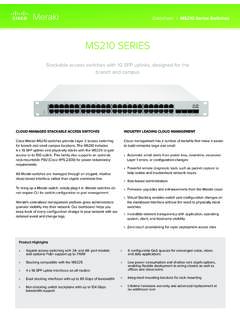
MS210 SERIES - meraki.cisco.com
meraki.cisco.com2 Cisco ystems nc 50 Terr Francois Blvd a Francisco 415 (415) 432-100 sales@meraki.com Branch & Campus Access • Physical stacking with support for up to 8 stack members
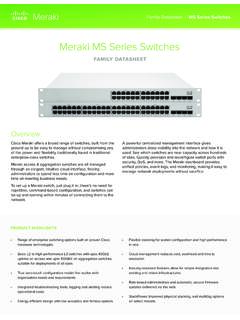
Overview - Cisco Meraki
meraki.cisco.com3 Cisco Systems Inc 500 erry A Francois lvd San Francisco CA 94158 415 432-1000 sales@meraki.com Series MS120-8 MS120 MS125 Deployment type Compact Small branch & office Small branch & office Interfaces 8 x 1GbE RJ45 24 / 48 x 1GbE RJ45 24 / 48 x 1GbE RJ45 Uplinks 2 x 1GbE SFP 4 x 1GbE SFP 4 x 10GbE SFP+ PoE capabilities 67W (LP model) 124W (FP model)

MR20
meraki.cisco.comDatasheet | MR20 MR20 Dual-band, 802.11ac Wave 2 access point delivering entry-level enterprise wireless for small businesses and SOHO deployments Entry-level cloud-managed 802.11ac wireless
Related documents

Week 5 Assignment: Final Project-Network Design Proposal ...
aliciapiavis.comnetwork design proposal that connects a State Office of Education with two of its school district administrative offices, it is estimated that the maximum amount of server storage a user requires is 1GB. The network operating system will also require about 500 MB of storage space per server (University of Wisconsin-Eau Claire, n.d.).

WRT120N User Guide - Linksys
downloads.linksys.comto your wireless network, you need to take some additional steps to keep your network secure. 1. Change the default wireless network name or SSID Wireless devices have a default wireless network name or Service Set Identifier (SSID) set by the factory. This is the name of your wireless network, and can be up

USER INSTRUCTIONS FOR PIV AUTHENTICATION …
home.army.milTelework (VPN) User – Method 1 *PREFERRED METHOD – USE THIS FIRST* 1. Turn on the computer. 2. At the login screen press Ctrl+Alt+Delete to login to windows. 3. Select Cisco AnyConnect VPN Pre-Connect Icon in the lower right corner. 4. You will be presented the Cisco AnyConnect VPN Client with a drop down menu. Verify that you have two ...
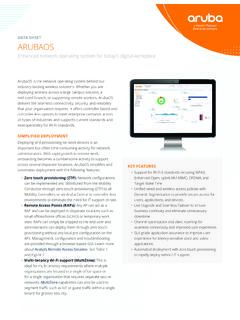
ARUBAOS
www.arubanetworks.com• Virtual Internet Access (VIA) VPN support: A VIA add-on license lets remote users securely connect to an Aruba network through a hybrid IPSec/SSL VPN software client without the need for a dedicated VPN Concentrator in the enterprise DMZ. User devices adhere to the same policies and service definitions used at headquarters or a branch.
Install Cisco AnyConnect Secure Mobility Client on a Mac ...
www.cisco.comMobility Client version 4.10.x on a Mac Computer. This article is only applicable to the RV34x series routers, not Enterprise products. Introduction AnyConnect Secure Mobility Client is a modular endpoint software product. It not only provides Virtual Private Network (VPN) access through Secure Sockets Layer (SSL)

Juniper AP43 Access Point Datasheet
www.juniper.neta network, location, and security sensor, a synthetic test client radio, as well as a spectrum monitor. With 802.11ax Orthogonal Frequency Division Multiple Access (OFDMA), Multi-User Multiple Input Multiple Output (MU-MIMO), and BSS Coloring technologies, the AP43 Series offers performance at unprecedented levels to support new