
Tello Scratch README
Open Scratch 2.0, hold the “Shift” key, click the “File” menu, click "Import Experimental HTTP Extension," and select "Tello.s2e" file in the file directory. 5. The Tello interface will be shown in Scratch under "More
Download Tello Scratch README

Information
Domain:
Source:
Link to this page:
Documents from same domain

Tello SDK - terra-1-g.djicdn.com
terra-1-g.djicdn.comfrom Tello via the same port. Remark2: Send “command” command to Tello via UDP PORT 8889 to initiate Tello’s SDK mode, before sending all other commands. Receive Tello State Tello IP: 192.168.10.1 ->> PC/Mac/Mobile UDP Server: 0.0.0.0 UDP PORT:8890 Remark3: Set up a UDP server on PC, Mac or Mobile device and listen the message from

镜头兼容列表 - terra-1-g.djicdn.com
terra-1-g.djicdn.comDJI DL 24mm F2.8 LS ASPH 支持 支持 否 是 DJI DL 35mm F2.8 LS ASPH 支持 支持 否 是 DJI DL 50mm F2.8 LS ASPH 支持 支持 否 是 M 卡口 品牌 镜头名称 焦点控制 光圈控制 是否需要配重 是否支持第四轴 Leica Leica M 0.8 Summilux-M 21mm f/1.4 ASPH 支持,需安装跟焦电机 不支持 …

Livox Mid-70
terra-1-g.djicdn.com2. Power Port Connects to an external power supply. When the Mid-70 is connected to the Livox Convertor 2.0, users can use a power supply of 9 to 30 V. The connector type is MOLEX 1053313-1102. The mating connector is MOLEX 105307-1202. 3. Ethernet Port An RJ45 type Ethernet connector is used to connect to Ethernet cables. 4. Sync Port

Mobile Phone Compatibility List
terra-1-g.djicdn.comHONOR 30 Main camera, wide camera 0.6x~10x 1080p60, 4k30 4k30 720p 8x, 1080p 4x 4k30 / Front and back camera switch, mode switch, zoom Supported HONOR 20 Pro Main camera, telephoto camera 1x~10x 1080p60, 4k30 4k30 720p 8x, 1080p 4x 4k30 / Front and back camera switch, mode switch, zoom Supported

Terms of Service of DJI are Refresh
terra-1-g.djicdn.commeteorological and hydrological environment), or operation not in accordance with the user manual’s recommendations. 5) Product damage caused by …

Preparation Before Using DJI Terra
terra-1-g.djicdn.comBefore using DJI Terra for the first time, manually upgrade the following Phantom 4 Series drones via DJI Assistant 2 For Phantom: Phantom 4 Pro, Phantom 4 Advanced, Phantom 4 RTK, and Phantom 4 Pro V2.0 Series. In some cases, drivers …

Unlocking Steps on the DJI Fly APP for FPV.
terra-1-g.djicdn.com4. Connect the drone with the App correctly, then make a screenshot of the app [s Unlocking List page (General setting->Unlocking list-APP/Aircraft). 5. Connect the drone with the App correctly, then make a screenshot of the APP's about page (General setting->About-Flight controller SN). 6. A screenshot of the no fly zone in the APP. 7.
Related documents

An Introduction to Programming with Scratch - …
www.rpbourret.comThe go to x: 0 y: 0 block tells Scratch to move the sprite — that’s the cat, which is what you’re writing instructions for — to the coordinates (0, 0). The stage has a coordinate system with (0, 0) in the center, x values ranging from –240 to +240, and y values ranging from –180 to +180.
Introduction to Scratch - University of Alabama at …
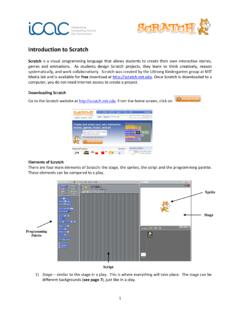
www.uab.eduScratch is a visual programming language that allows students to create their own interactive stories, games and animations. As students design Scratch projects, they learn to think creatively, reason systematically, and work collaboratively. Scratch was created by the Lifelong Kindergarten group at MIT

The Scratch Programming Language and Environment
web.media.mit.eduScratch is a visual programmingenvironmentthat lets users createinteractive, media-rich projects. People have created a wide range of projects with Scratch, including animated stories, games, online news shows, book reports, greeting cards, music videos, science projects, tutorials, simulations, and sensor-driven

Scratch Programming Lesson 1x - Harvard University
scratched.gse.harvard.eduScratch is a programming language for all, even for kids. In fact, Scratch, unlike all other programming languages, is designed first and foremost for kids. Because it’s designed for kids, it’s very easy to learn and use. They can create animations like never before. For older kids or teens, they can create single-level or multi-levels

User manual - Hercules
ts.hercules.comVinyl (or Scratch): puts the jog wheel in vinyl mode, allowing you to scratch when you place your hand on the top of the jog wheel. Shift+Vinyl: In DJUCED®, turning the jog wheel using the ring on its edge in Shift+Vinyl mode creates a Beatjump effect. Slip: mode which plays the track at its normal speed in the background; at the end

Animate a Name Cards - Scratch Resources browser
resources.scratch.mit.eduscratch.mit.edu ADD THIS CODE When you move a sprite, you can see the numbers for x and y update. x is the position from left to right. y is the position up and down. GET READY Try different numbers. Choose a backdrop. Choose a letter from the Sprite Library. Glide Around scratch.mit.edu Jurassic TRY IT TIP Click your letter to start.

Python 3 Beginners Level - EduBlocks
edublocks.orgPython 3 . Beginners Level. Updated for Scratch 3. and the new EduBlocks. edublocks.org

Video Sensing Cards - Scratch Resources browser
resources.scratch.mit.eduscratch.mit.edu GET READY Click the Extensions button (at the bottom left of the screen). Type a number between 1 and 100 to change the sensitivity. (1 will start with very little movement, 100 requires a lot of movement .) ADD THIS CODE TRY IT Choose Video Sensing to add the video blocks. Cat This will start when it senses video motion on a ...