Example: quiz answers
Animate a Name Cards - Scratch Resources browser
scratch.mit.edu ADD THIS CODE When you move a sprite, you can see the numbers for x and y update. x is the position from left to right. y is the position up and down. GET READY Try different numbers. Choose a backdrop. Choose a letter from the Sprite Library. Glide Around scratch.mit.edu Jurassic TRY IT TIP Click your letter to start.
Tags:
Information
Domain:
Source:
Link to this page:
Documents from same domain

Hide and Seek - Massachusetts Institute of Technology
resources.scratch.mit.eduSCRATCH EDUCATOR GUIDE HIDE AND SEEK / EDUCATOR GUIDE scratch.mit.edu/go SCRATCH EDUCATOR GUIDE scratch.mit.edu/go HIDE AND SEEK / EDUCATOR GUIDE With this guide, you can plan and lead a one-hour workshop using Scratch.
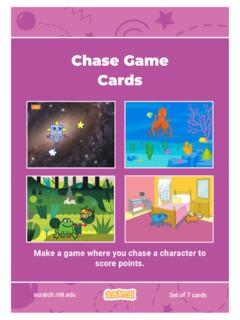
Chase Game Cards - Scratch Resources browser
resources.scratch.mit.eduMake a game where you chase a character to score points. Chase Game Cards scratch.mit.edu Set of 7 cards. Chase Game Cards Use these cards in this order: 1. Move Left and Right 2. Move Up and Down 3. Chase a Star 4. Play a Sound 5. Add a Score 6. Level Up! 7. Victory Message scratch.mit.edu Set of 7 cards. 1 Move Left and Right Press arrow keys ...
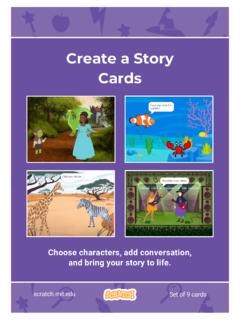
Create a Story Cards - Scratch Resources browser
resources.scratch.mit.eduCreate a Story ADD THIS CODE Click the thumbnail for each character, and then add its code. GET READY Choose two characters. Choose a Mountain backdrop. Goblin TIP You can click the menu to add a new message. Respond to a Character scratch.mit.edu Princess Broadcast a message. Princess Goblin Tell this character what to do when it receives the ...
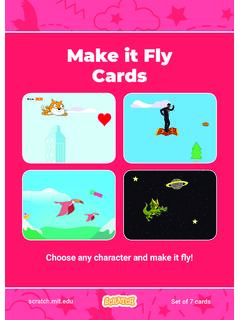
Make it Fly Make It Fly Cards - Scratch Resources browser
resources.scratch.mit.eduMake t ly Move the scenery so your character looks like it’s flying. Start Flying 2. scratchitedu ADD THIS CODE Type a negative number to move left. Start Flying GET READY Choose a sprite to fly by, such as Buildings. Start from the right end of the stage. TIP x is the position on the Stage from left to right. y = 180
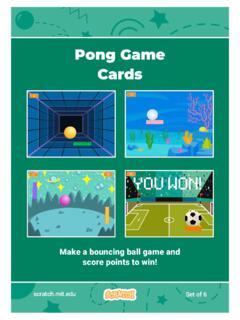
Pong Game Cards - Scratch Resources browser
resources.scratch.mit.eduGET READY Move your mouse pointer to move the paddle. Move the Paddle scratch.mit.edu Click the green flag to start. You can see the x position of the paddle change as you move the mouse pointer across the Stage. Choose a sprite for hitting the ball, like Paddle. Then, drag your paddle to the bottom of the Stage.
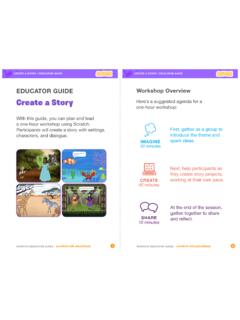
Create a Story
resources.scratch.mit.edu• Choose a character. • Make a character say something • Make a character hide and show. Click the green flag to start. Add code to the new character. Choose any character (in Scratch called a sprite). Type what you want your character to say. Add another character. Witch Wizard Use this block to have the second character wait before
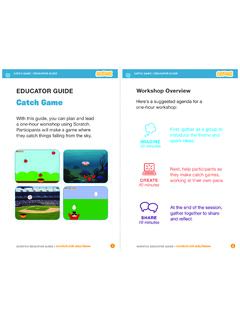
Catch Game - Massachusetts Institute of Technology
resources.scratch.mit.edua one-hour workshop using Scratch. Participants will make a game where they catch things falling from the sky. EDUCATOR GUIDE. Workshop Overview. First, gather as a group to introduce the theme and . spark ideas. SHARE . 10 minutes. Next, help participants as . they make catch games, working at their own pace. At the end of the session, gather ...
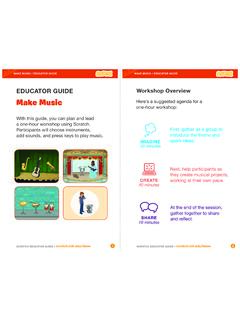
Make Music - Scratch Resources browser
resources.scratch.mit.eduCheck sound on computers or laptops 3 4 Check to make sure that the sound output is working on the computers or laptops. You may want to make headphones available (including headphone splitters to allow participants to listen together). Warm-up Activity: Repeat a Rhythm Gather the group in a circle and get ready to make music. Take

Teacher Accounts - Massachusetts Institute of Technology
resources.scratch.mit.eduT o s av e y o ur o w n co p y o f t hi s d o c, cl i ck F i l e a t t he t o p l ef t , t hen s el ect M a k e a c o p y . T o s av e a co p y t o y o ur co mp ut er , s el ect D o w n l o a d .
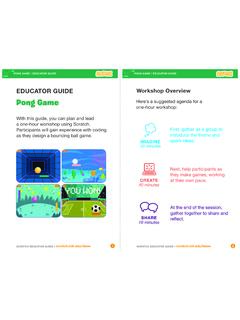
EDUCATOR GUIDE Workshop Overview
resources.scratch.mit.eduParticipants will gain experience with coding as they design a bouncing ball game. EDUCATOR GUIDE Workshop Overview First, gather as a group to ... Show the introductory video for the . Pong Game tutorial. The video shows pong games with a variety of themes, including ... For a more advanced project, try making a two-player game. To
Related documents
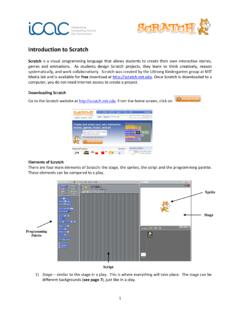
Introduction to Scratch - University of Alabama at …
www.uab.eduScratch is a visual programming language that allows students to create their own interactive stories, games and animations. As students design Scratch projects, they learn to think creatively, reason systematically, and work collaboratively. Scratch was created by the Lifelong Kindergarten group at MIT

The Scratch Programming Language and Environment
web.media.mit.eduScratch is a visual programmingenvironmentthat lets users createinteractive, media-rich projects. People have created a wide range of projects with Scratch, including animated stories, games, online news shows, book reports, greeting cards, music videos, science projects, tutorials, simulations, and sensor-driven

Tello Scratch README
terra-1-g.djicdn.comOpen Scratch 2.0, hold the “Shift” key, click the “File” menu, click "Import Experimental HTTP Extension," and select "Tello.s2e" file in the file directory. 5. The Tello interface will be shown in Scratch under "More

An Introduction to Programming with Scratch - …
www.rpbourret.comThe go to x: 0 y: 0 block tells Scratch to move the sprite — that’s the cat, which is what you’re writing instructions for — to the coordinates (0, 0). The stage has a coordinate system with (0, 0) in the center, x values ranging from –240 to +240, and y values ranging from –180 to +180.

User manual - Hercules
ts.hercules.comVinyl (or Scratch): puts the jog wheel in vinyl mode, allowing you to scratch when you place your hand on the top of the jog wheel. Shift+Vinyl: In DJUCED®, turning the jog wheel using the ring on its edge in Shift+Vinyl mode creates a Beatjump effect. Slip: mode which plays the track at its normal speed in the background; at the end

Video Sensing Cards - Scratch Resources browser
resources.scratch.mit.eduscratch.mit.edu GET READY Click the Extensions button (at the bottom left of the screen). Type a number between 1 and 100 to change the sensitivity. (1 will start with very little movement, 100 requires a lot of movement .) ADD THIS CODE TRY IT Choose Video Sensing to add the video blocks. Cat This will start when it senses video motion on a ...

Python 3 Beginners Level - EduBlocks
edublocks.orgPython 3 . Beginners Level. Updated for Scratch 3. and the new EduBlocks. edublocks.org

Scratch Programming Lesson 1x - Harvard University
scratched.gse.harvard.eduScratch is a programming language for all, even for kids. In fact, Scratch, unlike all other programming languages, is designed first and foremost for kids. Because it’s designed for kids, it’s very easy to learn and use. They can create animations like never before. For older kids or teens, they can create single-level or multi-levels