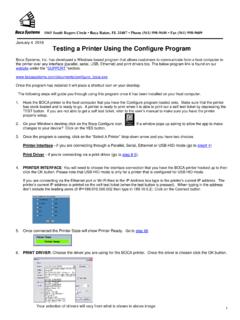
Testing a Printer Using the Configure Program - Boca Systems
1. Hook the BOCA printer to the host computer that you have the Configure program installed on. Make sure that the printer has stock loaded and is ready to go. A printer is ready to print when it is able to print out a self-test ticket by depressing the TEST button.
Download Testing a Printer Using the Configure Program - Boca Systems

Information
Domain:
Source:
Link to this page:
Documents from same domain
Testing a Printer Using the Configure Program
www.bocasystems.com1 1065 South Rogers Circle • Boca Raton, FL 33487 • Phone (561) 998-9600 • Fax (561) 998-9609 January 4, 2018 Testing a Printer Using the Configure Program Boca Systems, Inc. has developed a Windows based program that allows customers to communicate from a host computer to
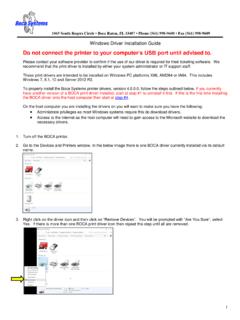
Do not connect the printer to your computer’s USB …
www.bocasystems.com1 1065 South Rogers Circle • Boca Raton, FL 33487 • Phone (561) 998-9600 • Fax (561) 998-9609 Windows Driver Installation Guide Do not connect the printer to your computer’s USB port until advised to.

Lemur-K - Boca Systems
www.bocasystems.comLemur-K Boca Systems, Inc • 1065 South Rogers Circle • Boca Raton, Florida • 561 998 9600 • boca@bocasystems.com • www.bocasystems.com
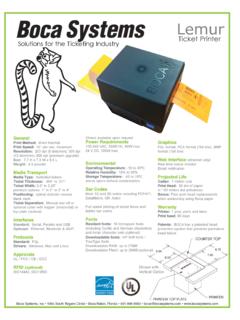
Ticket Printer - Boca Systems
www.bocasystems.comLemur Solutions nfor the T icketi g I dustry Ticket Printer Boca Systems, Inc • 1065 South Rogers Circle • Boca Raton, Florida • 561 998 9600 • boca@bocasystems.com • www.bocasystems.com

Mini MB Ticket Printer - Boca Systems
www.bocasystems.com4.0 Installation The Mini MB ticket printer is designed to be mounted on a counter top or shelf. However, prior to site preparation and installation, the printer should be powered up

New Lemur-S - Boca Systems
www.bocasystems.comBoca Systems, Inc • 1065 South Rogers Circle • Boca Raton, Florida • 561 998 9600 • boca@bocasystems.com • www.bocasystems.com General

Reverse Adjustable (RADJW & RADJ4) - Boca Systems
www.bocasystems.com1065 South Rogers Circle • Boca Raton, FL 33487 • Phone (561) 998-9600 • Fax (561) 998-9609 Turn the printer on and wait five seconds. The red CHECK PAPER led …
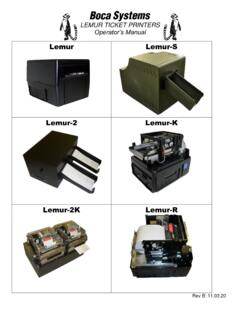
Lemur User Manaual - Boca Systems
www.bocasystems.comThe supply plug must comply with BS1363 (3-pin 13 amp) and be fitted with a 5A fuse which complies with BS1362. The mains cord must be <HAR> or <BASEC> marked and be of type H03VVF3GO.75 (minimum). Europe only: The supply plug must comply with CEE 7/7 …

Windows Driver Installation Guide - Boca Systems
www.bocasystems.comIn the below example a Boca BIDI FGL 26/46 300 DPI (Copy1) is shown The driver’s name may vary from what is shown. 4. When the printer driver menu comes up, click on Print test page. …
Related documents
Lemur User Manaual - Boca Systems - Ticket Printers, Kiosk ...
www.bocasystems.comprinter and accessories from the box and inspect for obvious damage. If damage is noticed, please report it immediately to BOCA. Email: cathy@bocasystems.com Tel: (561) 998-9600 Fax: (561) 998-9609 The following items should be in the box: a) Ticket Printer b) Hopper (if applicable) c) AC power cord d) Interface cable (optional)