
The Oscilloscope and the Function Generator
\kHz/Vrms" units button. To set the amplitude, press the AMPL button followed by \2" and the \kHz/Vrms" units button. DIGITAL (Wavetek 29) Select the \Sine" option under the FUNCTION menu. Press FREQ/PER under the SET menu, followed by \1" and the \kHz us mV" units button. Set the amplitude by pressing AMPL followed by \2" and \MHz ns V ...
Download The Oscilloscope and the Function Generator

Information
Domain:
Source:
Link to this page:
Documents from same domain

Value Stream Mapping.ppt - University of …
courses.washington.eduValue Stream Mapping Purpose • Provide optimum value to the customer through a complete value creation process with minimum waste in: – Design (concept to customer)
ation based on Drugstore.com (if available). …
courses.washington.eduWhen will the effect be the greatest? (peak) How long will it lower blood glucose? (duration) Notes for Use . Cost estimate : Rapid Acting . Lispro (Humalog™)
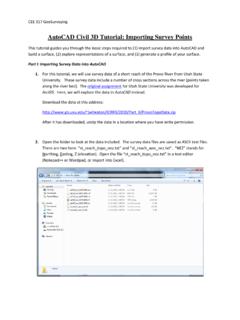
AutoCAD Civil 3D Tutorial: Importing Survey Points
courses.washington.eduCEE 317 GeoSurveying AutoCAD Civil 3D Tutorial: Importing Survey Points This tutorial guides you through the basic steps required to (1) import survey data into AutoCAD and
Aspen Tutorial #4: Thermodynamic Methods
courses.washington.eduAspen Tutorial #4 33 Figure 1: Aspen Plus Help You can use the right arrow button to page through the Help window’s information on the available thermodynamic methods.
Excavations and Excavation Supports
courses.washington.eduCM 420 – TEMPORARY STRUCTURES LESSON 5: EXCAVATIONS AND EXCAVATION SUPPORTS Page 2 of 14 Introduction In many construction jobs deep excavations must be made before the structure can be built.
3. BEAMS: STRAIN, STRESS, DEFLECTIONS The …
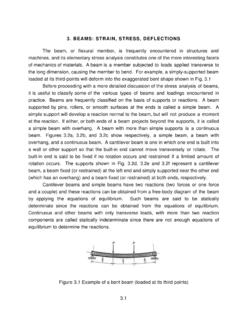
courses.washington.edu3. BEAMS: STRAIN, STRESS, DEFLECTIONS The beam, or flexural member, is frequently encountered in structures and machines, and its elementary stress analysis constitutes one of the more interesting facets
Motion and Time Study - University of Washington
courses.washington.eduThe General Strategy of IE to Reduce and Control Cost • Are people productive ALL of the time ? • Which parts of job are really necessary ? …

Lesson 2: Understanding expressions of drug …
courses.washington.eduLesson 2: Understanding expressions of drug amounts All pharmaceutical preparations have some sort of ingredient amount …
A Guide to Child Nonverbal IQ Measures
courses.washington.eduDeThorne & Schaefer: Nonverbal IQ 277 TABLE 1 (Page 1 of 3). Summary of nonverbal IQ measures. Verbal Time a Manipulatives b Description of nonverbal subtests Cost c Columbia Mental Maturity
ARCH 478 OFFICE BUILDING SECTION 08800 …
courses.washington.eduA. Perform Work in accordance with GANA Glazing Manual, FGMA Sealant Manual, and SIGMA TM-3000 Glazing Guidelines for glazing installation methods. B. Installer Qualifications: Company specializing in performing the work of this section with
Related documents

Chapter 31 – Alternating Current
physics.ucf.eduPav = VI =Vrms Irms. 5. Resonance in Alternating-Current Circuits C LC XL XC L 1 1 0 0 = 0 = ω =
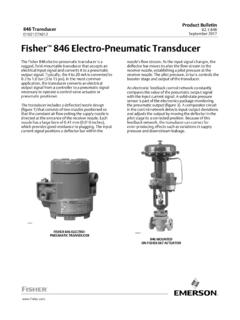
Fisher 846 Electro-Pneumatic Transducer - Emerson Electric
www.emerson.com150 kHz to 8 MHz at 3 Vrms B 8 MHz to 80 MHz at 3 Vrms A Specification limit = ±1% of span 1. A = No degradation during testing. B = Temporary degradation during testing, but is self-recovering. 846 Transducer D102127X012 Product Bulletin 62.1:846 April 2020 5 Features

NI 9263 Datasheet - National Instruments
www.ni.com• 250 Vrms, CAT II, channel-to-earth isolation The NI 9263 is an analog output module for any CompactDAQ and CompactRIO systems. It also features ±30 V overvoltage protection, short-circuit protection, low crosstalk, fast slew rate, high relative accuracy, and NIST-traceable calibration. The NI 9263 module includes a

NI 9265 Datasheet - National Instruments
www.ni.com• 250 Vrms, CAT II bank isolation • 10-position screw-terminal or 10-position spring-terminal connectors available • -40 °C to 70 °C operating range, 5 g vibration, 50 g shock The NI 9265 is a 4-channel, 0 mA to 20 mA, 100 kS/s simultaneously updating C Series analog output module for any CompactDAQ or CompactRIO chassis.

The Fundamentals of FFT-Based Signal Analysis and …
www.sjsu.edu3 Vrms sine wave at 256 Hz, and a DC component of 2 VDC. A 3 Vrms sine wave has a peak voltage of 3.0 • or about 4.2426 V. The power spectrum is computed from the basic FFT function. Refer to the Computations Using the FFT section later in …
LED Dimming: What you need to know - Energy
www1.eere.energy.govDec 10, 2012 · +Vrms Irms . Incandescent sources are simple (resistive) loads • Incandescent sources electrically behave like resistors (unlike pretty much every other lighting technology) • Incandescent sources effectively only care about Vrms – Constant R at steady state – R is a function of filament temperature • Incandescent sources are ...