
ThinkVision S22e-20
3-side NearEdgeless viewing Next-level user-experience Power HDMI VGA Audio ThinkVision S22e-20, the 21.5-inch, FHD resolution, VA panel display, gives users the fine detail they need while working out the small print on long contracts or inputting data for long periods. With 3-side NearEdgeless design, more of the monitor is dedicated to the ...
Download ThinkVision S22e-20

Information
Domain:
Source:
Link to this page:
Documents from same domain
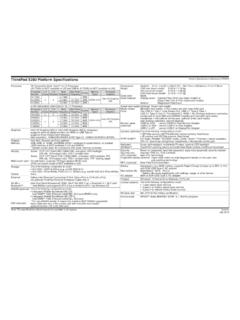
ThinkPad X280 Platform Specifications Product ...
psref.lenovo.comThinkPad X280 Platform Specifications Product Specifications Reference (PSREF) Note: The specifications above may not be available in all regions. Lenovo July 2018. Created Date:
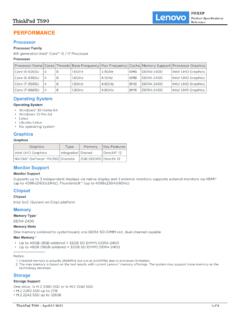
PERFORMANCE - Lenovo
psref.lenovo.comThe max memory is based on the test results with current Lenovo® memory offerings. The system may support more memory as the technology develops. 2. Storage Storage Support One drive, 1x M.2 2280 SSD or 1x M.2 2242 SSD • M.2 2280 SSD up to 2TB • M.2 2242 SSD up to 128GB ThinkPad T590 PSREF Product Specifications Reference
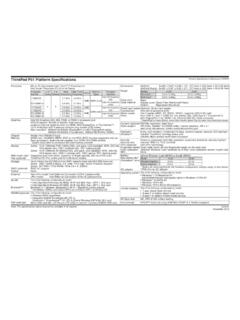
ThinkPad P51 Platform Specifications - Lenovo
psref.lenovo.comXeon processor), dual-channel capable, four DDR4 SO-DIMM sockets * System clocks down for processors with lower memory controller Display Multi-touch (opt) Pen (optional) Some: 15.6" (396mm) FHD (1920x1080), anti-glare, LED backlight, WVA, 250 nits, 16:9 aspect ratio, 700:1 contrast ratio, 160° viewing angle
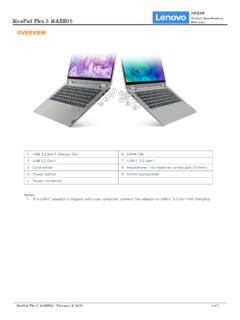
OVERVIEW - Lenovo
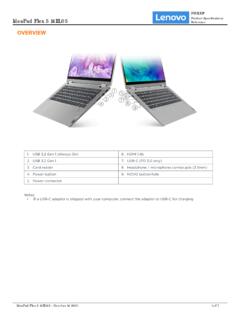
psref.lenovo.comIdeaPad Flex 5 14ARE05 PSREF Product Specifications Reference IdeaPad Flex 5 14ARE05 - October 14 2021 2 of 7 • One M.2 2280 PCIe Gen 3x4 slot, supports M.2 2280 SSD ... Plastic models 321.5 x 217.5 x 17.9-20.9 mm (12.65 x 8.56 x 0.70-0.82 inches) Weight[1] Models Weight All models 1.5 kg (3.3 lbs) Case Color** • Graphite grey • Light teal
OVERVIEW - Lenovo
psref.lenovo.comIdeaPad Flex 5 14IIL05 PSREF Product Specifications Reference IdeaPad Flex 5 14IIL05 - October 14 2021 1 of 7. PERFORMANCE Processor ... Metallic painting models 321.5 x 217.5 x 17.9-20.9 mm (12.65 x 8.56 x 0.70-0.82 inches) Weight[1] Models Weight All models 1.5 kg (3.3 lbs) Case Color** • Graphite grey • Light teal
ThinkCentre M70q - Lenovo
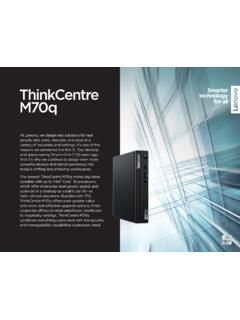
psref.lenovo.compeople who work, innovate, and excel in a variety of industries and settings. It’s one of the reasons we pioneered the first 1L Tiny desktop and space-saving Tiny-in-One (TIO) years ago. And it’s why we continue to design even more powerful devices that blend seamlessly into today’s shifting and shrinking workspaces.
OVERVIEW - Lenovo
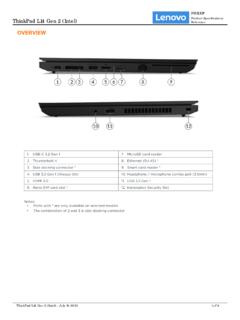
psref.lenovo.com• One M.2 2280 PCIe Gen 3x4 slot, supports M.2 2242/2280 SSD • Storage Type Disk Type Interface RPM Security 2.5" SATA HDD SATA 6Gb/s 5.4K APS (Active Protection System™) 2.5" SATA HDD SATA 6Gb/s 7.2K APS (Active Protection System) M.2 2242 SSD PCIe NVMe®, PCIe 3.0 x4 - - M.2 2280 SSD PCIe NVMe, PCIe 3.0 x4 - -
ThinkPad X1 Carbon (1st Gen) Product Specifications ...
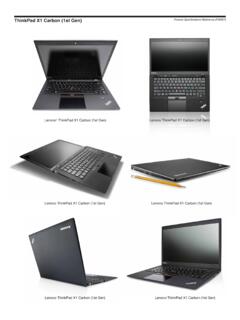
psref.lenovo.comThinkPad X1 Carbon (1st Gen) 3444 (TopSeller) - Windows 8 3444-AVG i5-3427U 4GBx1 14.0" HD+ 720p 120G SSD Intel 6205S 28 None None Finger BT iAMT vPro Win8 Pro64 10/12 3444-6PG i5-3317U 4GBx1 14.0" HD+ 720p 120G SSD Intel 6205S None None Finger BT None None Win8 Pro64 10/12
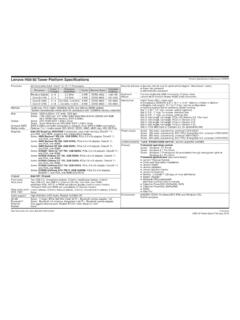
Lenovo H50-50 Tower Platform Specifications Product ...
psref.lenovo.comLenovo Companion McAfee LiveSafe™ (30 days of virus definitions) ... one VGA, one HDMI Chipset AMD SoC (System on Chip) platform Front ports Rear ports Rear audio ports IEEE 1394 Two USB 2.0, microphone (stereo, 3.5mm), headphone (stereo, 3.5mm)
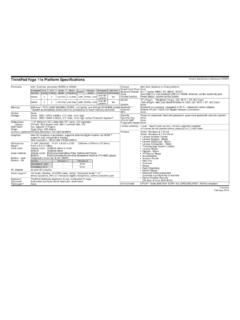
Yoga 11e specs - Lenovo
psref.lenovo.comGraphics Intel HD Graphics in processor, supports external digital monitor via HDMI™ supports dual independent display; Max resolution: 1920x1080 (HDMI)@60Hz Dimensions Weight Case color Case material Battery - type Battery - life AC adapter 11.6W" (WxDxH): 11.81" x 8.50" x 0.90" (300mm x 216mm x 22.9mm) From 3.5 lb (1.59kg)
Related documents

ThinkPad Thunderbolt 3 Dock Troubleshooting Guide
images-na.ssl-images-amazon.comThinkPad Thunderbolt 3 Dock Troubleshooting Guide •Outline Common symptoms and Provide potential solutions. –Attempt each potential solution in order until issue resolved •Before using the ThinkPad Thunderbolt 3 Dock –Please ensure your computer BIOS/Firmware/Drivers are up to date. Refer to following table to get updates for

ThinkPad USB-C Dock User Guide
images-na.ssl-images-amazon.comThinkPad USB-C Dock User Guide. 1. Got to Control Panel and then change the view of the Control Panel from Category to Large icons or Small icons. 2. Click Power Options Choose what the power buttons do. 3. Follow the instructions on the screen. • Power button indicator

Lenovo Docking Solutions
www.lenovo.comThinkPad Hybrid USB- C with USB-A Dock ThinkPad USB-C Dock Gen 2 Lenovo USB C Mini Dock • Supports up to two 4K UHD* resolution monitors • Four video ports: 2 x DisplayPort 1.4 and 2 x HDMI 2.0 • Six USB ports: 2 x USB 2.0: 3 x USB 3.1 (Gen2–10 Gbps, 1 x always-on charging); 1 x USB-C (10 Gbps, 5V/3A) • Port replication to non-USB-C ...

ThinkPad Thunderbolt 3 Dock Gen 2 ThinkPad …
content.etilize.com4 USB 3.1 connector Gen 2: With greater data transfer rate, the USB 3.1 connector Gen 2 is used to connect USB-compatible devices, such as a USB keyboard, a USB mouse, a USB storage device, or a USB printer. 2 ThinkPad Thunderbolt 3 Dock Gen 2 ThinkPad Thunderbolt 3 Workstation Dock User Guide

ThinkPad Hybrid USB-C with USB-A Dock User Guide
cdn.cnetcontent.com4. Right-click ThinkPad USB Ethernet Adapter Driver to select Uninstall. 5. Right-click ThinkPad Hybrid USB-C Dock Driver to select Uninstall. 6. Follow the instructions on the screen to uninstall the device driver. 7. Restart your computer. 6. ThinkPad …

T490s and X390 User Guide - Lenovo
download.lenovo.comThinkPad X390 2 T490s and X390 User Guide. 1. Power button Press to turn on the computer or put the computer to sleep mode. To turn off the computer, open the Start menu, click Power, and then select ... • Charge USB-C compatible devices with the …

ThinkPad X12 Detachable Gen 1 User Guide - Lenovo
download.lenovo.com2 ThinkPad X12 Detachable Gen 1 User Guide. Emergency-reset hole If the computer stops responding and you cannot turn it off by pressing the power button, reset your computer: ... – USB-C to VGA: up to 1920 x 1200 pixels, 60 Hz – USB-C to …

ThinkPad USB-C Dock Gen 2 User Guide
s.eet.euThinkPad USB-C Dock Gen 2 User Guide. Chapter 4. Troubleshooting. General 1. The dock does not work after connected to my computer. Ensure that: • You use the accompanying ac power adapter, power cord, and USB-C cable. • The dock is powered by its power adapter. The dock always needs an external power adapter for