
Transfer/Rollover/Exchange Form Instructions
Transfer/Rollover/Exchange Form Instructions: Use this form to move assets to your Fidelity employer-sponsored retirement account from a previous investment provider. You may also use this form to consolidate multiple employer-sponsored retirement accounts currently at Fidelity.
Download Transfer/Rollover/Exchange Form Instructions

Information
Domain:
Source:
Link to this page:
Documents from same domain

Getting Started with Your Stock Plan
workplaceservices.fidelity.comFIDELITY STOCK PLAN SERVICES Getting Started with Your Stock Plan Recordkeeping and administrative services for your company’s equity compensation plans are provided by your company and its service providers.

YOUR GUIDE TO GETTING STARTED - …
workplaceservices.fidelity.comYOUR GUIDE TO GETTING STARTED The Scripps Research Institute (TSRI) 457(b) Deferred Compensation Plan Invest in your retirement and yourself today, with help from the TSRI 457(b) Plan and Fidelity. Invest some of what you earn today for what you plan to ... Investor Shares Principal ...

ESPP Qualifying and Disqualifying Dispositions
workplaceservices.fidelity.comThis example shows the ordinary income calculation for both qualifying and disqualifying dispositions for an ESPP with a 15% discount, when the stock price has increased since the start of the offering period. The “spread” is the difference between the purchase price and the market value on the purchase date. The plan does not

Opening your Stock Plan Account - Fidelity Investments
workplaceservices.fidelity.comOpening your Stock Plan Account. Follow these easy steps to open your account online: 1.o to G. NetBenefits.com. and select the . Outside U.S. Employees. tab to log in. 2.ou are a new NetBenefits user, you will need to complete the new user registration If y and then log in. A quick-start guide for stock plan participants. 3.o open your Stock ...

Instructions for How to Transfer Shares from Fidelity to ...
workplaceservices.fidelity.comCash cannot be sent by Transfer of Assets. Please use your established withdrawal preferences linked to your SPS account to initiate a wire/check. Call 800-544-0275 if you need assistance with a cash withdrawal. STOCK PLAN ACCOUNT TRANSFERS: Participant to Participant: Same name PartIcIPant InformatIon:

Enrolling in your Employee Stock Purchase Plan (ESPP)
workplaceservices.fidelity.comFIELITY STOC PLAN SERICES, LLC 7. You have opened your Stock Plan Account. Click Next to proceed. Screenshot is for illustrative purposes only. 8. Provide your tax information by clicking Continue and answer all the questions. It will take approximately 5–10 minutes to complete. Screenshot is for illustrative purposes only.

Reinvesting Your Company Stock Dividends
workplaceservices.fidelity.comReinvesting Your Company Stock Dividends Any dividends you receive as a result of owning company stock are deposited into your Fidelity Account® as cash by default. You have the ability to update this option and reinvest the dividends to purchase more shares of company stock.1 Step 1 Log in to Fidelity.com. Select the Accounts & Trade tab at the

Enrolling in your Employee Stock Purchase Plan (ESPP)
workplaceservices.fidelity.comEmployee Stock Purchase Plan. Note: If you already have an individual nonretirement Fidelity Account®, that account will be used for your ESPP, and you can skip to Step 10 to select your ... Portfolio Summary page. Actual screens may vary based on your employer’s plan(s).

Which is right for you? Compare Lifecycle Funds with ...
workplaceservices.fidelity.comFidelity ®Personalized ... and may be subject to risks associated with investing in high-yield, small-cap, and foreign securities. Principal invested is not guaranteed at any time, including at or after the target dates.

Selling Shares in Your Stock Plan Account
workplaceservices.fidelity.comOnce your shares are available in your Stock Plan Account, here’s where you go to sell them.* Be sure to check the plan rules to see if you are required to hold your shares for a specified period of time before you can sell them. We recommend you set up your withdrawal preferences before selling your shares. It
Related documents
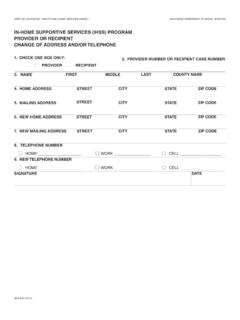
IN-HOME SUPPORTIVE SERVICES (IHSS) PROGRAM …
www.cdss.ca.govprovider or recipient change of address and/or telephone. 1. check one box only: provider. recipient. 2. provider number or recipient case number. 3. name first middle last. county name. 4. home address street. city. state. zip code. 5. mailing address street.
Medi-Cal Billing Manual
www.dhcs.ca.govcertified provider, the cost of these services is paid by a combination of, State, and Federal funds. The Federal Financial Participation (FFP) sharing ratio (the percentage of costs
ForwardHealth Provider Portal Account User Guide, P-00952
www.dhs.wisconsin.gov9. If the provider is not a health care provider and therefore does not have an NPI, enter the provider’s Medicaid Provider ID in the “Provider Number Information” section. 10. From the Financial Payer drop-down menu, select the financial payer certification for which the provider is requesting a Provider Portal account. 11.
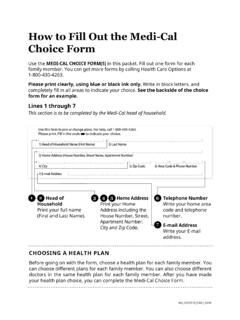
How to Fill Out the Medi-Cal Choice Form
www.healthcareoptions.dhcs.ca.govJoin or Change a Health Plan . Fill in the oval next to the health plan you . Doctor/Clinic Code . Write the code number for the doctor or clinic. This information can be found in the Plan Provider Directory. If leave this blank. 16 . The code number may be listed in the Provider Directory as: • Doctor’s Code • Clinic Code • PCP ...
ICD-10 Codes to Identify Social Determinants of Health
www.hopkinsmedicine.orgMar 15, 2021 · Provider Relations Department:888-895-4998 This update contains pertinent information about changes that will impact the Johns Hopkins HealthCare provider network. Please contact the JHHC Provider Relations department at …

Fees & Charges for Credit Cards - OCBC
www.ocbc.comFRANK Card Design Fee For lost/stolen card or change of card design, card design fee of S$ 10 – S$20 applies. For damaged or faulty card, card design fee of S$ 10 – S$20 applies if you wish to change your card design. NETS FlashPay Top-up Fee S$50 (top-up value); S$0.25 per automatic top-up (waived till 31 December 201 5 ).
Emergency Health Care Services and Urgent Care Center ...
www.uhcprovider.comchange the benefit for the inpatient admission (i.e., only the inpatient benefit applies). o If the Emergency admission is at an out-of-Network facility, Network benefits will be applied. UnitedHealthcare may elect to transfer the member to a Network facility …