
UNIVERSAL REMOTE SETUP - Vizio
hd set top box zenith (cont.) 0059 0131 0038 0111 0134 0153 0064 0004 0135 0226 0227 0247 0266 0288 0310 0338 0358 0023 0039 0001 0058 charter 0512 directv models 0621 1049 1766 1767 1768 0621 ge hdstb 1769 go video hdt100 0610 hitachi 61hdx98b 0632 hughes hird-e8 0607 0632 0641 hughes htl-hd 0607 0632 0641 lg htl-hd 0607 0632 0641 ...
Download UNIVERSAL REMOTE SETUP - Vizio

Information
Domain:
Source:
Link to this page:
Documents from same domain
MANUEL DE L’UTILISATEUR - cdn.vizio.com
cdn.vizio.coma pour but d'avertir l'utilisateur de la présence d'une tension dangereuse non isolée dans la TV, qui peut être d'une magnitude suffisante pour constituer un risque de …
MANUEL DE L’UTILISATEUR - cdn.vizio.com
cdn.vizio.comNe jamais renverser de liquide sur votre téléviseur. • Votre téléviseur ne devrait être utilisé seulement qu'avec le type de source d'alimentation indiqué sur l'étiquette.
E470VLE - user manual - VIZIO
cdn.vizio.comE470VLE - user manual 47” CLASS LCD HDTV . ... warranty service plan, visit www.VIZIO.com. When Reading this Manual When you see this symbol, please read the accompanying important warning or notice. It is intended to alert you to the presence of ... E470VLE to rain or moisture, does not operate normally or has been dropped.
10-0110 E420VL E470VL E550VL Manual Draft 3 - VIZIO
cdn.vizio.comVIZIO E420VL / E470VL / E550VL User Manual Version 2/12/2010 1 www.VIZIO.com Dear VIZIO Customer, ... VIZIO offers on-site extended warranty service plans. These plans give additional coverage during the standard warranty period. Visit our website or call us to purchase a plan.
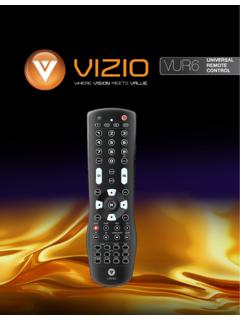
VIZIO VUR6Universal Remote User Manual
cdn.vizio.comVIZIO VUR6Universal Remote User Manual 3 www.VIZIO.com 1.1 VIZIO Universal Remote ControlVIZIO Universal Remote Control The VIZIO Universal Remote Control is a comprehensive remote that can be used to control up to four
XRU9M OM 2-6-10 - VIZIO
cdn.vizio.comthis Universal Remote Control. With this Universal Remote, juggling multiple remote controls is a thing of the past! Your new remote controls up to 4 devices, ... and on, the user is encouraged to try to correct the interference by one or more of the following measures:
VIZIO
cdn.vizio.comBEST HDMI CABLE HDMI cables send Video (Out) and receive Audio from the TV. See the Connecting with HDMI section for more information. Do not use HDMI IN for First-Time Setup.
USER MANUAL - Vizio
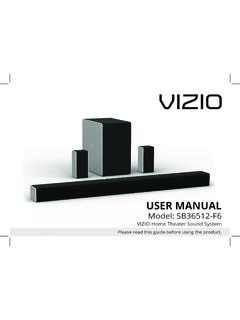
cdn.vizio.comThe lighting flash with arrowhead symbol within an equilateral triangle is intended to alert the user to the presence of not isolated dangerous voltage within the product that may be sufficient magnitude to constitute a risk of shock to persons. The exclamation point within an equilateral triangle is intended to alert
USER MANUAL - Vizio
cdn.vizio.comThe lighting flash with arrowhead symbol within an equilateral triangle is intended to alert the user to the presence of not isolated dangerous voltage within the product that may be sufficient magnitude to constitute a risk of shock to persons. The exclamation point within an equilateral triangle is intended to alert the user to
D-Series™ User Manual
cdn.vizio.comColor Text — This is the TV menu feature you should be selecting. Grey Text — This is an action for you to complete, such as entering in a name. > — The arrow sign shows the flow of the steps you should take. 1. Lists additional steps you can take for each setting. • Bullets give more detailed information about each feature. TIP:
Related documents
DIRECTV CHANNEL LINEUP ALPHABETICAL Available …
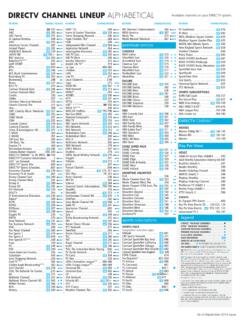
www.directmagazine.com*** Requires HD equipment and Advance Receiver-HD Service. ^ Limited movie titles available in 1080p. To view programs in 1080p, the following are required: Advanced Receiver-HD, an HD DVR (model HR20 or later), an HDMI cable connecting the receiver and and a high-definition 1080p24 television. Not all models are compatible.

Guide for Using DIRECTV SWM Technology with Winegard ...
ddwt.usNOTE It may take several minutes for the DIRECTV receiver to load HD channels or to purge HD channels from the channel guide. If connecting to a DVR receiver, do not connect a coaxial cable to the Satellite 2 input. With SWM, only connect to the Satellite 1 port (labeled FTM or SWM). 6 KEY Coaxial Cable Power Cable (attached to power inserter) 5
DIRECTV Genie and Earlier HD DVR User Guide
www.att.comThis User Guide applies to the DIRECTV® HD DVR and the Genie™ HD DVR and Mini Clients. Because this User Guide was designed Because this User Guide was designed to accommodate several models, your Receiver, its user interface, and certain features may vary from what is …
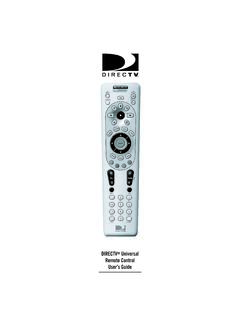
DIRECTV Universal Remote Control User’s Guide
www.att.comyour DIRECTV Receiver’s user guide. (Not available on all DIRECTV Receivers) Use VOL to raise (or lower) the sound vol-ume. The Volume keys are only active when programmed. While watching TV, use CHAN S(or T) to select the next higher (or lower) channel. While in the DIRECTV program guide or menu, use PAGE S(or T) to page up (or down) through ...