
USB LINK - Bose
The USB Link is connected to Bose Noise Cancelling Headphones 700 (or 700 UC) whose microphone is muted. 10 | ENG CONNECTIONS CONNECT THE BOSE USB LINK TO A COMPUTER Insert the Bose USB Link into a USB port on your computer. The status indicator on the USB Link will blink.
Download USB LINK - Bose

Information
Domain:
Source:
Link to this page:
Documents from same domain
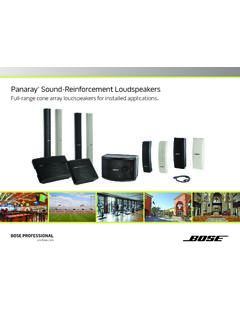
Panaray Sound-Reinforcement Loudspeakers
assets.bose.comPanaray ® Sound-Reinforcement Loudspeakers Full-range cone array loudspeakers for installed applications. 2 From the legendary Bose® 901 ® to the Professional 802 Bose first demonstrated the advantages of full-range cone driver arrays with the revolutionary 901 Direct/Reflecting® high-fidelity loudspeaker. Based on extensive …
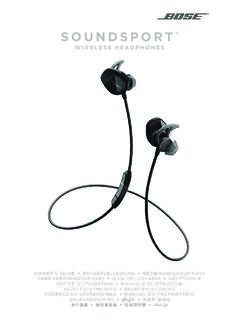
SOUNDSPORT - Bose Corporation
assets.bose.com• ®Unlock the full potential of your SoundSport wireless headphones • Free app compatible with most Apple and Android™ systems • Easily connect and switch between multiple Bluetooth® devices with a single swipe
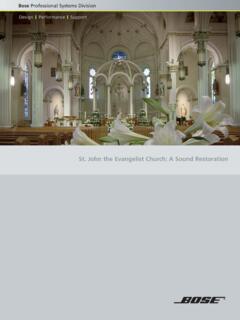
St. John the Evangelist Church: A Sound Restoration
assets.bose.comA major restoration at St. John the Evangelist Catholic Church in Delphos, Ohio, created an unexpected reverberation problem that lasted for more than seven years.
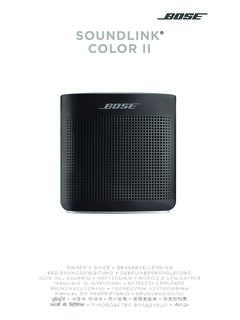
SOUNDLINK COLOR II - Bose Corporation
assets.bose.comBose Corporation hereby declares that this product is in compliance with the essential requirements and other relevant provisions of Directive 2014/53/EU and all other applicable EU directive requirements.
SOUNDLINK - Bose Corporation
assets.bose.comBose Corporation hereby declares that this product is in compliance with the essential requirements and other relevant provisions of Directive 2014/53/EU and all other applicable EU directive requirements.
PRELIMINARY TECNICAL DATA SEET - Bose Corporation
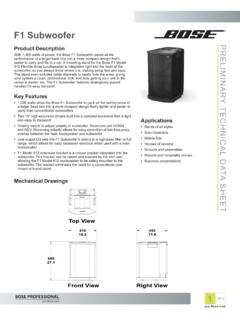
assets.bose.com1 OF 3 PRELIMINARY TECNICAL DATA SEET proBosecom F1 Subwoofer Applications • Bands of all styles • Solo musicians • Mobile DJs • Houses of worship • Schools and universities • Resorts and hospitality venues • Business presentations Product Description With 1,000 watts of power, the Bose F1 Subwoofer packs all the
SoundSport Free Wireless - Bose
assets.bose.comWIRELESS. 2 - ENGLISH ITN SE INSINS Please read and keep all safety and use instructions. Important Safety Instructions ... • Do NOT submerge or expose the earbuds for extended period to water, or wear while participating in water sports, e.g., swimming, waterskiing, surfing, etc.
WAVE SOUNDTOUCH PEDESTAL - Bose
assets.bose.comSoundTouch pedestal: • Place the rear feet of the Wave music system into the recesses on top of the SoundTouch pedestal. • Make sure the Wave music system sits flat and the side edges of both parts are aligned. 3. Insert the SoundTouch pedestal’s cable into the Bose link connector. Connect the system to power
Gebruikershandleiding
assets.bose.comDUTCH - 3 WETT CHT UDCH ORMAT ... Apple, het Apple-logo, iPad, iPhone en iPod zijn handelsmerken van Apple Inc., gedeponeerd in de VS en andere landen. App Store is een servicemerk van Apple Inc. Het handelsmerk ‘iPhone’ …
Owner’s Guide - Bose
assets.bose.comPlug the power cord on the AC power supply into the DC connector on the back of the speaker. 3. Plug the AC power supply into a live AC (mains) outlet. The speaker emits a tone to confirm connection to AC power, and charging begins. On the front of the speaker, the battery status indicator blinks yellow to show the battery is charging.
Related documents
GPIB-USB CONTROLLER - Prologix
prologix.bizMay 14, 2013 · Prologix GPIB-USB controller can be configured using any of the following methods: Prologix.exe – Prologix.exe is an open source tool developed by John Miles for configuring the controller. Web link to the tool can be found at prologix.biz. Terminal program – any terminal emulation program such as HyperTerminal, Tera

Industrial USB Cables - Rockwell Automation
literature.rockwellautomation.comIndustrial USB Cables 9300-USBCBL-CNSL, 9300-USBCBL-CP3 and 9300-USBCBL-PM02 As technology evolves, so do the physical connections to hardware. As a global leader in industrial networking technology, Rockwell Automation now offers three more avenues of connectivity. The 9300-USBCBL-CNSL, the 9300-USBCBL-CP3 and the 9300-USBCBL-PM02 cables all ...
USB-Link™ 2 Installation and Setup Manual - NEXIQ
www.nexiq.comOct 20, 2014 · he USB-Link™ 2 is a hardware device that enables service bay personal computers (i.e., PCs and/or laptops) to retrieve vehicle information using either wireless Bluetooth® technology or a more traditional cable connection. Once configured, the USB-Link™ 2 interfaces with your PC, enabling you to use specific PC applications to perform vehicle
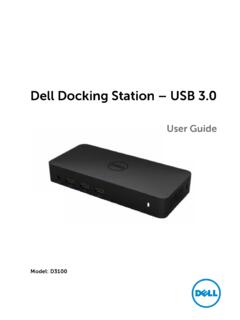
Dell Docking Station – USB 3
downloads.dell.comItems\Sound to make sure the USB Audio device is available and set to default. Right click to show all available options. Unplug from the power, wait 10 seconds, and then reconnect. Update to the latest USB 3.0 host controller driver Unplug from the power, wait 10 seconds, and then reconnect. Update to the latest USB 3.0 host controller driver

Dell Docking Station WD15 User Guide
downloads.dell.comThe Dell Docking Station WD15 is a device that links all your electronic devices to your computer using a USB Type-C cable interface. Connecting the computer to the docking station allows you to access all peripherals (mouse, keyboard, stereo speakers, external hard drive,
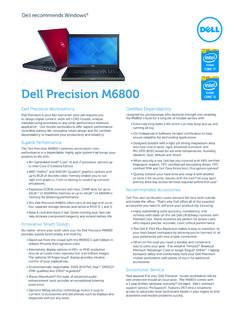
Dell Precision M6800
i.dell.comDell Precision M6800 Technical Specifications Processors 4th generation Intel® Core™ i5 and i7 processors, up to Core i7 Extreme Edition; Intel vPro™ advanced management on select CPUs Operating Systems • Windows® 8 Pro (64-Bit) • Genuine Windows® 7 Ultimate (32-Bit or 64-Bit); Genuine Windows® 7 Professional (32-Bit or 64-Bit) • Red Hat ® Enterprise Linux version 6.4