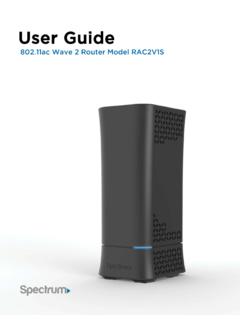
User Guide
(Router login Password): Install your Wireless Router NOTE: If there is an Ethernet cable currently connecting your modem to another device, disconnect the Ethernet cable from the device before you install the router. 1. Unplug your modem. 2. Plug your modem back in. Wait approximately 2 minutes until your modem turns on. 3.
Download User Guide

Information
Domain:
Source:
Link to this page:
Documents from same domain

Customer Change Form and Agreement
d15yx0mnc9teae.cloudfront.netCustomer Change Form and Agreement << PLEASE PRINT LEGIBLY >> INSTRUCTIONS Please follow these instructions to change the name on your account or change ownership to

IMPORTANT INFORMATION ABOUT YOUR SPECTRUM …
d15yx0mnc9teae.cloudfront.netIMPORTANT INFORMATION ABOUT YOUR SPECTRUM CHANNEL LINEUP Communities Served: City of Union; County of Randolph, IN; Cities of Clayton, Dayton, Englewood, Fairborn, Greenville, Huber Heights,
IMPORTANT INFORMATION ABOUT YOUR SPECTRUM …
d15yx0mnc9teae.cloudfront.netimportant information about your spectrum channel lineup Communities Served: Cities of Los Angeles, Santa Clarita and County of Los Angeles, CA. Effective on or after December 5, 2017, the following changes will be made to your channel lineup:

Spectrum Voice International Rate Comparison
d15yx0mnc9teae.cloudfront.netSpectrum Voice International Rate Comparison Rates shown effective 3/6/2017. Rates are subject to change. All pricing is per-minute. “Mobile” is defined as any call made to a mobile phone. “Landline” is defined as any call made to a landline telephone. * = Included with Spectrum Voice International (SVI) Calling Plan
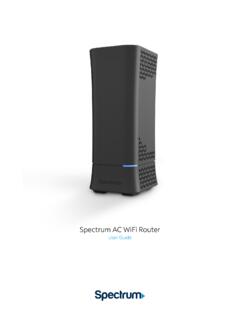
Spectrum WiFi Router with Advanced In-home WiFi
d15yx0mnc9teae.cloudfront.netSpectrum AC WiFi Router 2 V.1 10-11-2019 Spectrum WiFi Router with Advanced In-home WiFi Advanced In-home WiFi on the Spectrum WiFi router delivers internet, network security and personalization, conveniently managed with the My Spectrum app. Your router will have QR code on the back label to indicate support of this service.

Spectrum WiFi Pods
d15yx0mnc9teae.cloudfront.netSpectrum WiFi Pods deliver additional coverage for the Advanced Home WiFi service, enabling WiFi signals to reach all devices in-home for a better experience. With Spectrum WiFi Pods and Advanced Home WiFi: • Experience whole home coverage. • Improve connected client performance with optimized connections to router or pod.

Spectrum D3.1 eMTA
d15yx0mnc9teae.cloudfront.netmodem (when provisioned for voice service as specified by the service provider), and connect the other end to the phone port of the telephone. If voice service is not provisioned through the service provider, telephone service is not available. 4. Connect the power adapter (supplied) to the Power port on the modem. Connect

Spectrum WiFi 6 Router
d15yx0mnc9teae.cloudfront.netSpectrum WiFi 6 2 Advanced In-Home WiFi Advanced In-Home WiFi is included on your Spectrum WiFi 6 router delivering internet, network security and personalization, conveniently managed with the My Spectrum App. Your router will have a QR code on the back label to indicate support of this service. With Advanced In-Home WiFi, you can:

High-Definition DVR
d15yx0mnc9teae.cloudfront.netReverse engineering or disassembly is prohibited. ... During Transportation to the Subscriber Home Transport the cable terminal in its shipping box or an equally padded container. ... x Consult the dealer or an experienced radio/TV technician for help. Caution: Changes or modifications not expressly approved by Motorola for compliance could ...
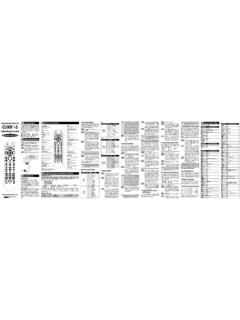
Operating Instructions For Button Functions *Note : Set-up ...
d15yx0mnc9teae.cloudfront.net4 VIZIO 5 SHARP 6 PANASONIC 7 SANYO 8 TOSHIBA 9 PHILIPS 0 COBY 1 MITSUBISHI 2 HITACHI 3 MAGNAVOX 4 JVC 5 ZENITH 6 INSIGNIA 7 EMERSON 8 WESTINGHOUSE 9TCL TV Manufacturer/Brand Set-Up Code Number CORONADO 143 CRAIG 043 054 CROSLEY 164 CROWN 043 143 CURTIS MATHES 116 258 363 143 CXC 043 CYBERHOME 015 CBL:TV ; …
Related documents
CGNVM DOCSIS 3.0 eMTA WiFi Gateway User’s Guide
mediacomcc.custhelp.comCGNVM DOCSIS 3.0 eMTA WiFi Gateway User’s Guide. Version 1.0 - 02/2015 SW Version CGNVM_4.5.10.10T3-MGCP-150429

Customer User Guide - PLDT HOME
pldthome.com1. Turn the modem off for 5 minutes and then back on to refresh your connection 2. Wait for the modem to sync within 3 minutes ... //192.168.1.1 then press enter. ... Type the default username: admin, password: 1234 to log in. 3. Click "Setup" found on the upper-hand side of the page. 4. Choose "Basic" from the left-hand side to change your Wi ...

Wired Modem Wireless Modem Customer Owned Modem
walledgarden.wowway.comIn your browser, type 192.168.0.1 — this is the device administration page address. If the model number on the front of your wireless modem is an Arris DG2470, DG3270, or TG2472: A. Log in using the Username: admin and the Password: password (case-sensitive).
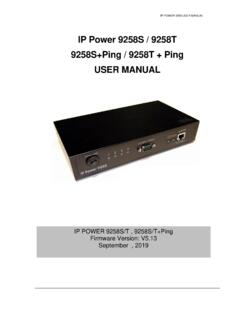
IP Power 9258S / 9258T 9258S+Ping / 9258T + Ping ... - …
www.aviosys.com(E.g. If IP address is 192.168.1.100 , then another IP address 192.168.1.123 then these IP Addresses are in same subnet.) 5 .The default username and password of IP Power 9258 are: Username: admin Password: 12345678

Cisco RV340 Quick Start Guide
www.cisco.comSTEP 1 Open a command window by using Start > Run and enter cmd. STEP 2 At the Command window prompt, enter ping and the device IP address. For example, ping 192.168.1.1 (the default static IP address of the device). If you can reach the device, you should get a reply similar to the following: Pinging 192.168.1.1 with 32 bytes of data: Reply ...

User’s Guide - Midco
www.midco.comLAN1 Use these ports to connect your computers and other network devices, using Category 5 or 6 Ethernet cables with RJ45 connectors. LAN2 LAN3

User Manual
www.motorolacable.commodem. Here is a list of phone numbers for some major cable service providers. (Note that this list is subject to change.) Comcast 1 (855) 652-3446 Time Warner 1 (855) 704 4503 Bright House 1 (888) 289-8988 Suddenlink 1 (877) 794-2724 Cable One 1 (877) 692 2253 Cox 1 (888) 556-1193 RCN 1 (866) 832-4726
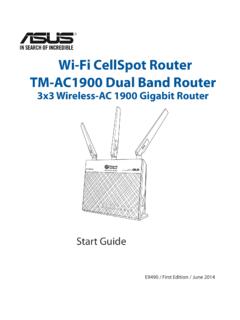
Wi-Fi CellSpot Router TM-AC1900 Dual Band Router
www.t-mobile.com1 English Package contents TM-AC1900 AC adapter Network cable (RJ-45) A quick look at your Wi-Fi CellSpot Router 1) LAN 1~4 LED 6) Power LED 11) USB 3.0/2.0 ports