
User Guide - DYMO
System Requirements 3 The form-feed button on the front of the printer advances a single label. The reverse label button is used to remove labels from the printer when changing rolls.
Download User Guide - DYMO

Information
Domain:
Source:
Link to this page:
Documents from same domain

User Guide - DYMO
download.dymo.comAbout the LabelWriter Printer 2 Top cover Label spool Label release Label feed path and tear bar Label roll Label guide Reverse label button Form-feed button

LabelWriter 450 Turbo
download.dymo.comLabelWriter ® 450 Turbo High-Speed Label and Postage Printer For PC and MAC® LabelWriter ® 450 Turbo Features: Print faster – and print postage 1 2 3 4 5 Eliminate the hassle of printing sheet labels through a desktop printer

LabelWriter 450 TwinTurbo - DYMO
download.dymo.comLabelWriter ® 450 TwinTurbo Dual Roll Label and Postage Printer For PC and MAC® LabelWriter ® 450 Twin Turbo Features: Double your label capacity and mailing efficiency 1 2 3 4 5

LabelWriter 450 Series Printers Technical …
download.dymo.comLabelWriter®. 450 Series Printers. Technical Reference Manual . Includes LabelWriter 450, LabelWriter 450 Turbo, LabelWriter 450 …

DYMO Label v.8.5
download.dymo.comDYMO Label v.8.5.4 . Read Me — 30 September 2016 . This document contains important information that is not included in any other DYMO Label documentation.

DYMO Label v.8.6
download.dymo.comDYMO Label v.8.6.1 . Read Me — 9 February 2017 . This document contains important information that is not included in any other DYMO Label documentation.

Quick Start Guide - DYMO
download.dymo.com5 4. Loading Labels To load a label roll 1 Press the form-feed button o ject lab ls at protected the printer during shipment. 2 Op en th op cover andremov ny packing ...

LM210D manual US cover1 - DYMO
download.dymo.com7 Using the Label Maker for the First Time The first time you turn on the power, you are asked to select the language. This selection will remain set until you change it, …

User Guide - DYMO
download.dymo.com4 Figure 1 RHINO 5200 Label Printer SHIFT SHIFT BKSP Feed Print/# of copies Escape Backspace Shift Size/CAPS Backlight Serialization Label exit …

LabelWriter 4XL Quick Start Guide - DYMO
download.dymo.com1 For complete information about your label printer, you can view the LabelWriter Printer User Guide from the DYMO Label v.8 Help menu or from the DYMO Web site at www.dymo…
Related documents

ZP 505 Thermal Printer - FedEx: Shipping, Logistics ...
images.fedex.comQuick Installation Guide 3 ZP 505 Thermal Printer Install the printer labels as indicated in the steps below. The instructions can also be found in the inside of the top resting on the hangers and
Troubleshooting Thermal Transfer Printing Problems
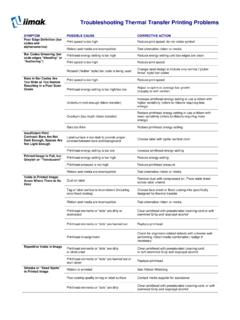
www.barcode-solutions.comTroubleshooting Thermal Transfer Printing Problems SYMPTOM POSSIBLE CAUSE CORRECTIVE ACTION Excessive Noise During Printhead energy setting is too high Reduce printhead energy setting Printing “Strip plate” on printer Lower strip plate is not adjusted properly
Ticket Printer - Boca Systems
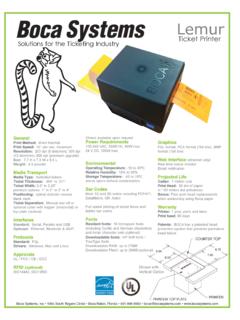
www.bocasystems.comLemur Solutions nfor the T icketi g I dustry Ticket Printer Boca Systems, Inc • 1065 South Rogers Circle • Boca Raton, Florida • 561 998 9600 • boca@bocasystems.com • www.bocasystems.com
LP 2844 Thermal Printer - FedEx
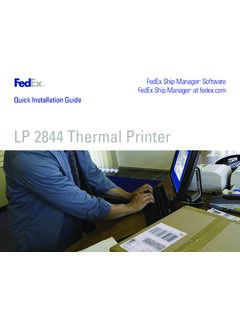
www.fedex.comQuick Installation Guide 3 LP 2844 Thermal Printer Install the printer labels as indicated in the steps below. The instructions can also be found in the inside of the top is minimal space between
TSP100LAN Hardware Manual - www.starmicronics.com …
www.starmicronics.com– 5 – 3-2. Connecting to a Peripheral Unit You can connect a peripheral unit to the printer using a modular plug. The following de-scribes how to install the ...
THERMAL PRINTER TSP700II SERIES - Star Micronics
www.starmicronics.com1-1. Unpacking After unpacking the unit, check that all the necessary accessories are included in the package. * Accessories vary depending on the model and the region where the printer was purchased.