
User Guide for DiskStation Manager 7
Synology DiskStation Manager (DSM) is an intuitive web-based operating system for every Synology NAS, designed to help you manage your digital assets across all network locations. With DSM 7.0, your network-attached storage device doesn't just serve as a file-sharing center
Download User Guide for DiskStation Manager 7

Information
Domain:
Source:
Link to this page:
Documents from same domain

Synology NAS User's Guide
global.download.synology.com5 Chapter Chapter 1: Introduction Congratulations on your purchase of Synology NAS. Synology NAS is a multi-functional Network-Attached Storage server, serving as …

Cloud Station White Paper - Synology Inc.
global.download.synology.com4 Software Architecture Overview Cloud Station is a file sharing service that allows you to back up and synchronize files between a centralized Synology NAS and multiple client computers, mobile and …

DiskStation DS718+ - Synology
global.download.synology.comof up to two channels3, bringing comprehensive support to the latest multimedia file formats and contents and allowing easy file sharing across Windows®, Mac®, and Linux® platforms. With Video Station, you can organize personal digital video library with comprehensive media information and watch 4K Ultra HD movies and films.

DiskStation DS1819+ - Synology
global.download.synology.comtransmission bandwidth to meet intensive workload demands. DS1819+ is equipped with one quad-core processor and 4 GB memory1 (upgradable to 32 GB), delivering sequential throughput at over 2,045 MB/s reading and 656 MB/s writing under aggregated 10Gb Ethernet environment2. The built-in four Gigabit LAN ports support failover and Link ...

RackStation RS815+/RS815RP+ - Synology
global.download.synology.comaverage 389.03 MB/s reading and 361.33 MB/s writing speed under RAID 5 configuration in a Windows® environment.1 Powered by its AES-NI hardware encryption engine, RS815+/RS815RP+ also delivers fast encrypted data transmission at over 388.66 MB/s reading and 158.9 MB/s writing, becoming Synology’s most powerful 1U rackmount NAS server ever-built.

DiskStation DS415+ - Synology
global.download.synology.comOperating Temperature 5°C to 35°C (40°F to 95°F) Storage Temperature -20˚C to 60˚C (-5˚F to 140˚F) ... 512, Retain Historical and Deleted File Versions Cloud Sync Data Sync with Public Cloud Services: Dropbox, Google Drive, Baidu, Microsoft OneDrive, Box and ... Cable X 2 Optional Accessories Remote, Camera License Pack

Administrator's Guide for Synology Active Backup for ...
global.download.synology.comBackup Configuration 08 Windows PC and Server Backup Create a backup task Manage backup tasks ... Windows Server 2016, Windows Server 2012 R2, Windows Server 2012, Windows Server 2008 R2 Linux: CentOS (versions 6.10, 7.8, and 8.1), RHEL ... machine in Synology Virtual Machine Manager, Hyper-V, ...

Recovery Media Creation Guide - Synology
global.download.synology.comTo create ISO media, please define the directory for storing the recovery media once it is ready in ISO format. Click to browse and select the target directory. Time Zone and Language Synology Active Backup for Business Recovery Media Creator automatically detects and applies the local time zone and language to the created recovery media.

Synology Solution Guide: Increasing the System Performance ...
global.download.synology.comdeployments, database processing, video editing, file indexing, and Synology packages like Snapshot Replication, Synology MailPlus, and Web Station. The objective of enabling SSD cache is to increase the performance of random access to a small portion of frequently accessed (hot) data in the storage space.
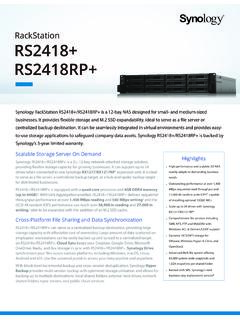
RackStation RS2418+ RS2418RP+ - Synology
global.download.synology.comEffortless Virtualization Environment Synology iSCSI storage fully supports most virtualization solutions to enhance work efficiency with a simple management interface, including VMware, Citrix, Hyper-V, and OpenStack.With VMware vSphere™ 6.5 and VAAI integration certification, RS2418+/RS2418RP+ helps offload specific storage operations and
Related documents
Sophos XG Firewall Web Reference and Admin Guide
docs.sophos.com• System Note: • Use F1 key for page specific help. Each section in this guide shows the menu path to the configuration page. For example, to reach the High Availability page, choose System Services menu from Configure section in the navigation bar, and then choose High Availability tab. Online help mentions this path as:

Deploy an endpoint detection and response (EDR) solution ...
download.microsoft.comIn the Microsoft Defender Security Center, go to Onboarding under settings, download a System Center Configuration Manager package, and import it into your Configuration Manager environment In the Microsoft Endpoint Manager admin center, create a device configuration policy using the Microsoft Defender for Endpoint (Windows 10 Desktop) profile type
How to Work with SAP Business One Microsoft 365 Integration
help.sap.comThe configuration URL is supported in the following web browsers: Google Chrome, Microsoft Edge (based on Chromium), Mozilla Firefox, and Apple Safari. To check whether the Microsoft Edge browser is based on Chromium, choose Help and feedback About Microsoft Edge . 2.
Dell Precision 17 7000 Series (7710)
i.dell.comSystem Center Configuration Manager (SCCM) console. It enables users to experience increased application performance and productivity from their Dell Precision workstation by automatically adjusting system settings based on the needs of specific professional software applications. The Dell Precision 17 7000 Series includes the latest 6th Generation

POWEREDGE R330 - Dell
i.dell.commaximum configuration Processor 1 processor from the following product families: • ®Intel® Xeon processor E3-1200 v6 product family • Intel Pentium® • Intel CoreTM i3 • ®Intel Celeron Chipset Intel C236 Operating system Microsoft ® Windows Server 2016, Microsoft® Windows Server 2012 Microsoft Windows Server 2012 R2, x64
Installation and Configuration Guide - Rockwell Automation
literature.rockwellautomation.comthe initial configuration process. FactoryTalk Activation FactoryTalk Historian SE is activated by Rockwell Automation's central licensing system based on the FactoryTalk Activation Server. FactoryTalk Diagnostics ; Because of a close integration of FactoryTalk Historian SE with FactoryTalk Diagnostics, all system and diagnostics messages from

Release Notes 3.9.0 | December 2021 | 3725-86049-034A
support.polycom.comMicrosoft Teams now supports HDMI video-only input for content sharing. HDMI audio is not supported. You can share content in Microsoft Teams from a device, for example a laptop, by connecting the device to the video system’s HDMI input port. This method doesn’t require you to connect using a wireless service.