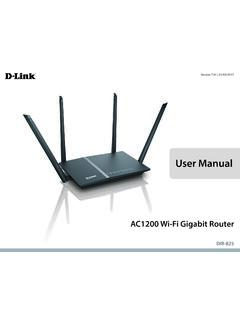
User Manual - D-Link
A stronger Wi-Fi signal means you can install more wireless surveillance cameras, baby monitors, sensors, and alarms in the places where you need them. ... It supports multiple and concurrent IPSec and PPTP sessions, so users behind the DIR-825 can securely access corporate networks.
Download User Manual - D-Link

Information
Domain:
Source:
Link to this page:
Documents from same domain

N300 Wi-Fi Range Extender
www.dlink.com.brN300 technology helps to extend wireless range in your home or office and also provides backward compatibility with older wireless devices in your network, allowing you to enjoy a fast, reliable wireless …

N300 WI-FI RANGE EXTENDER DAP-1330 - dlink.com.br
www.dlink.com.brThe DAP-1330 extends the wireless coverage of an existing AP (access point) or wireless router, via wireless or Ethernet port, allowing you to reach more parts of your home with wireless.

Covr your whole home in Seamless Wi-Fi
www.dlink.com.br• An Ethernet-based cable or DSL modem • IEEE 802.11ac/n/g/b/a wireless clients • 10/100/1000 Mbps Ethernet ... The COVR-C1203 AC1200 Dual Band Whole Home Wi-Fi System is an elegant, high-performance home networking solution ... all WiFi product marketed in the USA must be fixed to USA operational channels only. D-Link COVR-C1203 User ...
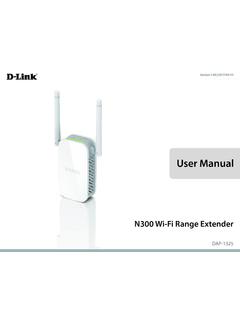
User Manual - D-Link
www.dlink.com.brThe DAP-1325 N300 Wi-Fi Range Extender lets you easily extend a secure wireless network with a press of a button. Connect the DAP-1325 to a router via Wi-Fi or Ethernet and share your high-speed Internet access in more places throughout your home or small office. High-speed Wireless Performance With Wireless 802.11n Technology

DIR-842 - D-Link
www.dlink.com.br· TR-069 client Page 9 of 198. DIR-842 AC1200 MU-MIMO Wi-Fi Gigabit Router User Manual Overview Wireless Module Parameters Standards · IEEE 802.11a/n/ac · IEEE 802.11b/g/n Frequency range · 2400 ~ 2483.5MHz · 5150 ~ 5350MHz · 5650 ~ …

User Manual - D-Link
www.dlink.com.brFi to places your old signal can’t reach. A stronger Wi-Fi signal means you can install more wireless surveillance cameras, baby monitors, sensors, and alarms in the places where you need them. The DIR-882's Smart Connect Technology makes connecting to wireless networks easy by eliminating the confusion of multiple networks.
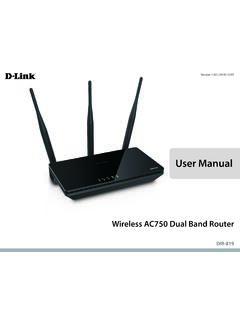
User Manual - D-Link
www.dlink.com.br1 Power The Power LED indicates that the device is powered on with a proper connection to the power supply. 2 2.4 GHz Wireless The Wireless LED indicates that this wireless band is working. It blinks during wireless data transmission. 3 5 GHz Wireless The Wireless LED indicates that this wireless band is working. It blinks during wireless data ...
Related documents
Nik Collection 4 Release Notes
download-center.dxo.com•Nik Collection sometimes makes Adobe Photoshop crash on Adobe Photoshop launch New in Nik Collection 4.1.1 Improvements • User interface optimization for Nik Collectionincluding: o Launch time optimization for Nik Perspective Efex on Mac machines o Performance improvement for Nik Viveza and Silver Efex whenhistogram and/or loupe are not visible • New hotkeys for …

ASHRAE EPIDEMIC TASK FORCE
www.ashrae.orgreferenced to understand the intent behind all of the guidance. General Information ... • Contractors –the Owner should engage, if necessary, the appropriate contractors to install or repair equipment or systems identified by the CxP, TAB, or BAS providers. ... Card Access, Cameras, etc.) into a VLAN to limit remote exposure to the ...
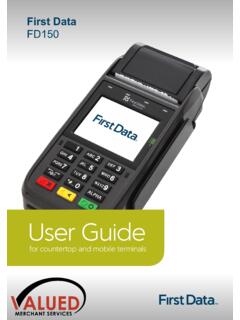
First Data FD150 - Valued Merchant Services
www.valuedmerchants.com> security cameras can’t make a visual record of a customer’s PIN entry. ou should communicate these guidelines to any staff members that process EFTPOS transactions using the First Data terminal. It is also important to remind staff members that customers should never be …

User Guide - Linksys Router EA6900
downloads.linksys.comA typical home network may include multiple computers, a printer, a modem, and a router. A large home network may also have a switch, additional routers, access points, and many Internet-capable media devices such as TVs, game consoles, and web cameras. • Modem—Connects a computer or a router to your ISP (Internet Service Provider).
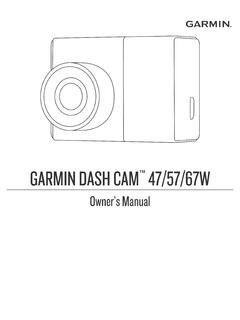
Garmin Dash Cam™ 47/57/67W Owner’s Manual
www8.garmin.comMultiple Camera Network.....15 Camera Settings in the Garmin Drive ... you must install a compatible memory card (Memory Card Specifications, page 19). A memory ... To hide the 4 m (13 ft.) cable, route it behind the vehicle trim along the windshield, doorframe, or dash. 3 Plug the Garmin Dash Cam power cable into the included power adapter.

User Guide - Linksys Smart Wi-Fi router AC1750, EA6500 v2
downloads.linksys.comA typical home network may include multiple computers, a printer, a modem, and a router A large home network may also have a switch, additional routers, access points, and many Internet-capable media devices such as TVs, game consoles, and web cameras • Modem—Connects a computer or a router to your ISP (Internet Service

2.1: What is Robotics?
www.revereschools.orgRobotics is the science and technology behind the design, ... cameras enable the crew to observe what is going on. Dextre's design somewhat resembles a person. The ... of lengths and can be used to attach multiple thicknesses of metal together, or to mount other components onto the VEX structural pieces. Allen
Network Video Recorder User’s Manual
www.dahuasecurity.comthis is to install the recorder in a lockbox, locking server rack, or in a room that is behind a lock and key. 15. Connect IP Cameras to the PoE Ports on the Back of an NVR: Cameras connected to the PoE ports on the back of an NVR are isolated from the outside world and cannot be accessed directly. 16. Isolate NVR and IP Camera Network
User Manual - D-Link
www.dlink.com.brFi to places your old signal can’t reach. A stronger Wi-Fi signal means you can install more wireless surveillance cameras, baby monitors, sensors, and alarms in the places where you need them. The DIR-882's Smart Connect Technology makes connecting to wireless networks easy by eliminating the confusion of multiple networks.