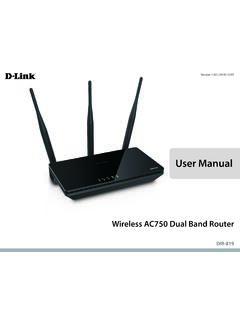
User Manual - D-Link
1 Power The Power LED indicates that the device is powered on with a proper connection to the power supply. 2 2.4 GHz Wireless The Wireless LED indicates that this wireless band is working. It blinks during wireless data transmission. 3 5 GHz Wireless The Wireless LED indicates that this wireless band is working. It blinks during wireless data ...
Download User Manual - D-Link

Information
Domain:
Source:
Link to this page:
Documents from same domain

N300 Wi-Fi Range Extender
www.dlink.com.brN300 technology helps to extend wireless range in your home or office and also provides backward compatibility with older wireless devices in your network, allowing you to enjoy a fast, reliable wireless …

N300 WI-FI RANGE EXTENDER DAP-1330 - dlink.com.br
www.dlink.com.brThe DAP-1330 extends the wireless coverage of an existing AP (access point) or wireless router, via wireless or Ethernet port, allowing you to reach more parts of your home with wireless.

Covr your whole home in Seamless Wi-Fi
www.dlink.com.br• An Ethernet-based cable or DSL modem • IEEE 802.11ac/n/g/b/a wireless clients • 10/100/1000 Mbps Ethernet ... The COVR-C1203 AC1200 Dual Band Whole Home Wi-Fi System is an elegant, high-performance home networking solution ... all WiFi product marketed in the USA must be fixed to USA operational channels only. D-Link COVR-C1203 User ...
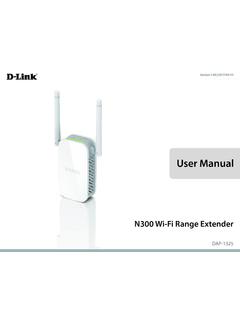
User Manual - D-Link
www.dlink.com.brThe DAP-1325 N300 Wi-Fi Range Extender lets you easily extend a secure wireless network with a press of a button. Connect the DAP-1325 to a router via Wi-Fi or Ethernet and share your high-speed Internet access in more places throughout your home or small office. High-speed Wireless Performance With Wireless 802.11n Technology

DIR-842 - D-Link
www.dlink.com.br· TR-069 client Page 9 of 198. DIR-842 AC1200 MU-MIMO Wi-Fi Gigabit Router User Manual Overview Wireless Module Parameters Standards · IEEE 802.11a/n/ac · IEEE 802.11b/g/n Frequency range · 2400 ~ 2483.5MHz · 5150 ~ 5350MHz · 5650 ~ …
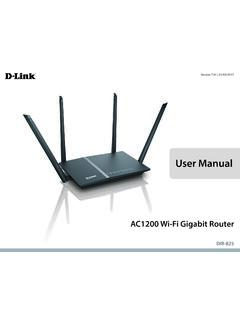
User Manual - D-Link
www.dlink.com.brA stronger Wi-Fi signal means you can install more wireless surveillance cameras, baby monitors, sensors, and alarms in the places where you need them. ... It supports multiple and concurrent IPSec and PPTP sessions, so users behind the DIR-825 can securely access corporate networks.

User Manual - D-Link
www.dlink.com.brFi to places your old signal can’t reach. A stronger Wi-Fi signal means you can install more wireless surveillance cameras, baby monitors, sensors, and alarms in the places where you need them. The DIR-882's Smart Connect Technology makes connecting to wireless networks easy by eliminating the confusion of multiple networks.
Related documents
Telecommunications, the Internet, and Wireless Technology
cs.furman.eduChapter 7: Telecommunications, the Internet, and Wireless Technology Illustrated here is a very simple computer network, consisting of computers, a network operating system residing on a dedicated server computer, cabling (wiring) connecting the devices, network interface cards (NIC), switches, and a router. Figure 7-1

Automotive Gateway: A Key Component to Securing the ...
www.nxp.comsystems (ADAS), as well as wireless interfaces (3G/4G/future 5G, BT, Wi-Fi, V2X) (100 Mbps to gigabit speeds). A gateway is a central hub that securely and reliably interconnects and processes data across these heterogeneous vehicle networks. It provides physical isolation and protocol translation to route data between

NF18ACV User Guide - NetComm Wireless Support
support.netcommwireless.commultitude of wireless devices such as smart TVs, set top boxes, laptops, tablets, computers, NAS, smart phones and gaming consoles with upgraded coverage and performance. 1 Maximum wireless signal rate and coverage values are derived from IEEE Standard 802.11n and 802.11ac specifications. Actual wireless speed and

Private Cloud Storage
documents.westerndigital.comcloud storage system is a high-performance system providing secure wireless access to your media and files from any computer, tablet, or smartphone when connected to a wireless router. This user manual provides step-by-step installation instructions and other important information about your WD product.

Computer Networks Fundamentals
www.csun.eduPeer-to-peer architecture – Computers connect with each other in a workgroup to share files, printers, and Internet access. This is used to connect a small number of computers. Client/server architecture – sends information from a client computer to a server, which then relays the information back to the client computer,
Introduction to Mobile Computing
www.ptcdb.edu.psBattery power restrictions transmit/receive, disk spinning, display, CPUs, memory consume power Battery lifetime will see very small increase need energy efficient hardware (CPUs, memory) and system software planned disconnections - doze mode Power consumption vs. resource utilization