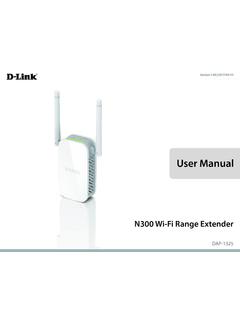
User Manual - D-Link
wireless devices. This feature lets you participate in real-time activities online, such as video streaming, online gaming, and real-time audio with smooth performance. Simple Setup All it takes is a press of a button to connect compatible WPS devices to the DAP-1325. Its easy-to-use web interface lets you quickly
Download User Manual - D-Link

Information
Domain:
Source:
Link to this page:
Documents from same domain

N300 Wi-Fi Range Extender
www.dlink.com.brN300 technology helps to extend wireless range in your home or office and also provides backward compatibility with older wireless devices in your network, allowing you to enjoy a fast, reliable wireless …

N300 WI-FI RANGE EXTENDER DAP-1330 - dlink.com.br
www.dlink.com.brThe DAP-1330 extends the wireless coverage of an existing AP (access point) or wireless router, via wireless or Ethernet port, allowing you to reach more parts of your home with wireless.

Covr your whole home in Seamless Wi-Fi
www.dlink.com.br• An Ethernet-based cable or DSL modem • IEEE 802.11ac/n/g/b/a wireless clients • 10/100/1000 Mbps Ethernet ... The COVR-C1203 AC1200 Dual Band Whole Home Wi-Fi System is an elegant, high-performance home networking solution ... all WiFi product marketed in the USA must be fixed to USA operational channels only. D-Link COVR-C1203 User ...

DIR-842 - D-Link
www.dlink.com.br· TR-069 client Page 9 of 198. DIR-842 AC1200 MU-MIMO Wi-Fi Gigabit Router User Manual Overview Wireless Module Parameters Standards · IEEE 802.11a/n/ac · IEEE 802.11b/g/n Frequency range · 2400 ~ 2483.5MHz · 5150 ~ 5350MHz · 5650 ~ …
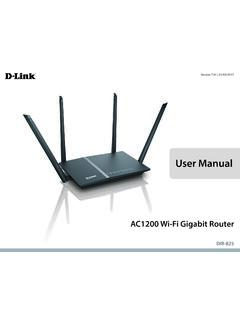
User Manual - D-Link
www.dlink.com.brA stronger Wi-Fi signal means you can install more wireless surveillance cameras, baby monitors, sensors, and alarms in the places where you need them. ... It supports multiple and concurrent IPSec and PPTP sessions, so users behind the DIR-825 can securely access corporate networks.

User Manual - D-Link
www.dlink.com.brFi to places your old signal can’t reach. A stronger Wi-Fi signal means you can install more wireless surveillance cameras, baby monitors, sensors, and alarms in the places where you need them. The DIR-882's Smart Connect Technology makes connecting to wireless networks easy by eliminating the confusion of multiple networks.
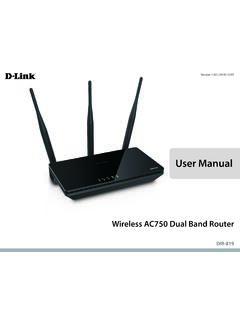
User Manual - D-Link
www.dlink.com.br1 Power The Power LED indicates that the device is powered on with a proper connection to the power supply. 2 2.4 GHz Wireless The Wireless LED indicates that this wireless band is working. It blinks during wireless data transmission. 3 5 GHz Wireless The Wireless LED indicates that this wireless band is working. It blinks during wireless data ...
Related documents
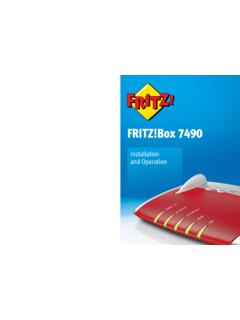
FRITZ!Box 7490 - AVM International
en.avm.deConnected telephones use the FRITZ!Box as a telephone system (PBX). The FRITZ!Box integrates connected computers and network devices into your private home network. The devices can exchange data with each other and enjoy shared access to USB hard drives, USB printers and other USB devices. The FRITZ!Box transmits music, video and im-

CCNA Certification Guide
mkto.cisco.comIP address (IPv4 and IPv6, classes, Open Systems Interconnection [OSI] and TCP/IP networking stack) IP Addresses are like street addresses. Every service or server on the internet has a unique address where it can be accessed. Malware analysis The process of determining the functionality, origin, and potential impact of a given malware.
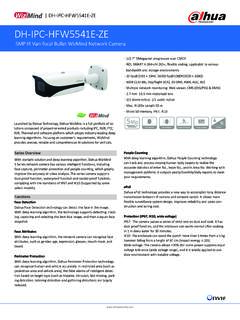
DH-IPC-HFW5541E-ZE - Dahuasecurity.com
www.dahuasecurity.comtransmission between IP camera and network switch. It allows more flexible surveillance system design, improves reliability and saves con-struction and wiring cost. Protection (IP67, IK10, wide voltage) IP67: The camera passes a series of strict test on dust and soak. It has dust-proof function, and the enclosure can works normal after soaking
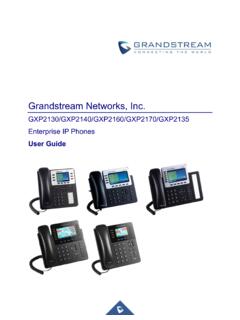
Grandstream Networks, Inc.
www.grandstream.com• Added Support to display the string entered in “System Identification” field when communicating with GDS. [CONNECTING GXP21XX TO GDS3710 DOOR SYSTEM] Firmware version 1.0.11.16 • No major changes Firmware version 1.0.11.10 • No major changes. Firmware Version 1.0.11.6 • No major changes. Firmware Version 1.0.11.3 • No major changes.

KT-400 Installation Manual DN1726 - Kantech
www.kantech.com• IP Connectivity: Only for supplementary use when planning to install the KT-400 Ethernet Four-Door Controller with a UL 294 access control system. • Use only UL 294 or UL 1076 listed power supply • Connect Kantech part number KT-ACPW-LED status indicator to the 16 VAC black terminals of the KT-400