
User Manual - Logitech
The playback area includes play, pause, fast forward, rewind, skip and other buttons for your PVR, DVD player, or VCR. The number pad has the digits 0-9. The enter button enters a selection from the number pad. The clear button clears an entry from the number pad. It is also used to enter the decimal place for HD channel numbers.
Download User Manual - Logitech

Information
Domain:
Source:
Link to this page:
Documents from same domain

Activities Want to know more? - Logitech
www.logitech.comLogitech Gaming Software - Help Center file:///E|/Help/en_US/front_page.htm[4/28/2014 8:07:32 PM] Activities... Want to know more? Create a new profile Getting started

On - logitech.com
www.logitech.com1 2 Logitech® Wireless Mouse M217 Setup Guide Guide d’installation English Mac® OS X Users: When plugging in the Unifying receiver, the Keyboard Assistant

圧倒される 超・高解像度 - logitech.com
www.logitech.comLogicool BRIO Ultra HD 4K画像センサー 4K(Ultra HD)@ 30 fps、1080p(フルHD)@ 30/ 60 fps および 720p(HD)@ 30/60/90 fpsを含めた複 数の解像度をサポートし、お使いのアプリケーションや

SMALL GROUPS. BIG POTENTIAL. - Logitech
www.logitech.comSmall group video conferencing deserves more than huddling around PC webcams or begging for time on overbooked conference room systems. The ConferenceCam BCC950

Logicool ゲーム ソフトウェア - logitech.com
www.logitech.com快適な作業および安全性 file:///E¦/Help/ja_JP/comfort_and_safety.htm[4/26/2014 9:19:02 PM] 快適な作業および安全性 ここでは快適な作業 ...

Logitech® USB Headset H390
www.logitech.comEnglish Know your product 1. USB Headset H390 2. Microphone boom 3. Microphone 4. Volume controls (+/–) 5. Mute button 6. Mute light 7. USB connector

SUPER-WIDE FIELD OF VIEW FOR SMALL SPACES.
www.logitech.comMeetUp’s integrated audio is optimized for huddle room acoustics and delivers an exceptional sound experience. Three horizontally-aimed beamforming mics and

Introducing the Logitech MeetUp
www.logitech.com3 TalkingPointz July 21, 2017 What’s a MeetUp? Logitech currently offers three small room conferencing products in its ConferenceCam lineup .

Setup Guide Guide d’installation Logitech® HD …
www.logitech.com4 English English 5 Getting started with Logitech® HD Pro Webcam C920 Thank you for buying your c920! Use this guide to set up and begin using your Logitech webcam.

Logitech Addresses and Phone Numbers
www.logitech.comLogitech ® G 27 Racing Wheel © 2013 Logitech. All rights reserved. Logitech, the Logitech logo, and other Logitech marks are owned by Logitech …
Related documents

Flash Player Local Settings Manager - Adobe Inc.
help.adobe.comAug 27, 2015 · settings such as your preferred playback volume, or where you last left off when watching a video. The information stored in local storage remains on your computer after you close Flash Player (even if you clear your browser cache) and is available only to the website that stored it. That website may retrieve the information in the local ...
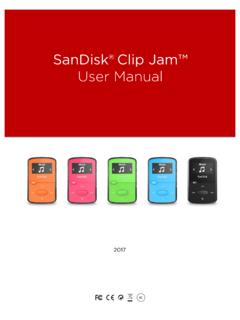
SanDisk® Clip Jam™
downloads.sandisk.comBased on continuous playback at 128 kbps MP3. Actual life and performance may vary upon usage and settings; battery is not replaceable. 3 Based on 3.5 min. songs. Approximations: results may vary based on file attributes, and other factors. Battery . The player comes with an internal rechargeable battery that can last up to 18 hours* during ...
DS-7732NI-I4/24P NVR - Hikvision
www.hikvision.comNov 18, 2020 · 16-ch synchronous playback Smart & POS Function Support multiple VA (Video ontent Analytics) events onfigurable special camera smart functions, such as VA detection (motion, line crossing, intrusion, etc.), heat map, ANPR, and people counting POS information overlay on live view and playback, and POS triggered recording and alarm

Blender HotKeys In-depth Reference
download.blender.orgPlayback mode. The cursor changes to a counter. ALT-SHIFT-A. The current window, plus all 3DWindows go into Animation Playback mode. IKEY. Insert Key menu. This menu differs from window to window. JKEY. Toggle the render buffers. Blender allows you to retain two different rendered pictures in memory. CTRL-O. Opens the last saved file. QKEY. OK ...

Alienware 510H 7.1 Gaming Headset User's Guide - Dell
downloads.dell.comto be selected as the default playback device and the default recording device in Windows Audio Settings. 1. On Windows toolbar, right-click the speaker icon and select Sounds to access the Windows Audio Settings. The Sound dialog box appears.
PM0075 Programming manual - STMicroelectronics
www.st.comPM0075 Doc ID 17863 Rev 2 5/31 Glossary This section gives a brief definition of acronyms and abbreviations used in this document: Low-density devices are STM32F101xx, STM32F102xx and STM32F103xx microcontrollers where the Flash memory density …
Configuring Foobar2000 For DSD and MQA Playback User ...
www.pureaudiolab.comThe Playback tab should look like this, set ReplayGain to none / none: 17. The column headers for sample-rate and bitrate are not standard, so key them in as shown in File/Preferences: Playlist View 7 18. Select DSD : ASIO : PureAudio ASIO Driver > Apply > OK. 19. Select Output mode > DSD, Select DSD ASIO Device > PureAudio ASIO