
USER MANUAL - T-Mobile
your phone, instead store PIN in a location that is accessible without using phone. 2.2 Charging Insert the small end of the charging cable into the charge port, and connect the charger to a power outlet. 12 2.3 Battery To optimize your battery life, you may do the following:
Download USER MANUAL - T-Mobile

Information
Domain:
Source:
Link to this page:
Documents from same domain

Samsung Galaxy A11|A21 A115U|A215U User Manual
www.t-mobile.com3. Tap a picture or video to choose it. •If choosing a single picture, choose which screen or screens you want to apply the wallpaper to. •Videos and multiple pictures can only be applied to the Lock screen.

Samsung Galaxy A10e|A20 A102U|A205U User Manual
www.t-mobile.comAdd a Samsung account. Sign in to your Samsung account to access exclusive Samsung content and make full use of Samsung apps. 1. From Settings, tap Accounts and backup > Accounts. 2. Tap Add account > Samsung account. TIP To quickly access your Samsung account, from. Settings tap Samsung account. Add an email account

Enterprise Third-Party (Supplier) Information Security ...
www.t-mobile.comSupplier must have the capacity to immediately notify T-Mobile of any security breach and must assist T-Mobile in investigating the security breach in accordance with terms of an approved contract, work order, or master service agreement.
User Guide - T-Mobile
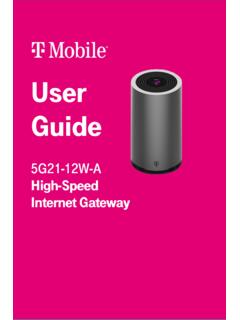
www.t-mobile.comGUI on a PC, laptop, smart phone, or tablet. This section describes: • How to establish a connection between the device on which you will access the web GUI and the gateway. • How to log into the web GUI when needed to view and configure network parameters. Accessing the web GUI Ensure the Local Area Connection setting on your PC, laptop, smart
Stateside International Talk - T-Mobile
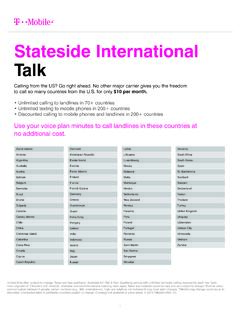
www.t-mobile.comSouth Africa South Korea Spain St. Barthélemy Svalbard Sweden Switzerland Taiwan Thailand Turkey United Kingdom Uruguay Uzbekistan Vatican City Venezuela Vietnam ... Cook Islands $4.54 $4.54 Costa Rica $0.00 $0.20 Croatia $0.00 $0.20 Cuba $1.68 $1.68 Curaçao $0.20 $0.20 Cyprus $0.00 $0.20 Czech Republic $0.00 $0.20

eligible by the National Verifier should complete this ...
www.t-mobile.comThis signed Lifeline Enrollment Form (“Enrollment Form”) is required to enroll you in T -Mobile’s Lifeline program. The National Verifier, not T -Mobile, determines your eligibility to receive Lifeline. Only persons who have been determined to be eligible by the National Verifier should complete this Enrollment Form.
4G LTE CellSpot Quick Start Guide - T-Mobile
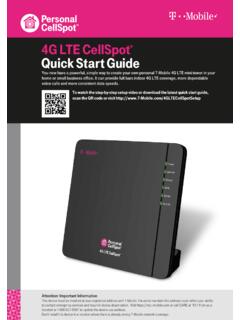
www.t-mobile.com4G LTE CellSpot ® Quick Start Guide You now have a powerful, simple way to create your own personal T-Mobile 4G LTE mini-tower in your home or small business office. It can provide full bars indoor 4G LTE coverage, more dependable voice calls and more consistent data speeds.

HERE’S WHAT’S - T-Mobile
www.t-mobile.comservices, and each medical plan has the same benefits whether you choose Aetna or UnitedHealthcare. T-Mobile’s medical benefits are very competitive, and offer the following differentiators: Autism coverage, including Applied Behavioral Analysis (ABA) services Gender-affirming services, including surgery coverage, for

BENEFITS GUIDE - T-Mobile
www.t-mobile.compretax money in an FSA to pay for health care and/or dependent care expenses. There are two types of FSAs: Health Care and Dependent Care. Health Care Spending Account (per plan year) Put aside up to $2,700 per year to cover out-of-pocket health care expenses Non-reimbursed health care expenses qualify (e.g. copays,

Mobile Hotspot User Manual
www.t-mobile.comYour Mobile Hotspot is equipped with a replaceable and rechargeable battery. It works from its charged battery alone, or when the device is plugged into a power source. Note: Please do not attempt to open or disassemble your hotspot and the battery pack. Doing so may cause damage that voids your warranty.
Related documents

Electric Vehicle Charging
www.fveaa.orgCharging Placement • Charging Stations in prime locations tend to be “ICE”d, locate close to power but in less desirable parking locations • Charging speed should match time at location, less time spent = quicker chargers. Fast food –DCQC… Airport long term L1 • Place EVSE between spaces so 1

Emissions Associated with Electric Vehicle Charging ...
afdc.energy.govemissions. Tulpule (2013) concludes that day charging with solar-powered charging stations in Ohio could realize CO. 2. emissions reductions of up to 90% versus home charging during evening hours. Jochem et al. (2015) finds that total life-cycle external costs of PEVs are highly dependent on the electricity mix and the charging strategy employed.
ZTE WIRELESS HOME PHONE BASE USER GUIDE
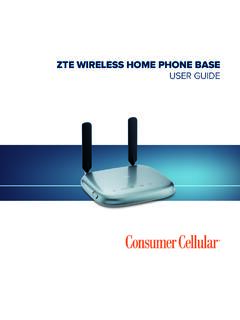
consumercellular.com1. Unplug your phone from the home phone wall jack. 2. Plug your phone into the PHONE 1 port on the device through a phone cable. NOTE: The PHONE 2 port can be used to connect an additional phone, or cordless base station. All telephones connected to the device will use the same telephone number. 10 11 GETTING STARTED

Owner’s Manual 2600mAh Mobile Power Bank
content.etilize.com• Charge your phone, tablet or other mobile device without the need for a power outlet • Pocket-size design is perfect for portable use • USB port provides up to 5V, 1A of power for charging your mobile devices • 2600mAh capacity charges devices at maximum power draw for hours

then follow step 11 to continue ink charging Start Here
files.support.epson.comlight starts flashing to begin charging the ink. Ink charging takes approximately 20 minutes. Ink charging is complete when the power light stops flashing. 3 seconds 20 minutes Note: The ink bottles included with the printer are designed for printer setup and not for resale. After some ink is used for charging, the rest is available for printing.

User Guide - AT&T
www.att.comPhone device to operate properly, even when plugged into a power source. It may take five (5) hours to fully charge (battery will ... and the battery will stop charging when the ambient temperature is outside of the temperature range allowed for charging (32 °F – 131 °F). Turn on Your Device: Plug the power cord into an electrical wall ...

Sprint User Guide
www.sprint.comAfter charging, unplug the AC adapter from the outlet and remove the charger from the phone. Charge Using a PC Connection Before using a PC connection to charge your phone, ensure that the computer is turned on.

User Guide - Verizon: Wireless, Internet, TV and Phone ...
www.verizonwireless.comdisplays a phone notification, charging status, or alert. Secondary microphone suppresses background noise improving audio quality for the other party during voice calls. In speakerphone mode, it is used as a main microphone. Headset jack allows you to plug in an optional headset for convenient, hands-free conversations or for listening to music.