Using SharePoint as a data source for Modern Reporting
be used to retrieve document contents. This is useful for connecting to Excel or CSV files stored in SharePoint or OneDrive. The native Excel and text connector connect only to the file system, but by using the SharePoint folder connector Excel and CSV data stored in SharePoint can be easily refreshed by the Power BI service.
Download Using SharePoint as a data source for Modern Reporting

Information
Domain:
Source:
Link to this page:
Documents from same domain

Yammer Success Guide
resources.techcommunity.microsoft.cominnovation, and engagement across every department of your organization. ... Work with leadership to develop a usage policy and guidelines for governance. This will be important to ensure that activity on ... Champions are your community of people who have bought into

Using SharePoint and Teams as a Modern Dashboarding …
resources.techcommunity.microsoft.comSharePoint Server 2019 supports modern pages, as a result, the process for embedding reports is identical to the process outlined above using the Embed web part. In classic SharePoint, the process is slightly different. When the embed code is obtained, the HTML string is …

Track information. Organize work. Get things done.
resources.techcommunity.microsoft.comTrack issues— a flexible view Create lists for anything—from issues, inventory, and contacts, to processes, and more. You can personalize the ready-made template through intuitive clicks or by using Power Apps to extend your forms. Lists allows you to continuously add and modify the template and structure to meet your needs.

Get started with Microsoft OneDrive
resources.techcommunity.microsoft.comGet started with Microsoft OneDrive. 1. Access files anywhere Store and access your files from any device via a web browser, mobile app, or PC and Mac with robust sync options. This includes your personal files and files shared with you in Office 365 from Microsoft Teams and SharePoint. 4. Find files faster

SharePoint Online - resources.techcommunity.microsoft.com
resources.techcommunity.microsoft.comand Suggested sites on your ... Select a site from the SharePoint homepage or enter its URL into your browser. Then select Documents in the left navigation pane. Open Open and edit a file online ... Based on admin settings, the three levels of sharing are: Anyone –people inside and outside your org

Microsoft Office 365 GxP Guidelines
resources.techcommunity.microsoft.comThe purpose of this document is to demonstrate that as a cloud solution provider, Microsoft has the ... customers can help usher in a new era in which cloud-based GxP systems are no longer seen as a compliance risk, but rather as a safer, more efficient model for …
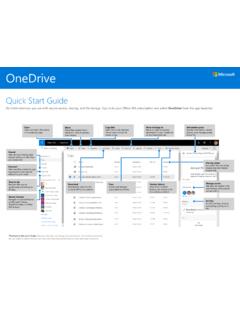
Quick Start Guide
resources.techcommunity.microsoft.comOneDrive Quick Start Guide Do more wherever you are with secure access, sharing, and file storage. Sign in to your Office 365 subscription and select OneDrive from the app launcher. *Powered by Microsoft Graph.Discover view does not …
Related documents

California Pay Data Reporting Portal - DFEH
www.dfeh.ca.govfile, uploading a .CSV file, or manually entering data via the portal. Describes how to return to a previously uploaded or manually created report to complete the certification process.Reports Provides a detailed description of the Pay Data Report template (Excel). Describes how to build the Pay Data Report as a .CSV file. Basic Structure of the

CDC SVI 2018 Documentation - 1/31/2020 Please see data ...
svi.cdc.govfields of csv files. To preserve leading 0s and create an Excel file in Excel for Office 365, follow these steps: o Open a blank worksheet in Excel. o Click Data in the menu bar and choose the icon From Text/CSV o Navigate to the csv file and choose to Import o In the dialog box that opens, choose to Transform Data
Import contacts using Outlook Web App - Berkeley College
office365.berkeleycollege.edu4. On the Import contacts page, enter the path to the .csv file with your contacts, or click Browse to locate your file. 5. Click Next. 6. Wait while your contacts are imported. 7. When the import is complete, click Finish. What else do I need to know? If the same contact is in your Contacts folder and in the .csv file, a duplicate contact will ...

Exploring Data and Descriptive Statistics (using R)
www.princeton.eduData from *.csv (copy‐and‐paste) # Select the table from the excel file, copy, go to the R Console and type: mydata <- read.table("clipboard", header=TRUE, sep="\t")

Data import with the tidyverse : : CHEAT SHEET
raw.githubusercontent.comoutside data into R. Data is o!en stored in tabular formats, like csv files or spreadsheets. The front page of this sheet shows how to import and save text files into R using readr. The back page shows how to import spreadsheet data from Excel files using readxl or Google Sheets using googlesheets4. Set a default type read_csv( file, col_type ...

Autumn term 2021 Phonics screening check data collection …
assets.publishing.service.gov.ukA CSV format data file is a text file consisting of a number of text ... an Excel based spreadsheet will be available to enable the provision of the results ... collections service request form. The spreadsheet export function creates a CSV file that contains the data to load into the local authority’s central processing system. The CSV file ...

ELECTRONIC FILING GUIDE FOR THE QUARTERLY WAGE AND ...
www.edd.ca.govAPPENDIX A – CSV FORMAT INSTRUCTIONS . CSV Record Layout . Open a Microsoft (MS) Excel, Word, or Notepad document and enter the data according to the feld position layout in the table below: Note: • Headers and footers are not allowed. • Employee records with duplicate Social Security numbers are not allowed. Field Name Length Format Position