
WINDOWS 8 DOWNGRADE TO WINDOWS 7 GUIDE NOTE
8. Press <Esc> key to exit the Boot Configurations> menu. < Back to <Security> tab, erase the temporarily set Supervisor Password by inputting a blank password. (if necessary) 9. Press <Esc> key to exit the <Security> menu. Select <Exit> tab and choose <Exit Saving Changes> to save the changes and reboot. (*Actual screen display varies between models.)
Download WINDOWS 8 DOWNGRADE TO WINDOWS 7 GUIDE NOTE

Information
Domain:
Source:
Link to this page:
Documents from same domain

FLASHWAVE 4500 - Fujitsu
www.fujitsu.com7 features anD sPecifications Operations In-service expansion from MSPP to MSSP with common operations benefits Standard RPR embedded management plane

Digital Cross-Connect System (DCS) Aggregation …
www.fujitsu.com1 FUJITSU NETWORK COMMUNICATIONS INC. 2801 Telecom Parkway, Richardson, Texas 75082-3515 Telephone: (972) 690-6000 (800) 777-FAST (U.S.) www.fnc.fujitsu.com

Managing Hybrid IT - Fujitsu
www.fujitsu.comTHE WHITE BOOK OF... Managing Hybrid IT The definitive guide to maximising the cloud, enabling innovation and redefining governance

Storage Serial ATA Interface for Mobile …
www.fujitsu.comStorage Serial ATA Interface for Mobile Whitepaper Hard Disk Drives Fujitsu is a worldwide leader in the development and production of mobile storage

LifeBook S7110 - Fujitsu
www.fujitsu.comAll rights to the mentioned trademarks JOB NO.: 1069 • Printed by Fujitsu PC Asia Pacific Pte Ltd in March 2006. Information is correct at time of printing. reside with their respective owners.

2 POLES—1 to 2 A (FOR SIGNAL SWITCHING) A ... - …
www.fujitsu.com3 A SERIES n SPECIFICATIONS Standard Type Single Winding Latching Type Double Winding Latching Type Item A-( ) W-K AL-( ) W-K AL-D …

Capacitive Touch Sensors - Fujitsu Global
www.fujitsu.comFujitsu Microelectronics Europe GmbH Page 3/12 mechanical input devices with moving elements. The shape and layout of these sensor electrodes can

How to use ScandAll PRO - Fujitsu
www.fujitsu.comHow to use ScandAll PRO iii Use in High-safety Applications This product has been designed and manufactured on the assumption that it will be used in office,

ScandALL Pro Brochure - Fujitsu
www.fujitsu.comEasy to Use Create profi les to accelerate business productivity. • Hot Keys • Scan launch from Scanner* • Profi les • ScanSnap Mode*

FUJITSU TWAIN 32 Scanner Driver - Fujitsu Global
www.fujitsu.comFUJITSU TWAIN 32 Scanner Driver Scanner Utility for Microsoft® Windows® Version 9.21 User's Guide For Use with Microsoft® Windows® 2000, Windows® XP, Windows Server® 2003, and Windows Vista®
Related documents

Owner’s Manual - Garmin International
static.garmin.comViewing Measured Shots Before the device can automatically detect and measure shots, you must enable scoring. Your device features automatic shot detection and recording.
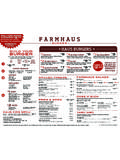
WEEKDAYS 111aa m--22ppm HAUS BURGERS
www.farmhausburger.comBuild Your Burger Our dry-aged, double patty beef burgers are made from a custom grind of local Southeastern Angus Beef. Build Your Burger with Free Goods +

Menu - Hugo's Cellar at the Four Queens Hotel
www.hugoscellar.comMoved Permanently. The document has moved here.

Menu Layout 8.5.x14, My Thai, A9668
www.mythaiamarillo.comSOUPS $8.25 Chicken Rice Soup Served with shredded chicken, green onion, cilantro and celery SHRIMP $8.75 $8.00 Chicken Coconut Soup Spicy soup with mushrooms, chicken and cilantro
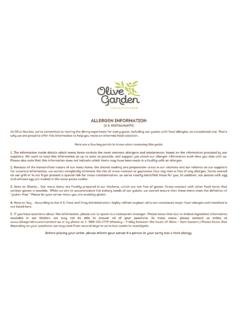
ALLERGEN INFORMATION - Olive Garden
media.olivegarden.comY Menu item contains this specific allergen (includes all cooking sauces, condiments and fixed accompaniments). Menu item presents a special risk of cross-contamination of all

NUTRITION INFORMATION - Olive Garden
media.olivegarden.comOlive Garden attempts to provide nutrition information regarding its menu items that is as complete as possible. Some menu items may not be available at all restaurants; limited time offers, regional items, or test products may not be included.