
WIRELESS ACCESS POINT SOFTWARE MANUAL
Araknis Networks Wireless Access Point Software Manual-Return to Table of Contents-© 2017 Araknis Networks ® 4. 18.5 - Spectrum Analyzer 60 Configuring Scan Settings 60 Running a Scan 60 Understanding Spectrum Analyzer Results 61 18.6 - Wireless Traffic Shaping Settings 63 18.7 - SNMP Settings 64 SNMPv2 Settings 64 SNMPv3 Settings 65
Download WIRELESS ACCESS POINT SOFTWARE MANUAL

Information
Domain:
Source:
Link to this page:
Documents from same domain

KEY FEATURES - Welcome to SnapAV
www.snapav.comKEY FEATURES Surge Protection with Fireproof MOVs – Advanced Ceramic MOV technology reduces risk of fire from surges. IP Control – Provides control of all outlets over an IP network. Turn outlets on and off through a web browser.

OWNER’S MANUAL >> Binary™ 2CAT Extender
www.snapav.comOWNER’S MANUAL >> Binary™ 2CAT Extender WELCOME TO THE BINARY™ BRAND OF PRODUCTS This product is engineered to provide years of exceptional reliability. Binary™ ... Cat 5e/ Cat 6 Cables TRANSMITTER RECEIVER. INSTALLATION 1. Test all associated equipment and cables in the system for proper operation.

310 SERIES MULTI-WAN GIGABIT VPN ROUTERS Quick Start …
www.snapav.com310 SERIES MULTI-WAN GIGABIT VPN ROUTERS Quick Start Guide AN-310-RT-4L2W
Web Interface Quick Start Guide - SnapAV
www.snapav.com510 Series NVR uick Start Guide Optional: Prep for Plugin-Free Browsers With the update to firmware v3.4.95 build 191127, Chrome, Safari, and Microsoft Edge can view your system remotely. Port forwarding setup allows you to access the NVR from the internet for remote viewing and other operations.

MX-450 Easy Programming Guide - SnapAV
www.snapav.coma single LCD button, like all of the commands necessary to watch TV. Once programmed, a single button press will execute all of the commands to complete the activity. A. From the Advanced Setup screen use the 5-way cursor to select Macros. B. Select whether you would like to Setup a New Macro or Test/Edit Existing Macro. What’s an ACTIVITY?

Nest Thermostat E Pro Installation & Configuration Guide
www.snapav.comGeneral Information N e s t T h e r m o s t a t E I n s t a l l a t i o n F e a t u r e s No jumper wires needed T h e N e s t T h e r m o s t a t d o e s n o t u s e ...
310 SERIES LAYER 2 MANAGED NETWORK SWITCHES …
www.snapav.comThe user must use the class I optical transceivers which conform to U.S. code of federal regulation, 21 CFR 1040. This equipment is only to be connected to PoE networks without routing to outside plants.
110 SERIES UNMANAGED+ NETWORK SWITCHES Quick …
www.snapav.comFactory Reset – Press and hold the RESET button for 10-15 seconds until the status LEDs flash once. The switch will power cycle and be reset to factory default settings. Pro Tip: Rebooting the Switch 1 3 5 7 1 Gbps Link/Act RESET 2 4 6 8 AN-110-SW-R-8 AN-110-SW-F-8
Related documents
Cisco Aironet 2800 Series Access Points, Getting Started Guide
www.cisco.com2 About the Access Point 3 Safety Instructions 4 Unpacking 5 AP Views, Ports, and Connectors 6 Preparing the AP for Installation 7 Installation Overview 8 Performing a Pre-Installation Configuration 9 Mounting and Grounding the Access Point 10 Powering the Access Point 11 Configuring and Deploying the Access Point 12 Checking the Access Point LEDs

Wireless-G Access Point
downloads.linksys.comWireless-G Access Point 4 Chapter 1: Product Overview Thank you for choosing the Wireless-G Access Point. Use the instructions in this User Guide to help you connect the Access Point, set it up, and configure it to bridge your different networks. These instructions should be all you need to get the most out of the Access Point. Front Panel

Configuring your mobile device with O365 - Miami
www.as.miami.eduRevised: 6/20/2013 Point Solutions – Support Page 15 7. If your e-mail account can't be set up automatically, you’ll see the message, “We couldn’t find your settings”. Select Advanced. You'll need to enter the following information: a. E-mail address: This is your full e-mail access, for example s.ibis@miami.edu b.
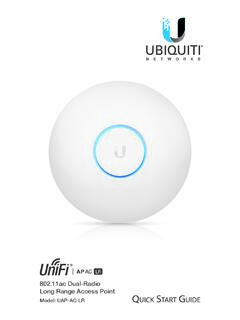
802.11ac Dual-Radio Long Range Access Point
dl.ubnt.comUSG-PRO-4 (DHCP Server) Internet UAP-AC-PRO UAP-AC-LR LAN WAN UniFi Cloud Key (UniFi Controller) UAP-AC Outdoor Remote Access to UniFi Controller DOWNLOAD THROUGHPUT & LATENCY DEVICES ON 2.4 GHZ CHANNEL DEVICES ON 5 GHZ CHANNEL UPLOAD THROUGHPUT & LATENCY LATENCY THROUGHPUT SPEED TEST msec Mbps …

Configuring Sierra Wireless AirLink Modem
www.sierrawireless.comConfiguring Dynamic IP Domain Name To configure your AirLink modem to be addressed by name, the modem needs to have 4 elements configured. You can configure a second dynamic server as a backup, secondary, or alternate server. In AceManager, select Dynamic IP.

Wireless and Wired Network Guide
h10032.www1.hp.compoint (or base station). The access point acts as a central hub or gateway connecting wireless devices. Each wireless network device must have an adapter that connects it to the access point. This network configuration does not have Internet access. For connection instructions, see Connect to a wireless network with an access point.
Configuring PI System Security - .NET Framework
osicdn.blob.core.windows.netAll three represent a set of access permissions on the Data Archive. 1. PI Identities It is recommended to use PI Identities when configuring PI Mappings and PI Trusts. They cannot be used with Explicit Login, since there is no password associated with a PI Identity. 2. PI Users PI Users can be used when configuring PI Mappings and PI Trusts.

Configuring PPPoE - Cisco
www.cisco.com† Configuring PPPoE, page 17-1 † Monitoring the PPPoE Client, page 17-3 PPPoE Client Overview The Point-to-Point over Ethernet (PPPoE) is a network protocol for encapsulating PPP frames inside Ethernet frame. PPPoE combines Ethern et and PPP, to provide an authen ticated method of assigning IP addresses to client systems.

INTEGRATION GUIDE Load Balancing VMware Unified Access …
www.f5.com(1) VMware Access Point was the name given to Unified Access gateway prior to 2.9.x Releases, it was changed after 2.9.0 to Unified Access Gateway and the branding will continue to be called Unified Access Gateway moving forward. This document will refer to Unified Access Gateway but is also applicable to VMware Access Point.