
Wireless Controller - Trane
display on or off. When the unit is turned on, the default is to have the unit display on. LIGHT button LIGHT Medium-low fan Medium-high fan Note: Dry mode uses the low fan speed.-1-*only for models with heating function AUTO TEMP button or MS-SVU052A-EN 04/14 timer on or timer off. Guide for operation- general operation Operation of wireless ...
Download Wireless Controller - Trane

Information
Domain:
Source:
Link to this page:
Documents from same domain

Chiller perormancf e testing program - Trane
www.trane.com2 Chiller performance testing Trane is the global chiller leader Trane has manufactured centrifugal chillers in La Crosse since 1938. Much more than a

Water-Cooled Liquid Chiller Model CVGF 400 to …
www.trane.comIntroducing Trane’s Model CVGF Centrifugal Water Chiller Introduction The basic gear driven centrifugal water chiller design was introduced in 1976 and has been
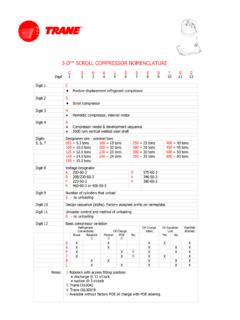
3-D™ SCROLL COMPRESSOR NOMENCLATURE - …
www.trane.com3-D™ SCROLL COMPRESSOR NOMENCLATURE C S H A 1 5 0 K 0 * 0 0 Digit1 23 456789 101112 Digit 1 C ♦ Positive displacement …

Trane® Voyager
www.trane.comTrane combines technological innovation with legendary reliability and performance to create the lowest cost of ownership. Trane® Voyager™ rooftop units not only offer the lowest installed cost, they also can reduce
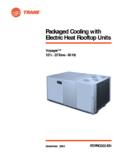
Packaged Cooling with Electric Heat Rooftop Units
www.trane.comPackaged Cooling with Electric Heat Rooftop Units Voyager™ 12½ - 25 Tons - 60 Hz December 2003 RT-PRC002-EN
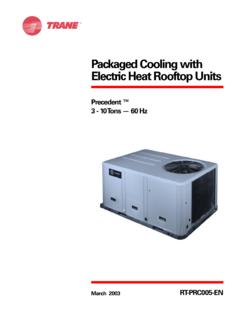
Packaged Cooling with Electric Heat Rooftop Units
www.trane.comPackaged Cooling with Electric Heat Rooftop Units Precedent ™ 3 - 10 Tons — 60 Hz March 2003 RT-PRC005-EN
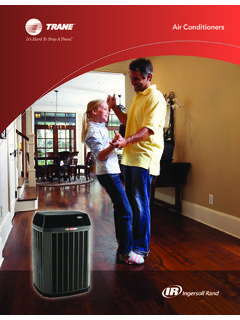
Air Conditioners - Trane
www.trane.comThe XV20i shown is for illustration purposes only. Please note that features and components may vary by model. As part of our continuous product improvement, Trane reserves the right to change specifications and design without notice.

Split System Heat Pumps
www.trane.comSSP-PRC001-EN 5 Odyssey air handler versatility is fur-ther increased by a complete line of accessories designed to match and install smoothly:
Split System Cooling Units - Heating and Air …
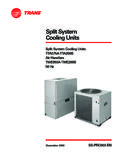
www.trane.comSplit System Cooling Units TTA075A-TTA200B Air Handlers TWE050A-TWE200B 50 Hz Split System Cooling Units December 2000 SS-PRC003-EN

Trane Packaged Systems - Heating and Air …
www.trane.comFlexible enough to install where you need it. Tough enough to be a Trane. Trane packaged heating and cooling systems give you everything in one.
Related documents

User Guide - h10032.www1.hp.com
h10032.www1.hp.comUnder WIRELESS & NETWORKS, be sure that Wi-Fi is turned on. 3. Touch Wi-Fi, and then touch one of the available networks that is displayed. 4. Type the security key if required, and then touch Connect. NOTE: To remove a wireless network to which you have previously connected, touch the name of the network, and then touch Forget.

HP Wireless Elite Keyboard User Manual
h10032.www1.hp.comHiding the Battery Level Indicators † Right-click the Keyboard Battery icon in the Windows System Tray, and select Hide HP Wireless Elite Keyboard. NOTE: If you remove the receiver, the Battery Level Indicator in the Windows System Tray (if previously enabled) and Battery shortcut in All Programs are hidden. TouchSmart PC Functions The Fn+F9, Fn+F10, and Fn+F11 keys work only on the ...

Wireless Application Protocol (WAP)
www.uky.eduperformed with one hand. WAP content is scalable from a two-line text display on a basic device to a full graphic screen on the latest smart phones and communicators. The lightweight WAP protocol stack is designed to minimize the required bandwidth and maximize the number of wireless network types that can deliver WAP content.

User Guide - Linksys RE6500
downloads.linksys.com2. Click the Wireless tab. Click the Site Survey page. 3. Select—To connect to a wireless network, click the button next to the wireless network name (SSID) in the Select column, and click Connect. 4. SSID—Displays the name of neighboring wireless networks. 5. GHz—Displays the radio band (in GHz) of the neighboring wireless networks 6.
Intel Centrino Wireless-N 2230
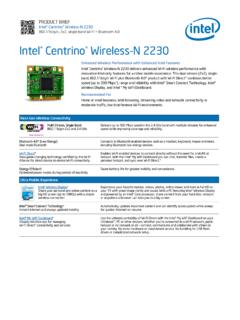
www.intel.comIntel® 3Wireless Display Share your personal and online content on a big HD screen (up to 1080p) with a simple wireless connection Experience your favorite movies, videos, photos, online shows and more in full HD on your TV with great image clarity and sound. With a PC featuring Intel® Wireless Display

INSTRUCTION MANUAL WIRELESS MOUSE JBBTMSLIM
s3-ap-southeast-2.amazonaws.comHigh precision wireless mouse. 1. Open the battery cover and insert x2 AAA batteries. 2. Turn Bluetooth settings to “ON”on your PC/ Mac. 3. Turn the mouse on, the blue light on the right of scroll wheel will flash slowly. Press and hold the “Connect”button until the blue light flashes quickly. The mouse is now in pairing mode.

User Manual - images-na.ssl-images-amazon.com
images-na.ssl-images-amazon.comwireless mode, if you want to erase all data saved in the Receiver, you then need to scan the 'Data Erasing' Barcode below. Some Other Barcodes You Might Need. The Default ID Display: To add prefix '00' for the barcodes. To hide the prefix '00' Keyboard Mode: Automatic Twinkle: Automatic Continuous Scan

MOMENTUM True Wireless - Sennheiser
assets.sennheiser.comMOMENTUM True Wireless | 5 Product overview Charging case M3IETW C LED displays the charging process/charge status of the rechargeable battery of the charging case or of the earbuds (when inserted into the charging case) Input for USB-C connector for charging the rechargeable batteries LED button activates the LED display for 5 seconds

MOMENTUM True Wireless 2 - Sennheiser
assets.sennheiser.com6 | MOMENTUM True Wireless 2 Product overview Charging case M3IETW2 C LED displays the charging process/charge status of the rechargeable battery of the charging case or of the earbuds (when inserted into the charging case) Input for USB-C connector for charging the rechargeable batteries LED button activates the LED display for 5 seconds
Wireless Router Setup Manual
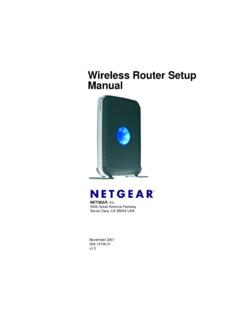
www.downloads.netgear.comThe top of the wireless router includes a dome that performs two functions: 1. Antenna display lights. The lights identify the activity of th e eight internal antennas, flashing to show which combination of antennas is receiving the strongest signals. These status lights are off by default but can be turned on.