Wireless Networking Setup Guide - Kodak
3 2 Press to select your network, then press OK. If you don’t see your network in the list, select Rescan for Wireless Networks, then press OK. NOTE: If the name of your network is not listed, make sure your wireless router is turned
Download Wireless Networking Setup Guide - Kodak

Information
Domain:
Source:
Link to this page:
Documents from same domain

Networking Setup Guide Guide de configuration ...
resources.kodak.comNetworking Setup Guide Guide de configuration réseau Guía de configuración de red Guia de configuração de rede All-in-One Printers • Imprimantes tout-en-un

SERVICE MANUAL for the KODAK EKTAPRO Slide …
resources.kodak.comThe Kodak EKTAPRO Slide Projector series is a new family of Projectors that uses the latest mechanical and electronic technology. The Projector is modular designed, and equipped with a modern 1-chip MICROCONTROLLER, STEPPER

KODAK Solar Charger KS100 4H6959
resources.kodak.comKODAK Solar Charger KS100 4H6959 ... device can be used before it is fully charged. OPTIONALLY CHARGING THE SOLAR CHARGER VIA USB 1. Place 2 AA size batteries into the charger so that the + (positive) and – (negative) ends ... USB AC Adapter). 4. This is a continuous charging charger. The RED light remains ON during charging.
User’s Guide - Kodak
resources.kodak.comcamera user’s manual for details. 3 View on TV Turn on the TV and set to video input mode (see your TV ... instructions in the Kodak digital cameras and accessories User’s Guides. This warranty does not apply when failure is due to shipping damage, accident, alteration, ... See the User’s Guide for supported battery types for your product.

KODAK EASYSHARE M1063/MD1063/MX1063 Digital Camera
resources.kodak.comKODAK EASYSHARE M1063/MD1063/MX1063 Digital Camera Extended User Guide www.kodak.com For interactive tutorials: www.kodak.com/go/howto For help with your camera: www ...
Kodak Home Page on Internet Intranet Table of Contents
resources.kodak.comSERVICE MANUAL 6 30APR96 – SM4530-1 [11] Lift the BLOWER COVER ASSEMBLY up. [12] Remove the 3 Hex 1/4 in. SCREWS from the MOTOR. [13] Lift the MOTOR until you observe the FAN BELT and MECHANISM BELT.

KODAK HERO 3
resources.kodak.comKODAK HERO 3.1 All-in-One Printer Connecting to a wireless network using the Wi-Fi Setup Wizard You can use the Wi-Fi Setup Wizard on the printer to connect to your wireless

5200 Series - Kodak
resources.kodak.comKODAK ESP 5200 Series All-in-One Printers Your KODAK All-in-One Printer combines ease-of-use and affordable inks to provide high-quality pictures and documents.

KODAK EASYSHARE C183 Digital Camera
resources.kodak.comwww.kodak.com/go/support 5 2 Taking pictures/videos Taking pictures 1 The camera turns on in Smart Capture mode. (If it’s in a different mode, press the Mode button ...
Related documents
Frequency Hopping Spread Spectrum (FHSS)
sorin-schwartz.comFHSS vs. DSSS page 1 of 16 sorin m. schwartz seminars Frequency Hopping Spread Spectrum (FHSS) vs. Direct Sequence Spread Spectrum (DSSS) in Broadband Wireless Access (BWA)
D-Link DIR-615 User Manual - static.highspeedbackbone.net
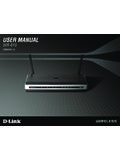
static.highspeedbackbone.netD-Link DIR-615 User Manual 5 Section 1 - Product Overview • Faster Wireless Networking - The DIR-615 provides up to 300Mbps* wireless connection with other 802.11n wireless clients. This capability allows users to participate in real-time activities online, such as
NETGEAR WPN802 RangeMax™ Wireless Access Point Start …
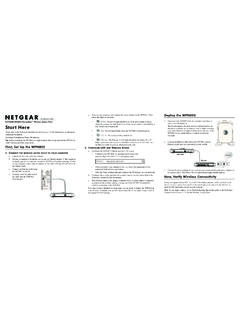
www.downloads.netgear.com)NSTALLATION'UIDE NETGEAR WPN802 RangeMax™ Wireless Access Point Start Here Please refer to the Reference Manual on your Resource CD for instructions on advanced configuration options. Estimated Completion Time: 30 minutes.

Wireless and Wired Network Guide - hp.com
www.hp.comWireless connection without an access point (ad hoc) An ad hoc network is a simple wireless connection without an access point. For information, see Connect to a wireless network without an access …
HP Wireless Printing Upgrade Kit
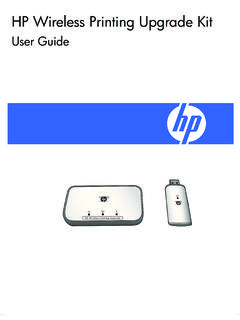
www.hp.comContents of the package Welcome 5 1Welcome Congratulations on the purchase of your Wireless Printing Upgrade Kit. The Kit was designed to provide a simple and

General Purpose Wireless Access Point | AP1010 & AP1020
www.multicap.beAP1020e For more information, visit www.merunetworks.com The AP1010 and AP1020 are 802.11a/b/g/n enterprise wireless access points with a 2x2:2 MIMO design. The AP1010 features a single radio and operates on either

The Evolution of 802.11 Wireless Security - Kevin Benton
benton.pubIntroduction This paper covers a brief history of the wireless protocols that led up to the creation of the 802.11 networks that drive the consumer and corporate wireless data networks today.