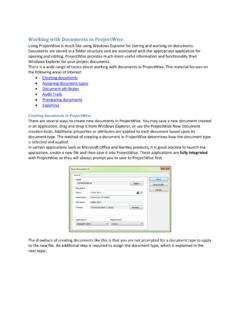
Working with Documents in ProjectWise
Working with Documents in ProjectWise Using ProjectWise is much like using Windows Explorer for storing and working on documents. Documents are stored in a folder structure and are associated with the appropriate application for
Download Working with Documents in ProjectWise

Information
Domain:
Source:
Link to this page:
Documents from same domain
DEVELOPING STRATEGIC SYSTEMS SUPPORTING …
www.dot.ga.govGDOT Research Project No. 10‐05 Task Order No. 02‐70 Final Report DEVELOPING STRATEGIC SYSTEMS SUPPORTING COMMUNITIES OF PRACTICE IN THE GEORGIA DEPARTMENT OF TRANSPORTATION

RECOMMENDED GUIDE FOR NEXT GENERATION …
www.dot.ga.govv LIST OF FIGURES FIGURE 2.1 Design Build State Laws For Transportation Project In 2005, 2010 And 2012 .....10 FIGURE 2.2 Number Of Design Build Projects Completed, Active and Proposed By State Dots as of 2007.
State of Georgia - Georgia Department of …
www.dot.ga.govTraffic Signal Design Guidelines 10/28/2016 5.0 Atlanta, Georgia 30308 Traffic Signal Design Guidelines State of Georgia Department of Transportation
Design-Build Manual - Georgia Department of …
www.dot.ga.govDesign-Build Manual This document was developed as part of the continuing effort to provide guidance within the Georgia Department of Transportation in fulfilling its mission to provide a safe, efficient, and sustainable
Northwest Corridor Express Lanes - Welcome to …
www.dot.ga.govProject Delivery Method How is this project being delivered? The Northwest Corridor Express Lanes project is following a Public Private Partnership (P3) Design-
Find Documents with ProjectWise Search
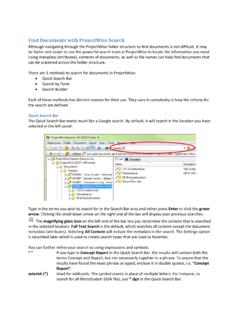
www.dot.ga.govFind Documents with ProjectWise Search Although navigating through the ProjectWise folder structure to find documents is not difficult, it may

State of Georgia - Georgia Department of …
www.dot.ga.govPlan Development Process 9/1/2017 Revision 2.16 Atlanta, Georgia 30308 Plan Development Process State of Georgia Department of Transportation

Manual on UniformManual on Uniform Traffic …
www.dot.ga.govManual on Uniform Traffic Control Devices “Contains the basic principles that govern the design and use of traffic controlthe design and use of traffic control
Bridge and Structures Design Manual
www.dot.ga.govPage i Acknowledgement . The original Bridge and Structures Design Manual was created through the public-private partnership of the Georgia Department of Transportation and the Consulting Engineering
Traffic Signal Electrical Facility (TSEF) Atlanta, GA ...
www.dot.ga.govType B - Dome Camera TKH Security Group 12920 Cloverleaf Center Germantown, Maryland 20874 www.tkhsecurity.com (310) 444-2200 Model: Siqura HD11 Type B - Dome Camera VICON Industries Inc.
Related documents
LaDOTD CAD Standards Help - MicroStation (2013)
www.altivasoft.comLaDOTD CAD Standards Help - MicroStation (2013) Help Sources The “CADconform” menu, which is located on the MicroStation Main menu, contains links to a number
ProjectWise User Manual Midvale - bakerprojects.com
www.bakerprojects.com3 LOGGING IN AND CHANGING YOUR PASSWORD Once a ProjectWise account has been created for you, go to the following link to access the Michael Baker ProjectWise system.

Tips and Tricks for the ProjectWise Administrator
www.bentleyuser.dkd 3 | WWW.BENTLEY.COM • Access Control • Group/User List Management • Granular Administration • User Management • Custom Folders • ProjectWise Administrator

Introduction to Bluebeam - Connecticut
www.ct.govPage 8 of 10 2. Save documents into Projectwise. When save as is selected in Bluebeam the Projectwise wizard will show up. This allows the user to attribute the documents and save them right into Projectwise.

CONNECTICUT DEPARTMENT OF TRANSPORTATION
www.ct.govConnecticut Department of Transportation – Construction Contractor Electronic Submission Issued 1-2018 2 Version 1.01 Introduction and Getting Started

Batch Stamping in Bluebeam Revu - Georgia Department of ...
www.dot.ga.gov2 | P a g e 8/11/2017 Using the Standard Stamps: 1) Open Bluebeam Revu and select File=>Batch=>Apply Stamp 2) Opens file open dialog from which all files to be stamped are selected a) Navigate to the files in ProjectWise and click on Open.