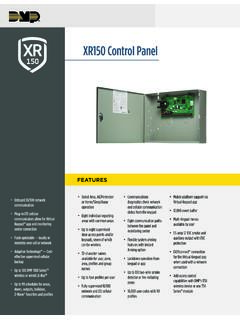
XR150 Control Panel
or panel event like arming and disarming. Z-Wave devices can be controlled with the 7800/9800 Series™ Graphic Touchscreen Keypad and Virtual Keypad. CUSTOM ACTIONS In addition to controlling lights, locks and thermostats, users can also take advantage of several customizable actions that can be programmed into the panel. Users can select a ...
Download XR150 Control Panel

Information
Domain:
Source:
Link to this page:
Documents from same domain
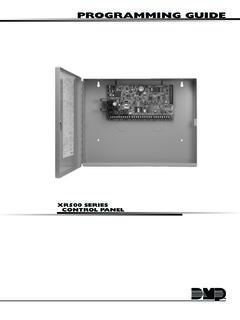
PROGRAMMING GUIDE - DMP
buy.dmp.comMODEL XR500 SERIES CONTROL PANEL PROGRAMMING GUIDE Contains programming Instructions for use with the Model XR500, XR500N, XR500E Series Control Panels
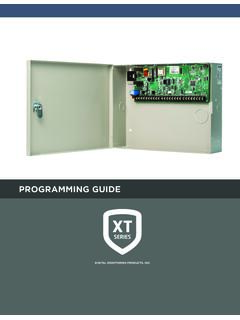
PROGRAMMING GUIDE - DMP
buy.dmp.comAs you go through the programming, the keypad display shows any current programming already stored in the panel memory. If no change is required for an …
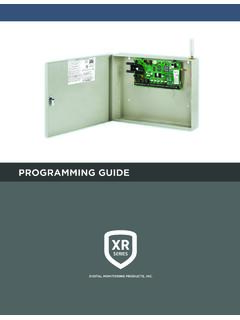
PROGRAMMING GUIDE - DMP
buy.dmp.comXR150/XR550 Series Programming Guide Digital Monitoring Products 1 INTRODUCTION XR PROGRAMMING INFORMATION This guide provides programming information for the DMP XR150/XR550 Series panel. Before starting to program, we recommend that you read through the contents of this guide.

SYSTEM USER GUIDE
buy.dmp.comChime Press Chime to turn the chime feature on and off. If chime is on, the keypad will sound an alert and display a notification when external doors and windows (with sensors installed) are opened. Reset Press Reset to reset fire and panic sensors after they have triggered an alarm. Favorites Favorites displays a list of your Z-Wave favorites.

INSTALLATION GUIDE
buy.dmp.comoutputs provide ground connection for a positive voltage source. A Model 300 Output Harness is required to use these outputs. Enclosure Specifications The XR150/XR550 Series panels are shipped in an enclosure with a transformer, end-of-line resistors, battery leads, user’s guide, and programming sheets. Enclosure Model

Training Institute Troubleshooting Guide
buy.dmp.comThe first Diagnostic function displayed is: [TEST LX-BUS]. This Diagnostics function allows you to test the ability of the Interface Cards (Models 481, 462N, 462P, 462FM, and 472) to communicate with zone and output expanders connected to the LX-Bus™. TECH NOTE: The XR500 Command Processor™ series has one built-in LX-Bus™. An

XR550 Control Panel - DMP
buy.dmp.comNo to confirm alarm status and send it to the monitoring center. DMP WIRELESS DMP 1100 Series wireless communication employs 900 MHz frequency-hopping spread-spectrum to ensure clear and accurate signal transmissions without interference in practically any environment. Receivers are alerted of transmitters that go missing with two-way ...

SYSTEM USER GUIDE - DMP.com
buy.dmp.comSecureComTM Video SecureCom Video allows you to add wired or wireless cameras inside or outside the building. You can easily record clips or view live video feed at any time using the Virtual Keypad App or VirtualKeypad.com. Virtual Keypad App and VirtualKeypad.com The Virtual Keypad App and VirtualKeypad.com allow you to control and monitor

XT30 and XT50 Panels - DMP
buy.dmp.comfour-digit user codes with authority levels 100-event (XT30) or ... Four onboard and eight wireless outputs for annunciation and control applications Supports up to eight ... a customer may be preparing to cancel their monitoring contract. With this …

PROGRAMMING AND INSTALLATION GUIDE
buy.dmp.comDualCom Programming and Installation Guide Digital Monitoring Products 3 Backlit Logo The backlit logo indicates the power and armed status of the communicator.
Related documents
sim.djicdn.com
sim.djicdn.comIntroduction Panel (Press and Hold) Controller Return to home (Press and Hold) Cancel Return-to-home Switch Views Switch btw Drone/ Pilot (Press and Hold) Custom Menu Flight Mode Pause Shutter Record/ Stop Flight Route Return to home/ Cancel Jump Custom Menu DJI pace Space Enter T16 Remote Shutter Minimap (Press and Hold) Custom Menu Keyboard

RUN Powered by ADP Custom Reporting - How to Guide
support.adp.comRevise Custom Report - if you would like to make revisions. Delete Custom Report - to delete the report. Custom Reporting – How to Guide Viewing, revising & deleting saved reports 21 RUN Powered by ADP ®
400 Series Sizing for Frenchwood Gliding Patio Doors
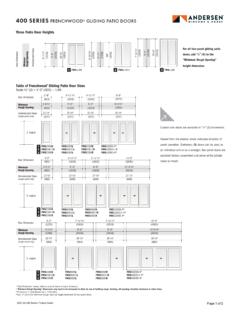
www.andersenwindows.comCustom-size doors are available in . 1 ... to the “Minimum Rough Opening” height dimension for four-panel doors. Three Patio Door Heights. For all four-panel gliding patio . doors, add . 1 / 4" (6) to the “Minimum Rough Opening” ...

400 Series Sizing for Frenchwood Hinged Inswing Patio Doors
www.andersenwindows.comCustom-size doors are . available in . 1 ... Clear opening width formulas are based on panel(s) in a 90 ° open position. • Dimensions in parentheses are in millimeters. • Clear Opening . formulas provide dimensions for determining area available for egress. Vent opening, or area available for passage of air, is equal to clear opening.
MS-9200UDLS(E) Rev 3 - Fire-Lite
www.firelite.com† Custom English labels (per point) may be manually entered or selected from an internal library file. † Three Form-C relay outputs (two programmable). † 99 software zones. † Continuous fire protection during online programming at the front panel. † Program Check automatically catches common errors not linked to any zone or input point.
S3 Series Control Panel - Gamewell-FCI
www.gamewell-fci.comThe front panel display provides a user-friendly interface for the operator's control. A 4.3” (10.922 cm) color touchscreen displays system status, event details and service modes. On the front of the panel, six LEDs show the following conditions. Five custom programmable switches allow the user quick access to common functions specific to the