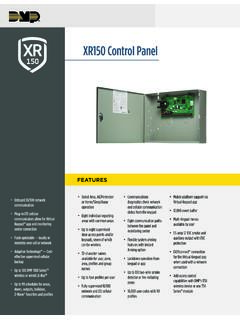
XR150 Control Panel - DMP.com
1135E Wireless Siren 1142E Wireless Two-Button Hold Up Transmitter 1144E Wireless Key Fobs LOCKDOWN For emergency situations, a Lockdown command can be issued from the keypad menu or via remote command to lock all doors designated as public. TEMPORARY CODES Temporary codes are user codes that can be entered with a finite date and specific
Download XR150 Control Panel - DMP.com

Information
Domain:
Source:
Link to this page:
Documents from same domain
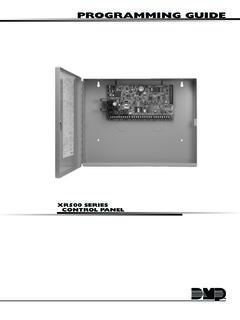
PROGRAMMING GUIDE - DMP
buy.dmp.comMODEL XR500 SERIES CONTROL PANEL PROGRAMMING GUIDE Contains programming Instructions for use with the Model XR500, XR500N, XR500E Series Control Panels
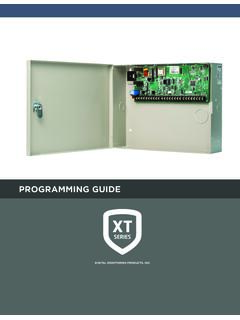
PROGRAMMING GUIDE - DMP
buy.dmp.comAs you go through the programming, the keypad display shows any current programming already stored in the panel memory. If no change is required for an …
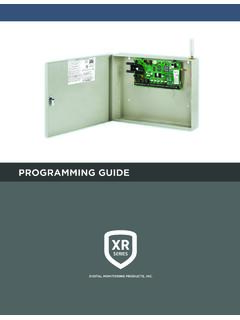
PROGRAMMING GUIDE - DMP
buy.dmp.comXR150/XR550 Series Programming Guide Digital Monitoring Products 1 INTRODUCTION XR PROGRAMMING INFORMATION This guide provides programming information for the DMP XR150/XR550 Series panel. Before starting to program, we recommend that you read through the contents of this guide.

SYSTEM USER GUIDE
buy.dmp.comChime Press Chime to turn the chime feature on and off. If chime is on, the keypad will sound an alert and display a notification when external doors and windows (with sensors installed) are opened. Reset Press Reset to reset fire and panic sensors after they have triggered an alarm. Favorites Favorites displays a list of your Z-Wave favorites.

INSTALLATION GUIDE
buy.dmp.comoutputs provide ground connection for a positive voltage source. A Model 300 Output Harness is required to use these outputs. Enclosure Specifications The XR150/XR550 Series panels are shipped in an enclosure with a transformer, end-of-line resistors, battery leads, user’s guide, and programming sheets. Enclosure Model

Training Institute Troubleshooting Guide
buy.dmp.comThe first Diagnostic function displayed is: [TEST LX-BUS]. This Diagnostics function allows you to test the ability of the Interface Cards (Models 481, 462N, 462P, 462FM, and 472) to communicate with zone and output expanders connected to the LX-Bus™. TECH NOTE: The XR500 Command Processor™ series has one built-in LX-Bus™. An

XR550 Control Panel - DMP
buy.dmp.comNo to confirm alarm status and send it to the monitoring center. DMP WIRELESS DMP 1100 Series wireless communication employs 900 MHz frequency-hopping spread-spectrum to ensure clear and accurate signal transmissions without interference in practically any environment. Receivers are alerted of transmitters that go missing with two-way ...

SYSTEM USER GUIDE - DMP.com
buy.dmp.comSecureComTM Video SecureCom Video allows you to add wired or wireless cameras inside or outside the building. You can easily record clips or view live video feed at any time using the Virtual Keypad App or VirtualKeypad.com. Virtual Keypad App and VirtualKeypad.com The Virtual Keypad App and VirtualKeypad.com allow you to control and monitor

XT30 and XT50 Panels - DMP
buy.dmp.comfour-digit user codes with authority levels 100-event (XT30) or ... Four onboard and eight wireless outputs for annunciation and control applications Supports up to eight ... a customer may be preparing to cancel their monitoring contract. With this …

PROGRAMMING AND INSTALLATION GUIDE
buy.dmp.comDualCom Programming and Installation Guide Digital Monitoring Products 3 Backlit Logo The backlit logo indicates the power and armed status of the communicator.
Related documents
OPERATING INSTRUCTIONS Basic Guide Model No. CF-20 …
na.panasonic.com: Wireless ready LAN, Bluetooth, and/or Wireless WAN are connected and ready. It does not necessarily indicate the On/Off condi-tion of the wireless connection. è Connect to a network: Caps Lock indicator: NumLk (numeric lock) indicator: ScrLk (scroll lock) indicator K: Power Switch L: Detach Lock M: Release Lever N: Function (Fn) Keys
SonicWave Series Wireless Access Points
www.sonicwall.com4 | SonicWave Series Wireless Access Points SonicWave 231c – The Ceiling Mount AP RF coverage maps LED indicators Mounting tab lock point Mounting tab insert point Mounting tab insert point LAN/POE port 12V Adaptor port Reset button USB 2.0 port 2.4 GHz Radio Power LAN 5GHz Radio 2.4 GHz 2.4 GHz 5 GHz 5 GHz-50-40-30-20-10 0 10 0 15 30 45 60 ...
Meraki Z-Series
meraki.cisco.comZ-series provides secure wired and wireless access, and increases end-user productivity through Layer 7 traffic shaping. All models feature a high-performance stateful firewall, support for VLANs, inter-VLAN routing, and isolation to segregate corporate data from recreational traffic. The Z-series offers the latest in wireless per-
Legion Y540 Series User Guide - B&H Photo
www.bhphotovideo.comFigure 5. Legion Y540-15 series - right view DNk : Figure 6. Legion Y540-17 series - right view 1. USB 3.1 connector Gen 1 Connect USB-compatible devices, such as a USB keyboard, USB mouse, USB storage device, or USB printer. 2. Novo button When the computer is off, press this button to go menu. 6 Legion Y540 Series User Guide
XT30 and XT50 Panels - DMP
buy.dmp.comWireless Siren Serial Number Zone Information All standard programming options are still available in the programming menu from the keypad, Tech APP, Dealer Admin or Remote Link. WIRELESS KEYPADS The 9000 Series and 9800 Series wireless keypads are fully functioning, supervised keypads that provide installation flexibility.

evolution wireless G4 100 series - Sennheiser
assets.sennheiser.comUsing ew 100 G4 series devices 56 Using the EM 100 G4 58 Operating elements on the front of the device 59 Product overview for the front of the EM 100 G4 59 Switching the EM 100 G4 on and off 60 Muting the audio output 61 Lock-off function 62 Displays on the EM 100 G4 display panel 63 Buttons for navigating through the menu 63 Home screen 65

Interactive Part Locator OMEN 25L/30L Desktop PC Series
h10032.www1.hp.comOMEN 25L/30L Desktop PC Series. External Views Back to Welcome page Go to Parts List Internal Front Left Top Right Rear Bottom. ... Security lock slot Audio out port Audio in port RJ-45 (Ethernet) port One USB-C 3.1 Gen 2 port ... Wireless LAN module M.2 solid state drive Motherboard Power supply Hard drive System memory Front compartment.

HP LaserJet Enterprise M611 series
h20195.www2.hp.comHP LaserJet Enterprise M611 series This HP LaserJet with JetIntelligence combines performance, energy efficiency, and security. ... security lock M611dn M611x Part number 7PS84A 7PS85A Print speeds (A4) ... Wireless performance is dependent on physical environment and distance from access point, and may be ...