Example: biology
OPERATING INSTRUCTIONS Basic Guide Model No. CF-20 …
: Wireless ready LAN, Bluetooth, and/or Wireless WAN are connected and ready. It does not necessarily indicate the On/Off condi-tion of the wireless connection. è Connect to a network: Caps Lock indicator: NumLk (numeric lock) indicator: ScrLk (scroll lock) indicator K: Power Switch L: Detach Lock M: Release Lever N: Function (Fn) Keys
Tags:
Information
Domain:
Source:
Link to this page:
Documents from same domain

TOUGHBOOK 54 - Panasonic
na.panasonic.comWIRELESS n Opt. 4G LTE multi carrier mobile broadband w/ satellite GPS (LTE-Advanced on 7th Gen CPU models) n Certified with Verizon, AT&T, Sprint and P.18014 n Optional dedicated GPS (u-blox NEO-M8N)3,6 n 3Optional dual high-gain antenna pass-through n Intel® Dual Band Wireless-AC 8260 Wi-Fi 802.11a/b/g/n/ac (8265 on 7th Gen CPU models)

Toughbook 54 Operating Instructions - Panasonic
na.panasonic.comNov 11, 2011 · Model No. CF-54 series Please read these instructions carefully before using this product, and save this manual for future use. 2 Getting Started Thank you for purchasing this Panasonic product. For optimum performance and safety, please read these instructions carefully.

field of view for wide-angle shooting - na.panasonic.com
na.panasonic.com75.1°Horizontal Wide-Angle Shooting Optical 20x zoom is further expanded with “i zoom” to maintain high resolution for capturing even subjects far-away with perfect clarity. Coupled with a wide horizontal angle of 75.1°, an entire area can be captured despite any installation
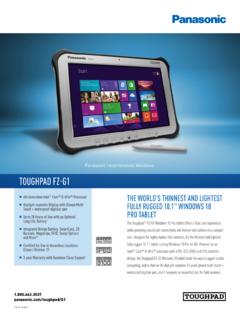
TOUGHPAD FZ-G1 - na.panasonic.com
na.panasonic.comTOUGHPAD FZ-G1 Panasonic is constantly enhancing product specifications and accessories. Specifications subject to change without notice. Trademarks are property of their respective owners.

Panasonic recommends Windows. TOUGHPAD FZ-G1
na.panasonic.comTOUGHPAD FZ-G1 Panasonic is constantly enhancing product specifications and accessories. Specifications subject to change without notice. Trademarks are property of their respective owners.
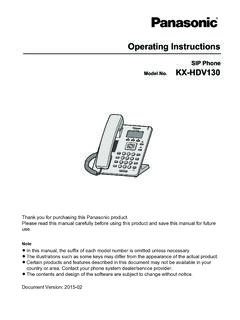
KX-HDV130 Operating Instructions - Panasonic
na.panasonic.comContact your phone system dealer/service provider. ... networks making use of Voice over IP technology are required to provide echo cancellation for all voice calls. The combined effect of audio/VoIP conversion delay and IP routing delay can cause the echo cancellation time of ³ 64 ms to be required.

TOUGHBOOK 55 - Panasonic
na.panasonic.com1 Tested by national independent third party lab following MIL-STD-810H Method 516.8 Procedure IV for transit drop test and IEC 60529 Sections 13.4, 13.6.2, 14.2.5 and 14.3 for IP53. 2 Keyboard is user-replaceable, but once removed, the old keyboard must be discarded.

IP Proprietary Telephone KX-NT551/KX-NT553 KX-NT556
na.panasonic.comIP Proprietary Telephone Model No. KX-NT551/KX-NT553 KX-NT556 Thank you for purchasing an IP Proprietary Telephone (IP-PT). Please read this manual carefully before using this product and save this manual for future use. For more details, please refer to the manuals of the PBX.

Digital Proprietary Telephone KX-DT521/KX-DT543 /KX-DT546
na.panasonic.comDigital Proprietary Telephone Model No. KX-DT521/KX-DT543 /KX-DT546 Digital DSS Console Model No. KX-DT590 Thank you for purchasing a Digital Proprietary Telephone (DPT). Please read this manual carefully before using this product and save this manual for future use. For more details, please refer to the manuals of the PBX.

Toughbook 33 FAQs - Panasonic
na.panasonic.comapplications such as Computer Aided Dispatch (CAD) for law enforcement officers. Other benefits of a 3:2 over a widescreen include less vertical scrolling, more closely resembles the size and feel of 8.5 x 11 paper, and less interference around airbag zones for …
Related documents
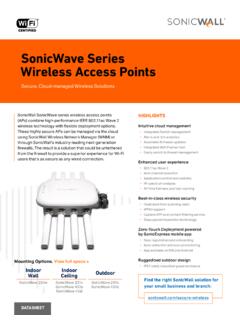
SonicWave Series Wireless Access Points
www.sonicwall.com4 | SonicWave Series Wireless Access Points SonicWave 231c – The Ceiling Mount AP RF coverage maps LED indicators Mounting tab lock point Mounting tab insert point Mounting tab insert point LAN/POE port 12V Adaptor port Reset button USB 2.0 port 2.4 GHz Radio Power LAN 5GHz Radio 2.4 GHz 2.4 GHz 5 GHz 5 GHz-50-40-30-20-10 0 10 0 15 30 45 60 ...
evolution wireless G4 100 series - Sennheiser
assets.sennheiser.comUsing ew 100 G4 series devices 56 Using the EM 100 G4 58 Operating elements on the front of the device 59 Product overview for the front of the EM 100 G4 59 Switching the EM 100 G4 on and off 60 Muting the audio output 61 Lock-off function 62 Displays on the EM 100 G4 display panel 63 Buttons for navigating through the menu 63 Home screen 65

Interactive Part Locator OMEN 25L/30L Desktop PC Series
h10032.www1.hp.comOMEN 25L/30L Desktop PC Series. External Views Back to Welcome page Go to Parts List Internal Front Left Top Right Rear Bottom. ... Security lock slot Audio out port Audio in port RJ-45 (Ethernet) port One USB-C 3.1 Gen 2 port ... Wireless LAN module M.2 solid state drive Motherboard Power supply Hard drive System memory Front compartment.

HP LaserJet Enterprise M611 series
h20195.www2.hp.comHP LaserJet Enterprise M611 series This HP LaserJet with JetIntelligence combines performance, energy efficiency, and security. ... security lock M611dn M611x Part number 7PS84A 7PS85A Print speeds (A4) ... Wireless performance is dependent on physical environment and distance from access point, and may be ...
XR150 Control Panel - DMP.com
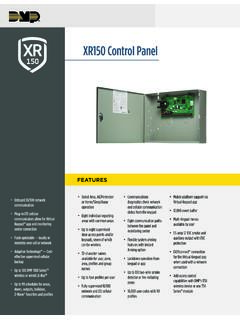
buy.dmp.com1135E Wireless Siren 1142E Wireless Two-Button Hold Up Transmitter 1144E Wireless Key Fobs LOCKDOWN For emergency situations, a Lockdown command can be issued from the keypad menu or via remote command to lock all doors designated as public. TEMPORARY CODES Temporary codes are user codes that can be entered with a finite date and specific
Meraki Z-Series
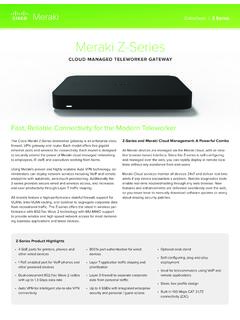
meraki.cisco.comZ-series provides secure wired and wireless access, and increases end-user productivity through Layer 7 traffic shaping. All models feature a high-performance stateful firewall, support for VLANs, inter-VLAN routing, and isolation to segregate corporate data from recreational traffic. The Z-series offers the latest in wireless per-

XT30 and XT50 Panels - DMP
buy.dmp.comWireless Siren Serial Number Zone Information All standard programming options are still available in the programming menu from the keypad, Tech APP, Dealer Admin or Remote Link. WIRELESS KEYPADS The 9000 Series and 9800 Series wireless keypads are fully functioning, supervised keypads that provide installation flexibility.
Legion Y540 Series User Guide - B&H Photo
www.bhphotovideo.comFigure 5. Legion Y540-15 series - right view DNk : Figure 6. Legion Y540-17 series - right view 1. USB 3.1 connector Gen 1 Connect USB-compatible devices, such as a USB keyboard, USB mouse, USB storage device, or USB printer. 2. Novo button When the computer is off, press this button to go menu. 6 Legion Y540 Series User Guide