
Zoom Quick Reference Guide - CustomGuide
pane, click the Mute button next to a guest’s name. Click Unmute to unmute them. Remove a Guest: In the Participants pane, click the More button next to a guest’s name and select Put in Waiting Room (to send them back to the waiting room until you re-admit them) or Remove Guest (to remove them entirely).
Download Zoom Quick Reference Guide - CustomGuide

Information
Domain:
Source:
Link to this page:
Documents from same domain

Microsoft PowerPoint 2013 - CustomGuide
www.customguide.comMicrosoft® PowerPoint 2013 Quick Reference Card The PowerPoint 2013 Screen Keyboard Shortcuts The Fundamentals To Create a New Presentation: Click the File tab, click New.

Word 2013 Quick Reference - SharePoint Training
www.customguide.comMicrosoftWord 2013 ® Quick Reference Card The Word 2013 Screen Keyboard Shortcuts General Open a Document Ctrl + O Create New Ctrl + N …

Quick Reference Card Visit: qr.customguide
www.customguide.comMicrosoftWord 2016 ® Quick Reference Card The Word 2016 Screen Keyboard Shortcuts General Open a Document Ctrl + O Create New Ctrl + N …

Windows 10 Quick Reference - CustomGuide
www.customguide.comMicrosoft® Windows 10 Quick Reference Card Start Menu Keyboard shortcuts Basic Commands Start Menu Copy a Folder/File Ctrl + C Cut a Folder/File Ctrl + X

Your Organization’s Name Here - SharePoint Training
www.customguide.com©CustomGuide 2015 3 Table of Contents Table of Contents ..... 3

Project 2013 Quick Reference - CustomGuide
www.customguide.comMicrosoft® Project 2013 Quick Reference Card Project 2013 Screen Common Views To Display a View: Select the View tab and choose from the Task Views available.

Windows 8 Quick Reference - CustomGuide
www.customguide.comicrosof inos uic eference Car For Personal Use Only ustomuide Contact Us at info@customguide.com for organizational use. Free Quick References! Visit: qr.customguide.com The Start Screen

Word 2007 Quick Reference - SharePoint Training
www.customguide.comMicrosoft® Word 2007 Quick Reference Card Word 2007 Screen [Grab your reader’s attention with a great quote from the Shortcuts The Fundamentals Open a Document …

uic eference Car Free Quick References! - …
www.customguide.comicrosof nc uic eference Car For Personal Use Only ustomuide Contact Us at info@customguide.com for organizational use. Free Quick References! Visit: qr.customguide.com The Lync 2013 Window

Excel 2013 Quick Reference - CustomGuide
www.customguide.comMicrosoftExcel 2013 ® Quick Reference Card The Excel 2013 Screen Keyboard Shortcuts Close button General Open a Workbook Ctrl + O Create New Ctrl + N
Related documents
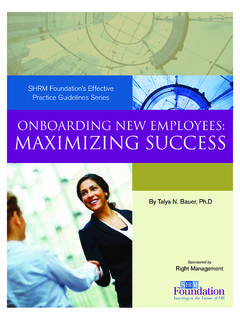
SHRM Foundation’s Effective Practice Guidelines Series
www.shrm.orgBauer has been a guest speaker at the SHRM annual conference and has acted as a consultant for dozens of government, Fortune 1000 and start-up …

Training Manual for Engineers on Solar PV System - WAVE
wave.greenpeace.orgInstructor: Invited guest speaker from CTEVT – STD Reference: 1. Skill Standards for Solar Technicians Level 1 and Level 2 2. Rules and Regulations of CTEVT – STD Lesson Plan Sub-chapter Lesson details Teaching Methodology Facilities required Duration Remarks 1 Skill Standards of CTEVT, Skill Testing/ Certification Procedures
9/11 Commission Report Executive Summary
9-11commission.gov2 THE 9/11 COMMISSION REPORT Pentagon; 256 died on the four planes.The death toll surpassed that at Pearl Harbor in December 1941. This immeasurable pain was inflicted by 19 young Arabs acting at the behest
ARCHIVED DOCUMENT (COVID-19) - Centers for Disease …
www.cdc.gov2 Events and Gatherings: General Readiness Assessment Use the following tool when making initial preparation before the event to promote healthy behaviors, environments, and operations that reduce the spread of COVID-19.
Leadership in Sustainability
sustainable.ufl.eduthe speaker’s organization. 5. Alternative actions that could be taken in place of the one suggested by the speaker. 6. The immediate steps you would take to implement the proposed action in your own organization. - Memo #1: Due by start of week 9 Choose a topic covered by one of the speaker lectures from week 4 - 8

IP Desk Phone Quick Reference Guide
www.umassmed.eduLift the handset, or press Speaker or Headset (if applicable) or a line button for an available line. Dial the number you want to call. Outside Calls: 9+ 10 digit number Internal Calls: 5 digits (example 6-XXXX, 5 XXXX) International Calls: 9+011+country code + city code if applicable proval is required to open up calling area.

Set up Google Home and Google Home Mini - Williams …
www.williams-sonoma.com2. Video services: Tap + and follow the account linking steps. Tap Next. 21. Link TVs and speakers: To control your Chromecast devices with your voice, you must link them to Google Home. Supported devices on the same Wi-Fi network are automatically selected. 0.