Transcription of My Online Pay Records Quick-Start Guide
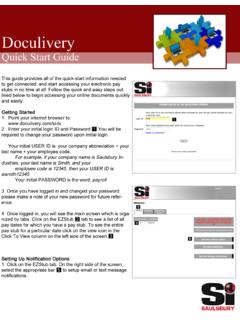
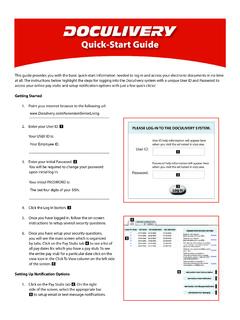
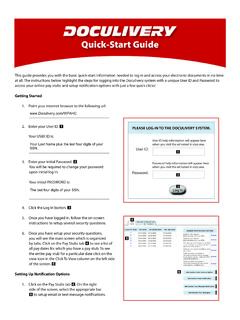
1 Version 4/14/11 Logging InThere are two ways to log into My Online Pay Records :At work, through Connect1. Click on the link for My Online Pay Records . You can find the link in three places: On the Home Page On the Employee Resources page In the Toolbox2. When prompted, enter your Work User ID and current Network Password in the Username and Password Click Sign from work, outside of Connect1. If you do not have access to Connect when not at work, you can access My Online Pay Records through the direct URL from the vendor s host site: Enter the User ID (1) assigned for you to use outside of Connect.
2 Your assigned User ID is your Work User ID plus your hospital Employee #. Note:You can find your Employee # on your printed pay-stub, or on the time clock device when you clock into Enter your Password (2). The default password for a first-time log in is your social security :You will be required to change your password when you log in the first Click Log In (3).After Logging InOnce you have logged into My Online Pay Records , you will see the main screen, organized by tabs. Take note of the following sections of the My Online Pay Records page: The Pay Stubs tab (4) shows you a list of all pay dates for which you have a pay stub.
3 The Click to View column (5) allows you to view an entire pay stub for a particular date. Simply click the icon to view the pay stub. To add or modify email or text notifications, choose the appropriate option (6) on the right-hand side of the Pay Stubs you have difficulties logging into My Online Pay Records : Through Connect - Contact the Support Center Help Desk Outside Connect - Contact your Payroll DepartmentIf you have questions on your pay stub or the application: Contact your Payroll DepartmentMy Online Pay Records Quick-Start GuideHosted by DoculiveryThis Guide provides you with the basic Quick-Start information needed to log in and access your electronic documents.
4 The instructions below highlight the steps for logging into the Doculivery system to see My Online Pay Records .