Transcription of Quick-Start Guide - my.doculivery.com
1 PayStubsMessagesManage YourAccountCLICK TO VIEWPAY DATEPAY BEGIN DATEPAY END DATE07/24/2006 07/10/200607/21/200607/10/2006 06/26/200607/03/200606/26/2006 06/12/200606/23/200606/12/2006 05/29/200606/09/200605/29/2006 05/15/200605/26/200605/01/2006 04/17/200604/28/2006 CURRENT NOTIFICATION OPTIONSE mail my new (as HTML).RemoveEmail my new (as HTML).RemoveText Message of Categories by sendinga text message to the phone number:(813) 222-0333 (AT&T )RemoveEmail my new paystub HTML).RemoveNotify me when my paystub isdelivered by sending a text messageto the phone number: (260) 437-5979(VERIZON WIRELESS )RemoveNotify me when my paystub isdelivered by sending an email to theemail address: Another Email Delivery OptionAdd Another Email NotificationAdd Another Text Message NotificationAdd Detailed Text MessagingThis Guide provides you with the basic Quick-Start information needed to log in and access your electronic documents in no time at all.
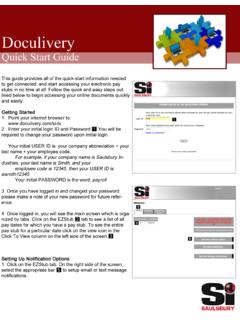
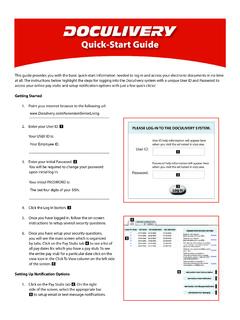
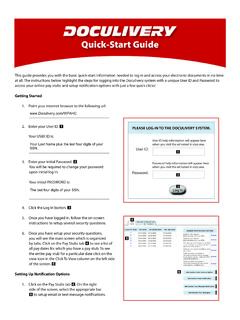
2 The instructions below highlight the steps for logging into the doculivery system with a unique User ID and Password to access your online pay stubs and setup notification options with just a few quick clicks!Getting your internet browser to the following url: your User ID. Your USER ID is: your initial Password. #You will be required to change your password upon initial log initial PASSWORD is: the Log In button. $ you have logged in, follow the on-screen instructions to setup TFWFSBM security you have setup your security questions, you will see the main screen which is organized by tabs. Click on the Pay Stubs tab % to see a list of all pay dates for which you have a pay stub. To see the entire pay stub for a particular date click on the view icon in the Click To View column on the left side of the screen.
3 &Setting Up Notification on the Pay Stubs tab %. On the right side of the screen, select the appropriate bar ' to setup email or text message notifications. Quick-Start Guide %' &PLEASE LOG-IN TO THE doculivery SYSTEM. User ID:Password:User ID help information will appear here when you visit the url noted in step help information will appear here when you visit the url noted in step one.#$ last four digits of your Employee ID.