Transcription of Self-Service User Guide RO3 060109
1 NYCAPS employee Self-Service user Guide employee Self-Service Overview Instant access to your HR, payroll, tax, and benefits data. Reduced paper waste with electronic pay stubs in line with PlaNYC green initiative. Frequently Asked Questions What can I do in the employee Self-Service tool? You can make updates to the following types of data: - Personal Information - Tax and Payroll Information - Benefits Information The diagram to the right illustrates all actions that can be taken in the tool When can I access employee Self-Service ? ESS is now available 24/7. Please note that brief maintenance windows may occur evenings starting at 8:30 pm and on Sundays. How do I access employee Self-Service ? To access ESS from a City office, please use the Intranet website: To access ESS outside of a City office, please use the Internet website: Log-in using your user ID and Password* Will I still get a paper pay stub?
2 Employees of CCRB, CCHR, DFTA, DCP, DoHMH, DJJ, DORIS, DOT, DA-NY, HPD, LPC, OCB o If you are enrolled in direct deposit, you will not receive paper pay stubs. ESS will replace your pay stub, giving you the ability to view and print pay stub data online o You may continue receiving paper pay stubs, however, by changing your Print Status in ESS, or by contacting your Payroll Officer for additional assistance If you are not enrolled in direct deposit, you will continue to receive a paper pay check *NOTE: -Your user ID is your 7 digit employee ID/PMS Reference # provided by your agency or found on your previous pay stubs. (New hires receive their employee ID/PMS Reference # as part of the new hire process). -Your password consists of the last 2 digits of your SSN and your 8 digit birth date.
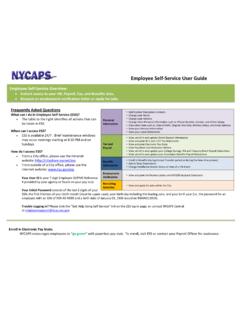
3 ( the password for an employee with an SSN of XXX-XX- XX89 and a birth date of 01/25/1900 would be 8901251900). -Trouble Logging in? Please click the Need help logging in link on the ESS log-in page, or contact NYCAPS Central at Personal InformationPersonal InformationTax & Payroll InformationTax & Payroll InformationBenefits InformationBenefits InformationEmployee self -ServiceEmployee self -ServiceChange your Name Change your Name View, enroll in, and update Direct Deposit InformationView, enroll in, and update Direct Deposit InformationEnroll in Benefits (during Annual Transfer Period or during the New Hire process)Enroll in Benefits (during Annual Transfer Period or during the New Hire process)View other data such as:- Date of Birth- Original Hire Date- Military Status- Email AddressView other data such as.
4 - Date of Birth- Original Hire Date- Military Status- Email AddressChange your Address Change your Address Change other pertinent Personal Data such as:- Emergency Contact- Phone Number- Gender- Ethnic GroupChange other pertinent Personal Data such as:- Emergency Contact- Phone Number- Gender- Ethnic GroupView and print W-2 & 1127 Tax StatementsView and print W-2 & 1127 Tax StatementsView and update Tax Withholdings View and update Tax Withholdings View and print Electronic Pay Stubs View and print Electronic Pay Stubs Add or Drop DependentsAdd or Drop DependentsChange Healthcare Waiver Status at time of a Life EventChange Healthcare Waiver Status at time of a Life EventView Pay Detail and Deduction HistoryView Pay Detail and Deduction History