Transcription of How to use AFUDOSP flash utility? - ECS
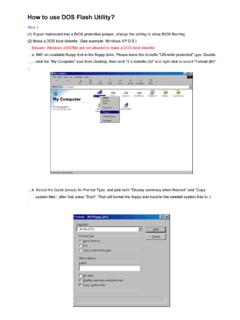
1 1/3 How to use AFUDOSP flash utility ? 1. Please log in ECS website ( ) to download the latest BIOS file for your mainboard . Then unzip that BIOS package & copy the following 2 files to your bootable USB thumb drive. BIOS file (eg. ) 2. Plug the bootable USB thumb drive into the USB port of your system. 2/3 3. Power on your system & hit [F7] to get the Boot menu . (Take H67H2-M mainboard as an example.) 4. Select the device name of that bootable USB thumb drive from the menu. 3/3 5. When system accesses DOS mode, please input the following command. Then press [Enter] key. AFUDOSP BIOS Note: BIOS stands for the full name of the BIOS file you intend to update with. eg C:\> AFUDOSP It will start updating BIOS as below. Beware! Do NOT shut down or reset your system during BIOS flashing. Otherwise, the system may be crashed! 6. Once it s done, system will restart automatically & that means BIOS update has completed.
2 You can continue to run your system like before.