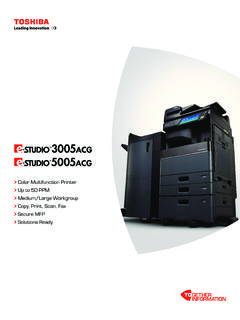
Transcription of Xerox® VersaLink® C7020/C7025/C7030 Color …
1 Xerox VersaLink C7020/C7025/C7030 Color multifunction printer User Guide 2017 Xerox Corporation. All rights reserved. Unpublished rights reserved under the copyright laws of the United States. Contents of this publication may not be reproduced in any form without permission of Xerox Corporation. Copyright protection claimed includes all forms of matters of copyrightable materials and information now allowed by statutory or judicial law or hereinafter granted, including without limitation, material generated from the software programs which are displayed on the screen such as styles, templates, icons, screen displays, looks, and so on. Xerox and Xerox and Design , Phaser , PhaserSMART , PhaserMatch , PhaserCal , PhaserMeter , CentreWare , PagePack , eClick , PrintingScout , Walk-Up , WorkCentre , FreeFlow , SMART send , Scan to PC Desktop , MeterAssistant , SuppliesAssistant , Xerox Secure Access Unified ID System , Xerox Extensible Interface Platform , ColorQube , ConnectKey , Global Print Driver , VersaLink , AltaLink , and Mobile Express Driver are trademarks of Xerox Corporation in the United States and/or other countries.
2 Adobe Reader , Adobe Type Manager , ATM , Flash , Macromedia , Photoshop , and PostScript are trademarks of Adobe Systems Incorporated in the United States and/or other countries. Apple , Bonjour , EtherTalk , TrueType , iPad , iPhone , iPod , iPod touch , Mac and Mac OS are trademarks of Apple Inc., registered in the and other countries. AirPrint and the AirPrint Logo are trademarks of Apple Inc. Google Cloud Print web printing service, Gmail webmail service, and Android mobile technology platform are trademarks of Google, Inc. HP-GL , HP-UX , and PCL are trademarks of Hewlett-Packard Corporation in the United States and/or other countries. IBM and AIX are trademarks of International Business Machines Corporation in the United States and/or other countries.
3 Microsoft , Windows Vista , Windows , and Windows Server are trademarks of Microsoft Corporation in the United States and other countries. McAfee , ePolicy Orchestrator , and McAfee ePO are trademarks or registered trademarks of McAfee, Inc. in the United States and other countries. Novell , NetWare , NDPS , NDS , IPX , and Novell Distributed Print Services are trademarks of Novell, Inc. in the United States and other countries. PANTONE and other Pantone, Inc. trademarks are the property of Pantone, Inc. SGI and IRIX are trademarks of Silicon Graphics International Corp. or its subsidiaries in the United States and/or other countries. Sun, Sun Microsystems, and Solaris are trademarks or registered trademarks of Oracle and/or its affiliates in the United States and other countries.
4 UNIX is a trademark in the United States and other countries, licensed exclusively through X/ Open Company Limited. Wi-Fi CERTIFIED Wi-Fi Direct is a trademark of the Wi-Fi Alliance. Document version : June 2017 Xerox VersaLink C7020/C7025/C7030 Color multifunction printer 3 User Guide Contents 1 Safety 11 Notices and Safety .. 12 Electrical Safety .. 13 General Guidelines .. 13 Power Cord .. 14 Emergency Power Off .. 14 Telephone Line Cord .. 14 Operational Safety .. 15 Operational Guidelines .. 15 Ozone Release .. 15 printer Location .. 15 printer Supplies .. 16 Maintenance Safety .. 17 printer Symbols .. 18 Environmental, Health, and Safety Contact Information .. 20 2 Getting Started 21 Parts of the printer .. 22 Front View .. 22 Duplex Automatic Document Feeder.
5 23 Control Panel .. 24 Internal Parts .. 26 Rear View .. 26 Configurations .. 27 Power Options .. 28 Powering On the printer .. 28 Powering Off the printer .. 29 Entering and Exiting Sleep Mode and Low Power Mode .. 29 Power Saver .. 30 Accessing the printer .. 31 Logging In .. 31 Convenience Authentication .. 31 Duplex Automatic Document Feeder .. 32 Front View .. 33 Installing the Wireless Network Adapter .. 34 Internal Parts .. 36 Operating System Requirements .. 37 Powering Off the printer .. 38 Powering On the printer .. 39 Rear View .. 40 Contents 4 Xerox VersaLink C7020/C7025/C7030 Color multifunction printer User Guide Removing the Wireless Network Adapter .. 41 Introduction to Apps .. 43 Information Pages .. 44 Printing Information Pages .. 44 Configuration Report.
6 45 Printing the Configuration Report .. 45 The Embedded Web Server .. 45 Installation and Setup .. 47 Installation and Setup Overview .. 47 Selecting a Location for the printer .. 47 Connecting the printer .. 48 More Information .. 62 3 Xerox Apps 63 Xerox App Gallery .. 64 Xerox App Gallery Overview .. 64 Setting up the Xerox App Gallery .. 64 Accessing the Xerox App Gallery .. 65 Installing or Updating an App from the Xerox App Gallery .. 67 Logging out of your App Gallery Account .. 68 Device .. 69 Device Overview .. 69 About .. 70 Supply Status .. 71 Billing and Usage Counters .. 72 Reset to Factory Defaults .. 73 Remote Services .. 73 Address Book .. 74 Address Book Overview .. 74 Editing the Address Book .. 74 Managing Favorites .. 78 Jobs .. 79 Jobs Overview.
7 79 Managing Jobs .. 79 Managing Special Job Types .. 81 Managing Jobs using the Embedded Web Server .. 85 Copy .. 86 Copy 86 Making a Copy .. 87 Copy Workflows .. 89 ID Card Copy .. 97 ID Card Copy Overview .. 97 Copying an ID Card .. 97 Contents Xerox VersaLink C7020/C7025/C7030 Color multifunction printer 5 User Guide Email .. 98 Email Overview .. 98 Sending a Scanned Image in an Email .. 99 Scan To .. 101 Scan To Overview .. 101 Scanning to an Email Address .. 102 Scanning to a User Home Folder .. 103 Scan to Desktop .. 104 Scanning to a Shared Folder on a Network Computer .. 104 Scanning Images into an Application on a Connected 107 Fax .. 108 Fax Overview .. 108 Sending a Fax .. 109 Fax Workflows .. 111 USB .. 117 USB Overview .. 117 Scanning to a USB Flash Drive.
8 118 Printing From a USB Flash Drive .. 119 4 Customize and Personalize 121 Customize and Personalize Overview .. 122 Customizing or Personalizing the Home Screen .. 123 Customizing or Personalizing the Apps .. 124 Customizing or Personalizing the Feature List .. 124 Customizing or Personalizing the Entry Screen .. 124 Saving Presets .. 125 Removing App Customization .. 125 Customizing App Default Settings .. 126 5 Printing 127 Printing Overview .. 128 Selecting Printing Options .. 129 Print Driver Help .. 129 Windows Printing Options .. 130 Macintosh Printing Options .. 132 UNIX and Linux 133 Mobile Printing Options .. 135 Print Jobs .. 137 Managing Jobs .. 137 Printing Special Job Types .. 138 Printing Features .. 142 Selecting Paper Options for 142 Printing on Both Sides of the Paper.
9 143 Xerox Black and White .. 143 Print Quality .. 144 Contents 6 Xerox VersaLink C7020/C7025/C7030 Color multifunction printer User Guide Image Options .. 144 Printing Multiple Pages to a Single Sheet .. 146 Printing Booklets .. 146 Using Special Pages .. 147 Printing Watermarks for Windows .. 149 Orientation .. 150 Advanced Tab .. 150 Using Custom Paper Sizes .. 152 Defining Custom Paper Sizes .. 152 Printing on Custom Paper Sizes .. 154 6 Paper and Media 155 Paper and Media Overview .. 156 Supported Paper .. 157 Ordering Paper .. 157 General Paper Loading Guidelines .. 157 Paper That Can Damage Your 158 Paper Storage Guidelines .. 158 Supported Paper Types and Weights .. 159 Supported Standard Paper Sizes .. 160 Supported Standard Paper Sizes for Automatic 2-Sided Printing.
10 161 Supported Paper Types and Weights for Automatic 2-Sided Printing .. 161 Supported Custom Paper Sizes .. 162 Paper Tray Settings .. 163 Configuring Tray Settings .. 163 Configuring Trays 3 and 4 of the Tandem Tray Module .. 164 Configuring Tray 165 Loading Paper .. 168 Loading Paper in Trays 1 4 .. 168 Loading Paper in Trays 3 and 4 of the Tandem Tray Module .. 172 Loading Paper in the Bypass Tray .. 174 Loading Paper in Tray 177 Printing on Special Paper .. 179 Envelopes .. 179 Labels .. 184 Contents Xerox VersaLink C7020/C7025/C7030 Color multifunction printer 7 User Guide 7 Maintenance 191 General Precautions .. 192 Cleaning the printer .. 193 Cleaning the Exterior of the printer .. 193 Cleaning the Interior .. 195 Supplies .. 200 Consumables.