Transcription of Host Checker Deep Clean Guide - Deutsche Bank
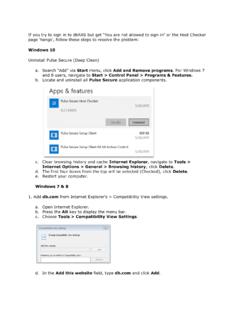
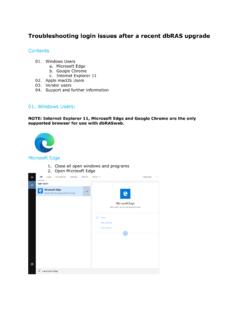
1 host Checker deep Clean Guide Updated April 14, 2010 Document release Page 1 Introduction This Guide is designed to provide additional assistance when you are unable to run the host Checker process during dbRASweb logon. Occasionally, settings and programs on your machine can become corrupt and require reinstallation. This Guide will take you through the thorough removal of all host Checker components so that they may be installed again correctly. Prerequisites This Guide assumes that you have the following: A personally-owned Windows XP, Windows Vista or Windows 7 machine Administrator rights to that machine.
2 It also assumes that you comfortable modifying system settings and deleting files. If you are not comfortable doing this and would like assistance, please see the Further Assistance section at the end of this Guide . Procedure Windows XP Follow these steps to thoroughly remove host Checker from your Windows XP machine: 1. Go to Control Panel >Add/Remove Programs and remove all programs in the list beginning with juniper . Select each one and click Change/Remove. 2. Go to Control Panel > Internet Options > General > Settings > View Objects, select JuniperSetupControl (if it exists), rick-click and choose Remove. 3.
3 Now go to C:\Documents and host Checker deep Clean Guide Updated April 14, 2010 Document release Page 2 Settings\<username>\Application Data\ juniper Networks\setup and run 4. Next, go to C:\Documents and Settings\<username>\Application Data and delete the juniper Networks Folder 5. Go to C:\Documents and Settings\All Users\Application Data and delete the juniper Networks Folder 6. Go to C:\Program Files and delete the juniper Networks Folder 7. Go to Control Panel > Internet Options > Advanced and click to Reset Internet Explorer back to defaults. 8. Finally (and if Java is installed), go to Control Panel > Java > General -> Settings.
4 -> Delete Files .. and click OK. Reboot your machine Procedure Windows Vista & Windows 7 Follow these steps to thoroughly remove host Checker from your Windows Vista or Windows 7 machine: 1. Go to Control Panel >Programs and Features -> Uninstall and remove all programs in the list beginning with juniper . Select each one and double-click to initiate each uninstall. 2. Go to Control Panel > Internet Options > General > Settings > View Objects, select any juniper files, right-click and choose Delete. host Checker deep Clean Guide Updated April 14, 2010 Document release Page 3 3. Go to C:\Program Files(x86) and delete the folder juniper Networks.
5 4. Go to C:\Users\<userid>\AppData\Roaming and delete juniper Networks. Reboot your machine. Further Assistance For further assistance, contact the Remote Computing Service Desk on the numbers below: US 866 327 2777 International + 800 1301 1301 Sinius (Germany) 0800 666 66 33 Or visit the dbRAS website.